


Demystifying Visual Paradigm: 5 Approaches to Automated and Model-Driven Diagramming
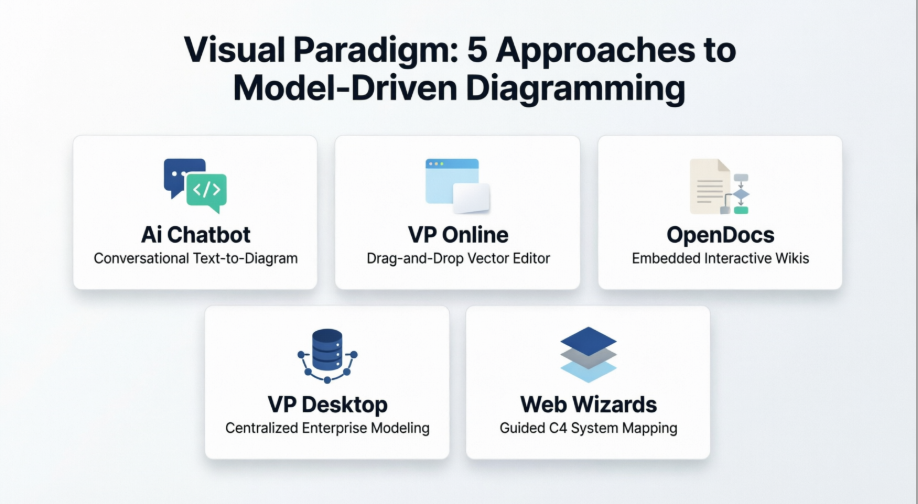
1. The AI Chatbot: “As-Code” Pure Generation
The Visual Paradigm AI Chatbot operates as a conversational, code-driven text-to-diagram agent. It interprets natural language prompts and transforms them directly into fully structured, presentation-ready diagrams within seconds.
-
Execution Mechanism: Users communicate solely via chat prompts to instantiate shapes, define actors, and declare data flows. For instance, issuing a command like “Create a sequence diagram for an ATM cash withdrawal” builds the initial draft instantly.
-
Editing Constraints: This layer features no manual canvas drag-and-drop or shape styling. Instead, modifications rely strictly on conversational refinement. To alter the visual asset, you must feed subsequent instructions back into the terminal—such as “Rename Customer to Buyer” or “Add an exception flow for wrong PINs”.
-
Best Used For: Rapid prototyping, rapid text-to-visual validation, and engineering teams who prefer treating architectural layouts “as code” or as structural logic text rather than adjusting manual placements.
2. VP Online: The Direct Canvas Tool
Visual Paradigm Online is a nimble, browser-based vector diagramming suite that bridges manual visual design with swift standalone automation.
-
Execution Mechanism: Unlike the Chatbot, VP Online exposes a full graphics canvas equipped with standard drag-and-drop shape libraries, layout controls, and alignment toolbars. Users can choose to start via text generation or utilize manual drawing mechanisms.
-
Editing Constraints: You gain absolute, manual control over fonts, shape sizes, line paths, and coloring profiles. However, this environment is architecturally decoupled. It features no shared model repository and no structural model consistency. If you delete an entity or change a line attribute on one diagram, those modifications do not propagate across other canvases in your project.
-
Best Used For: Standalone mockups, presentation slides, or isolated business flowcharts where visual design flexibility is prioritized over underlying system validation.
3. OpenDocs: Documentation-Embedded Diagramming
Visual Paradigm OpenDocs is a modern, web-based collaborative knowledge-base and Markdown documentation platform that integrates diagramming directly into text assets.
-
Execution Mechanism: While drafting technical documentation or architectural specifications, users can generate diagrams natively inside the document node. You simply activate the text field, click Insert > Diagram, and use the “Create with AI” prompt engine to instantly contextualize your document with an embedded flowchart, UML layout, or ERD.
-
Editing Constraints: Visual components remain completely interactive and editable within the page. However, OpenDocs relies on no underlying data models. Every visual layout acts as an isolated graphic instance pinned specifically to that documentation node. Diagrams can be converted into “Component Pages” to be linked and reused across different text nodes, but they do not hook into a deeper software-engineering model.
-
Best Used For: Building comprehensive wikis, API reference books, or engineering guidelines where structured text documentation and corresponding diagrams must exist together inside a clean, single-link shared dashboard.
4. Visual Paradigm Desktop: Enterprise Modeling & Deep Validation
Visual Paradigm Desktop is the definitive engineering suite built around strict structural modeling principles, standard notations, and multi-diagram consistency.
-
Execution Mechanism: The desktop suite operates on an underlying centralized model repository. Diagrams are not merely static pixel drawings; they are distinct visual viewpoints looking into a shared model database.
-
Editing Constraints: The desktop platform delivers rigorous structural integrity. It maintains absolute model consistency and automated validation. For example, if you alter a Class property, rename an Actor, or delete an Entity on a Class diagram, the change dynamically syncs across your Use Case, Sequence, and Deployment diagrams. The suite also forces validation rules to prevent syntax errors, allows code generation, and lets teams pull in AI drafts via the OpenDocs Pipeline or import chatbot configurations directly into production blueprints.
-
Best Used For: Complex enterprise architecture blueprints, production-grade software engineering, rigorous database schemas, and long-term project lifecycles demanding accurate synchronization.
5. Web Wizards & Smart Apps: Context-Aware Structural Refinement
Visual Paradigm’s tailored Web Applications and design wizards deploy specialized, step-by-step structural engines built to guide users through complex architectural frameworks.
-
Execution Mechanism: These wizard-driven tools replace empty canvas environments with structured, analytical questionnaires and context forms. They walk the architect sequentially through the scoping of a process, taking careful inventory of structural dependencies, boundaries, and communication hierarchies.
-
Editing Constraints: The environment automatically builds and protects your structural scope. It is highly optimized for context-aware multi-tier frameworks, such as the C4 Model’s four abstraction layers:
- Context: The system scope, users, and high-level integrations are mapped.
- Containers: The system boundary breaks down into concrete web apps, databases, and microservices based on your context definitions.
- Components: The individual code abstractions and modules inside a specific container are fleshed out.
- Code: The underlying structural mechanics or implementation definitions are linked.
-
Best Used For: Mapping out multi-tier cloud systems, auditing nested organizational hierarchies, or configuring C4 system designs where top-down dependency tracking and contextual relationships must remain flawless from layer 1 down to layer 4.
Summary Comparison matrix
| Vector Dimension | Chatbot (As-Code) | VP Online | OpenDocs | VP Desktop | Web Wizards / Apps |
|---|---|---|---|---|---|
| Interface Style | Prompt Terminal | Visual Canvas | Markdown Editor | Heavy Modeling Client | Step-by-Step Questionnaire |
| Canvas Editing | No (Text Prompts Only) | Yes (Full manual drag) | Yes (Direct embedded inline) | Yes (Advanced drag / edit) | Managed via Wizard inputs |
| Model Sync | None (Single generation) | None (Isolated drawing) | None (Isolated graphic) | Full Consistency (Shared DB) | Context-Aware Consistency |
| Syntax Checking | AI Heuristics | None | None | Strict Validation / Rules | Enforced Framework Rules |
| Primary Use Case | Fast conceptual drafts | Quick vector graphics | Document wikis & notes | Production system design | C4 Model architecture layering |
