




A Case Study on Accelerating UML Class Diagram Development with Visual Paradigm’s AI Ecosystem
Introduction
In today’s fast-paced software development landscape, the ability to rapidly translate abstract system requirements into clear, actionable architectural models is a critical competitive advantage. Traditional UML class diagram creation—often a manual, time-intensive process of sketching classes, defining attributes, mapping relationships, and ensuring standards compliance—can become a bottleneck in agile workflows. This case study explores how Visual Paradigm’s integrated AI-powered ecosystem transforms this challenge into an opportunity for acceleration, collaboration, and precision.
We examine a real-world scenario: a mid-sized fintech startup, “PayFlow Solutions,” tasked with designing the core domain model for a new digital payment processing platform. Facing tight deadlines and complex business rules involving users, transactions, merchants, fraud detection, and compliance, their architecture team needed a solution that could keep pace with iterative discovery while producing professional-grade, implementable models. This case study details how PayFlow leveraged Visual Paradigm’s four AI-enhanced platforms—VP Desktop, OpenDocs, AI Visual Modeling Chatbot, and specialized Web Apps—to move from initial concept to a refined, traceable, and code-ready class diagram in a fraction of the traditional time. The journey illustrates not just tool functionality, but a strategic shift in how teams can approach system design with AI as a collaborative partner.
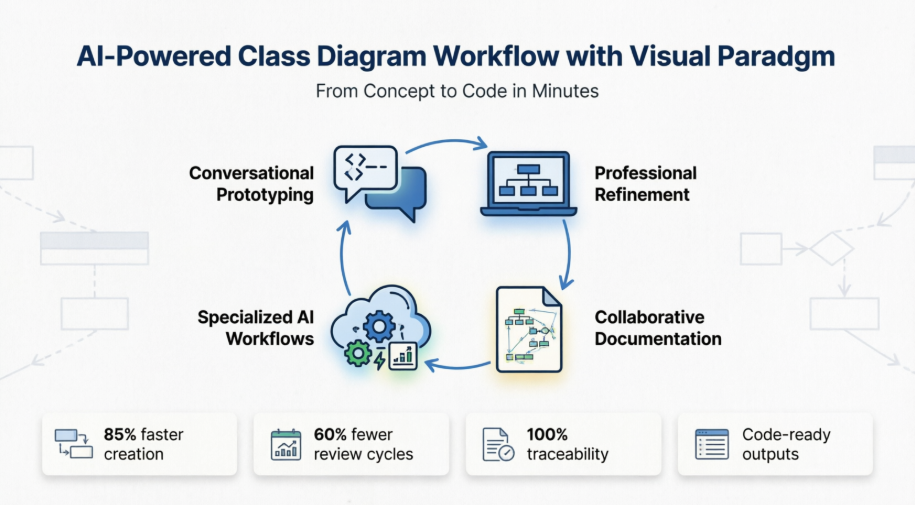
Case Study: PayFlow Solutions’ AI-Powered Class Diagram Workflow
The Challenge: Complexity Meets Deadline
PayFlow Solutions’ architecture team needed to model a domain with over 20 core entities, intricate relationships (aggregations, compositions, inheritances), and strict validation rules. Manual diagramming was estimated to take 3-4 weeks for initial drafts alone, with high risk of inconsistencies and rework as requirements evolved. The team required:
-
Rapid prototyping to validate domain concepts with stakeholders
-
A single source of truth that could evolve with the project
-
Seamless transition from conceptual model to implementation-ready design
-
Collaborative features for distributed team alignment
Phase 1: Rapid Prototyping with AI Visual Modeling Chatbot
The team began brainstorming sessions using the AI Visual Modeling Chatbot. Instead of starting with a blank canvas, a lead architect typed: “Generate a class diagram for a payment processing system with User, Merchant, Transaction, PaymentMethod, FraudCheck, and Settlement classes.”
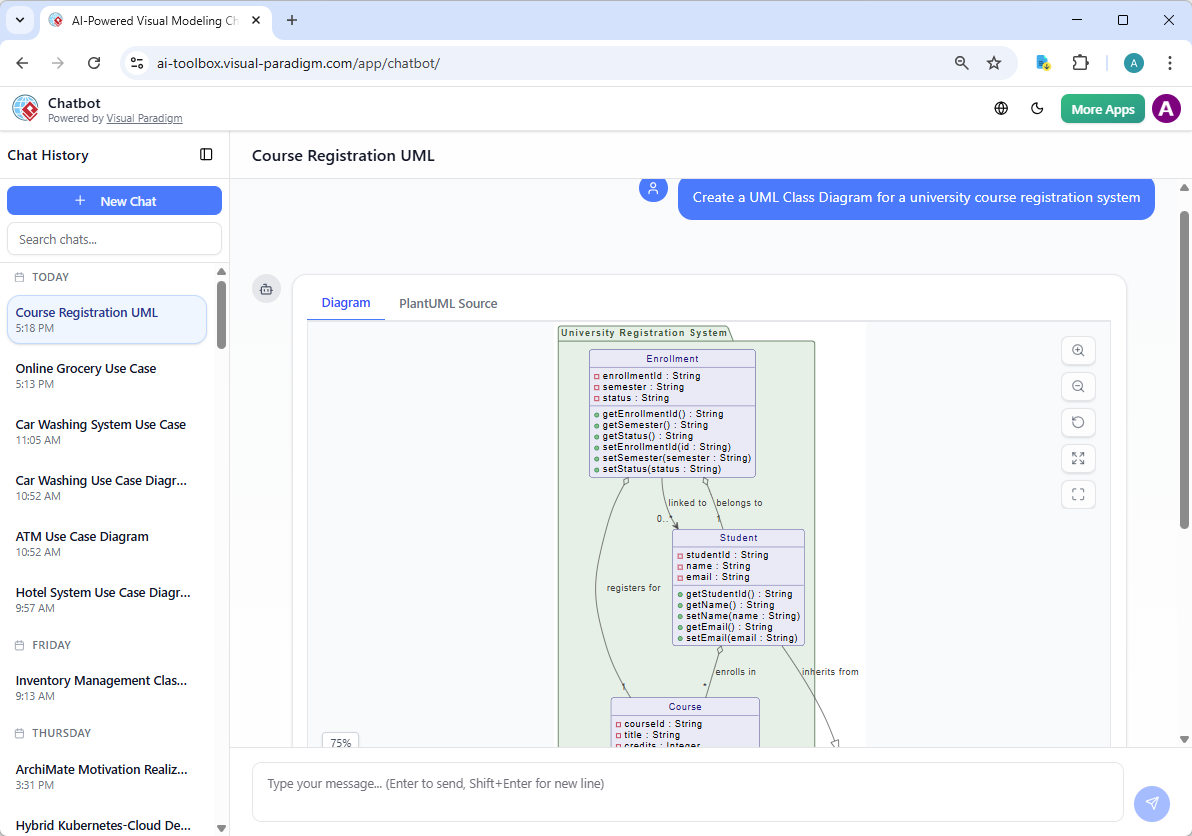
Within seconds, the chatbot produced a structured class diagram with sensible default attributes, operations, and associations. The team then iterated conversationally:
-
“Add a Refund class that inherits from Transaction”
-
“Show composition between Order and OrderItem with 1..* multiplicity”
-
“Explain why FraudCheck is associated with Transaction but not User”
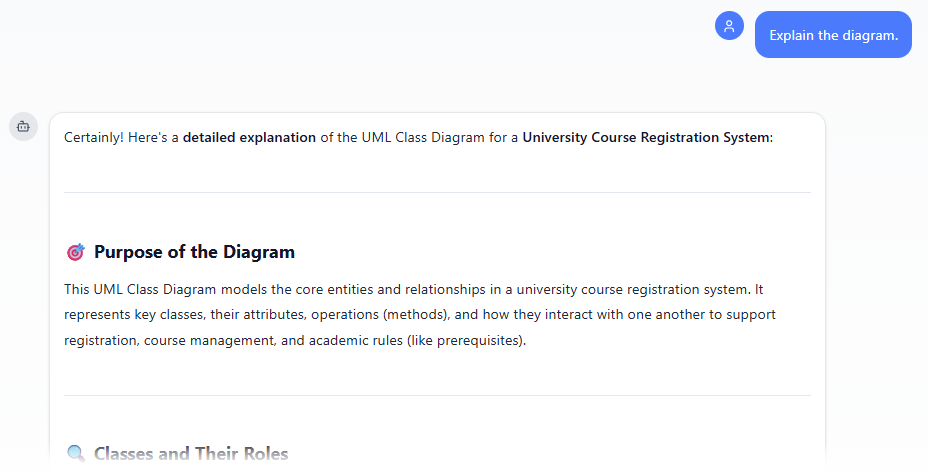
This conversational approach allowed non-technical stakeholders to participate in model refinement, asking questions in plain language and receiving visual feedback instantly. The prototype was exported and pulled into VP Desktop for deeper engineering.
Phase 2: Professional Refinement in VP Desktop
With a solid conceptual foundation, the team moved to VP Desktop for professional-grade modeling. Using the built-in AI diagram generator, they refined the initial prompt: “Expand the payment system model to include AuditLog, ComplianceRule, and NotificationService classes with proper visibility modifiers and getter/setter methods.”
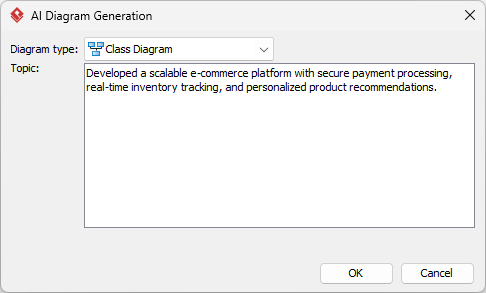
The AI generated a comprehensive diagram following UML best practices:
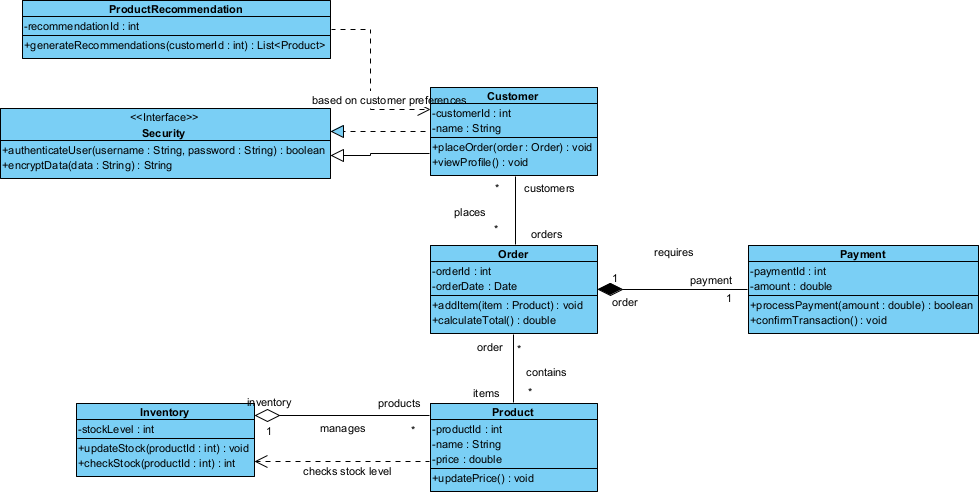
Key advantages realized:
-
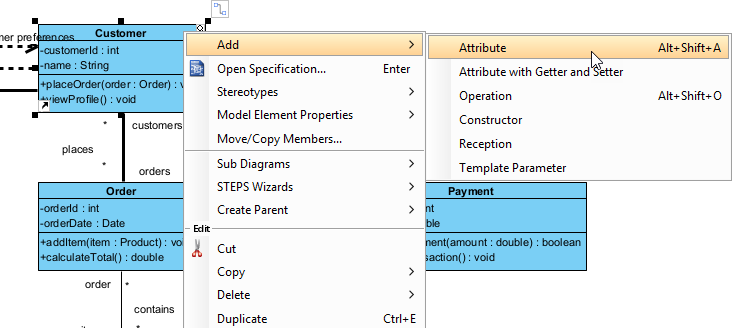
Full offline refinement: Drag elements, adjust stereotypes, set visibility (public/private/protected), and generate boilerplate code
-
Traceability: Linked classes to requirements documents, use cases, and sequence diagrams for end-to-end project visibility
-
Code engineering: Exported model to Java/C# skeletons with proper package structure and method signatures
-
Professional outputs: Generated PDF reports and high-resolution images for stakeholder reviews
Phase 3: Collaborative Documentation with OpenDocs
To ensure alignment across distributed teams, PayFlow embedded the evolving class diagrams directly into their knowledge base using OpenDocs. Instead of static screenshots, team members interacted with live, editable diagrams within contextual documentation.
Workflow for embedding AI-generated diagrams:
-
Open or create a page in OpenDocs: Log in to your Visual Paradigm Online workspace, navigate to OpenDocs, and either open an existing page or create a new one (via + New Document Page or similar).
-
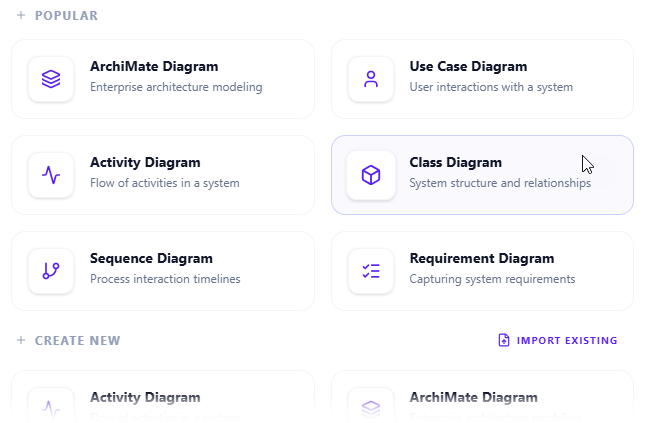
Insert a diagram: In the page editor, look at the top toolbar (or floating toolbar) and click Insert. From the popup window, select Diagram > Class Diagram.
-
Start creating the diagram with AI: This opens the diagram editor window. You can build it manually by dragging and dropping elements if you prefer. To use AI instead: Look for Create with AI in the top-right corner of the editor window and click it.
-
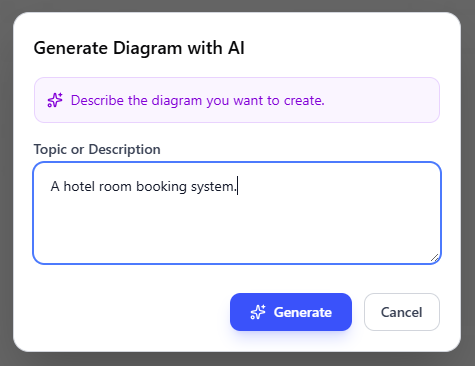
Describe your problem and generate: In the text input area that appears, type a clear, detailed description of your system or scenario. Click Generate.
-
Review, refine, and embed the diagram: The AI generates a professional class diagram instantly.
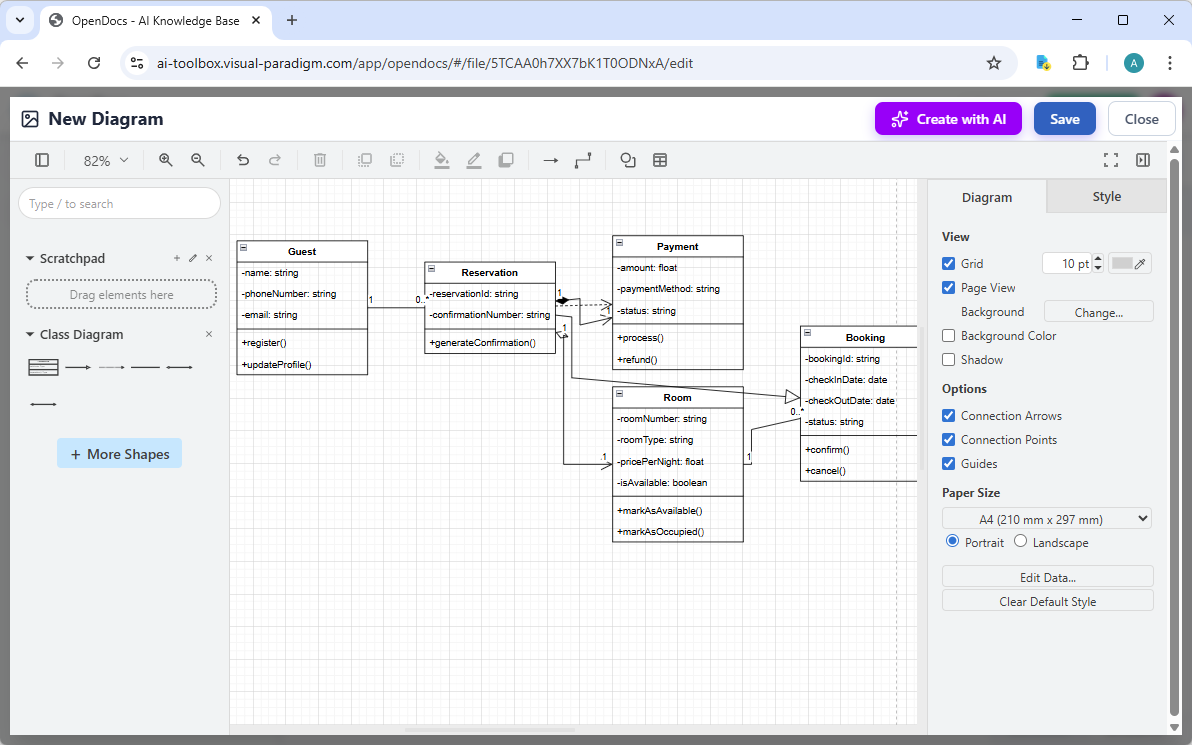
Use the intuitive drag-and-drop editor to touch up anything: move elements, adjust labels, add notes, change styles, etc. When you’re happy with it, click Save. Then click Close. The diagram is now embedded directly into your OpenDocs page as a live, editable visual block. You can view it inline without leaving the document.
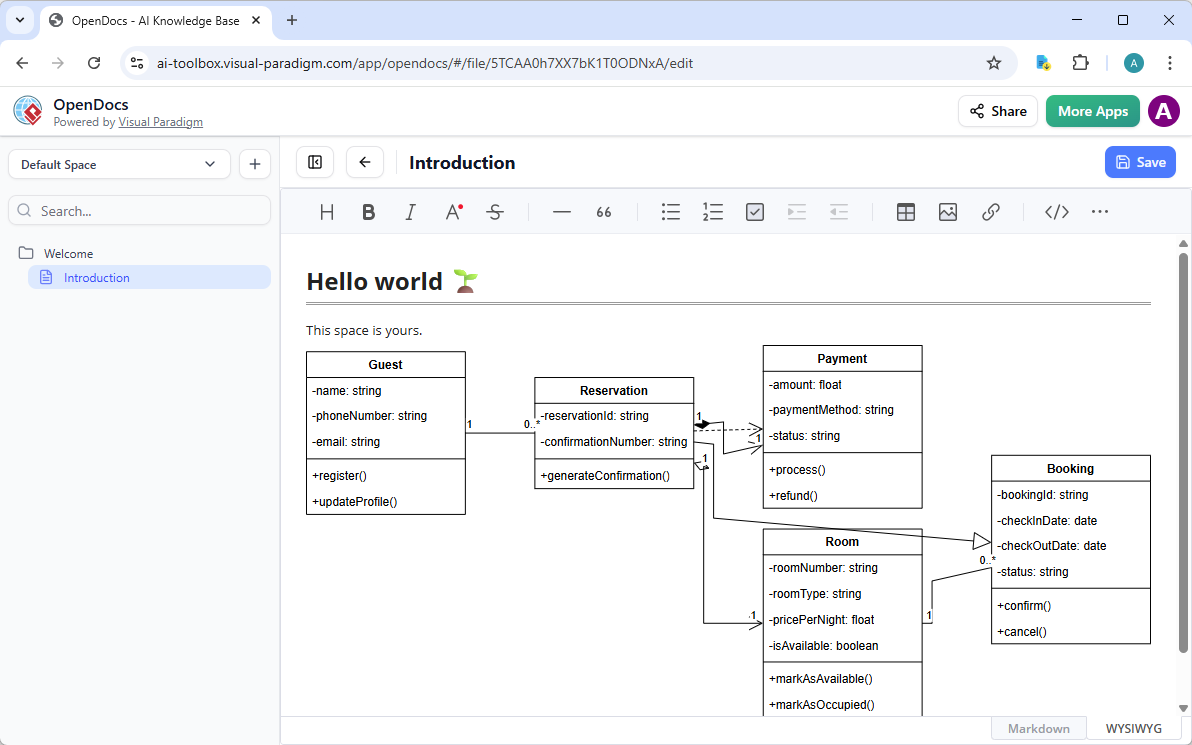
Benefits observed:
-
Living documentation: Diagrams updated automatically when the source model changed
-
Contextual collaboration: Team members commented inline on specific classes or relationships
-
Onboarding acceleration: New hires explored the domain model interactively alongside explanatory text and API specs
Phase 4: Specialized Workflows with Web Apps
For specific aspects of the payment system, PayFlow leveraged Visual Paradigm’s browser-based Web Apps for targeted AI assistance:
-
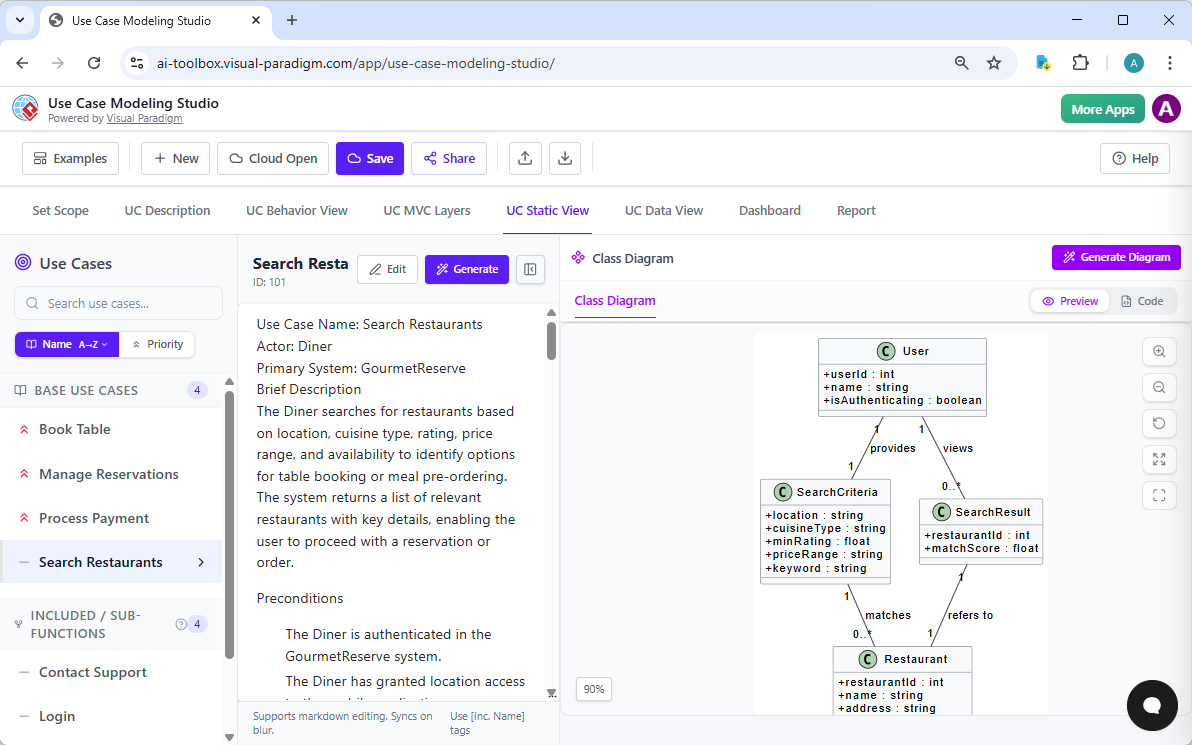
Use Case Modeling Studio: Generated class diagrams from detailed use case descriptions, automatically identifying domain classes and relationships to produce a static structure view alongside Activity and Sequence diagrams.
-
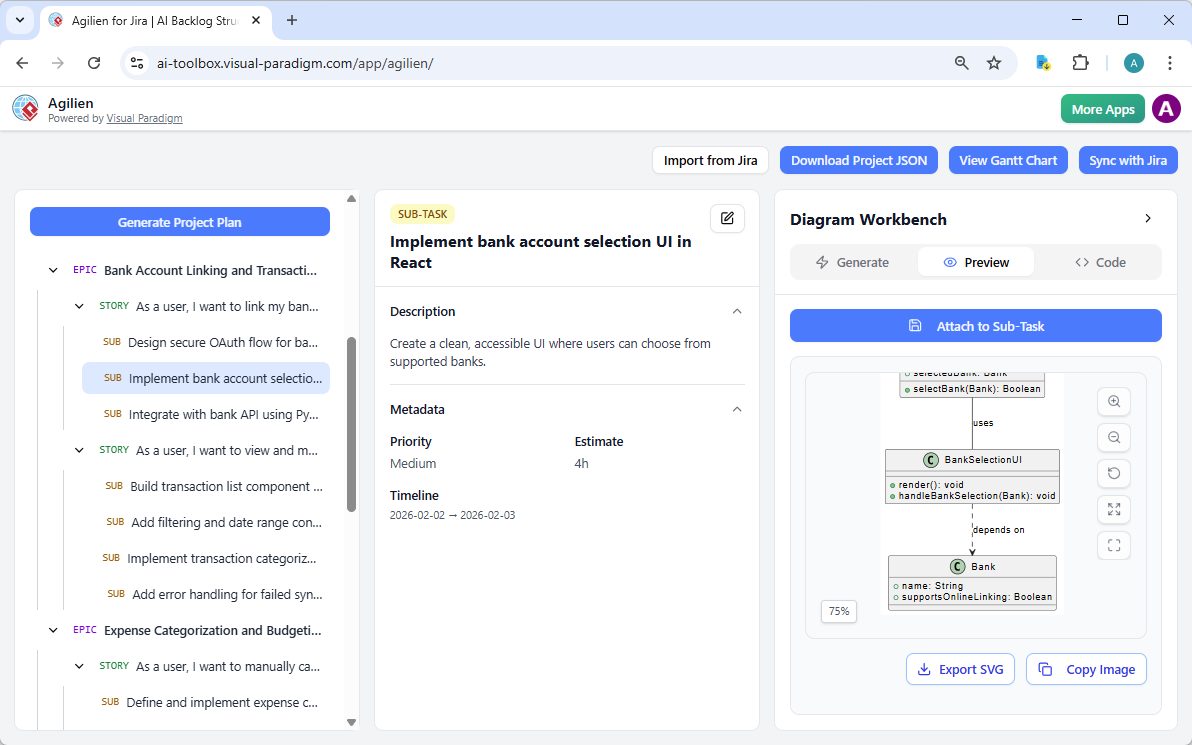
Agilien: Created class diagrams directly from selected user stories or epics using its AI Diagram Workbench, bridging agile planning to structural design by visualizing domain models and object structures.
-
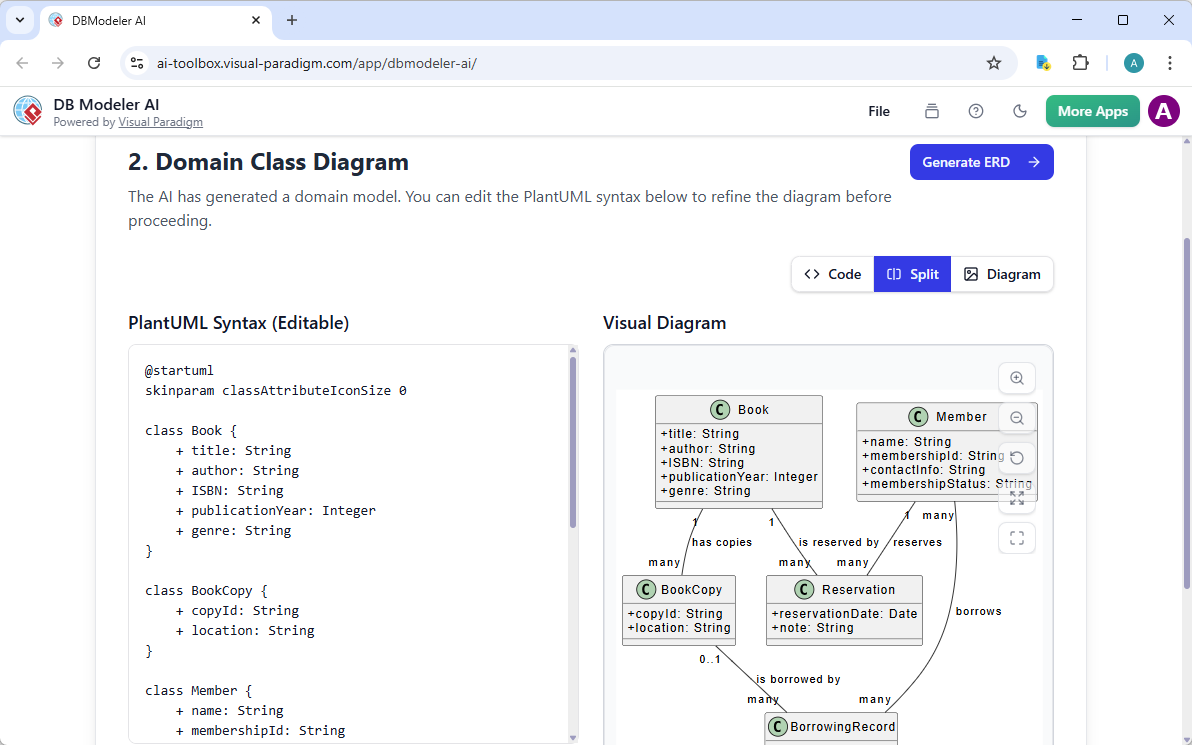
DB Modeler AI: Produced a Domain Class Diagram as the conceptual foundation for database design; the AI transformed business problem descriptions into classes with attributes and relationships before converting them into ERD and SQL schema.
-
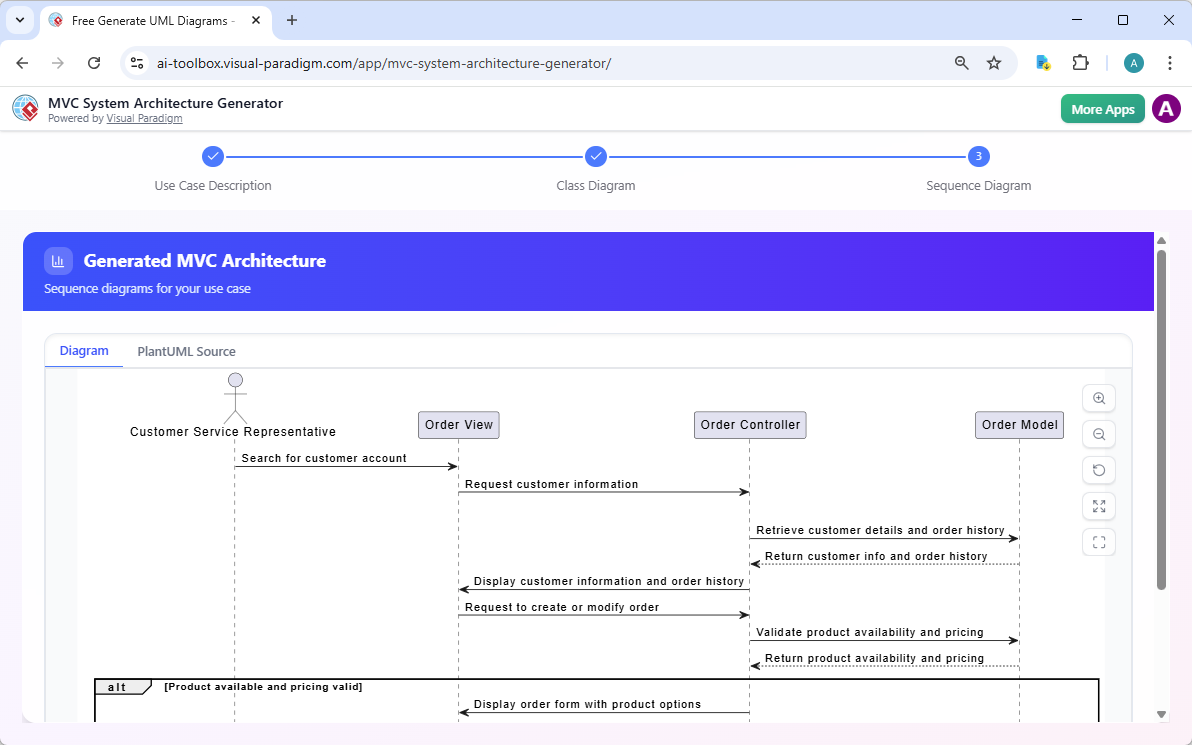
MVC System Architecture Generator: Generated a Controller Class Diagram (a specialized UML class diagram focused on MVC responsibilities) from a use case description, identifying controllers, models, and their structural relationships in an MVC context.
-
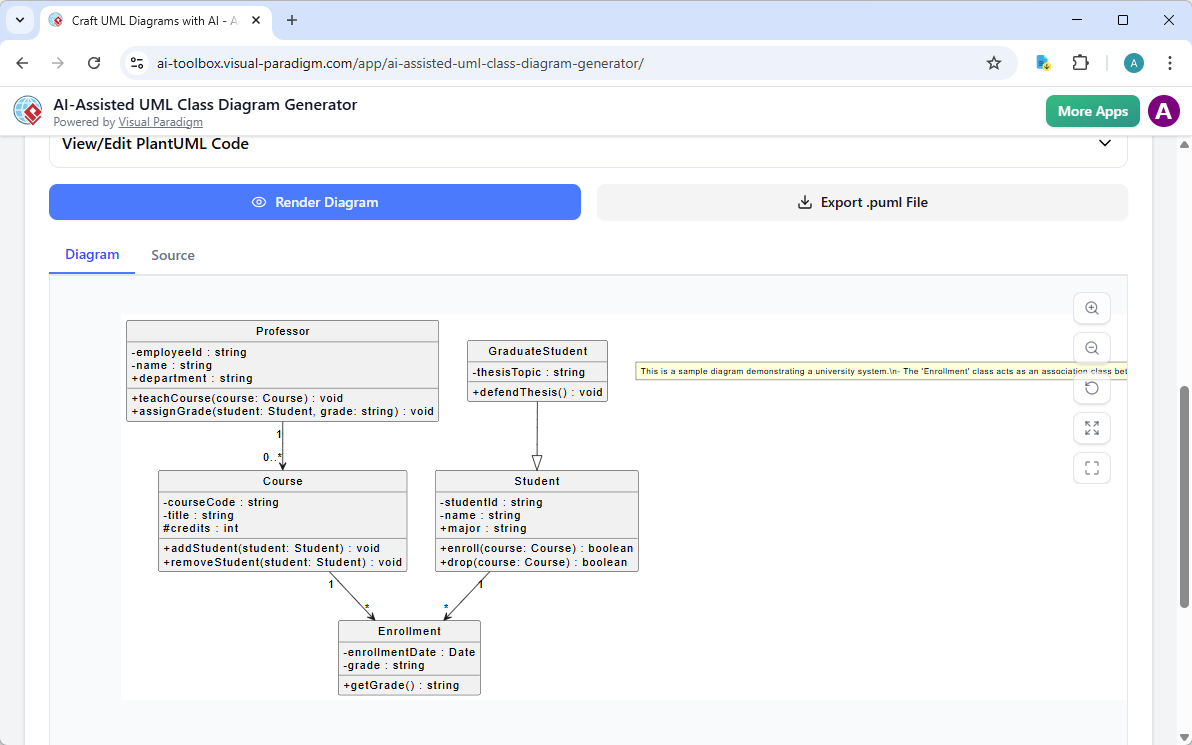
AI-Assisted UML Class Diagram Generator: Dedicated educational/step-by-step wizard specifically for building UML Class Diagrams; uses AI to suggest classes, attributes, operations, relationships, explanatory notes, and produces a final PlantUML-based diagram with an AI-powered design analysis report.
These specialized tools allowed PayFlow to apply the right level of AI assistance to each modeling task—from high-level domain exploration to database schema derivation—without switching between disconnected tools.
Results and Impact
By adopting Visual Paradigm’s AI-powered ecosystem, PayFlow Solutions achieved:
| Metric | Traditional Approach | With Visual Paradigm AI | Improvement |
|---|---|---|---|
| Initial diagram creation time | 3-4 weeks | 2-3 days | ~85% reduction |
| Stakeholder review cycles | 4-5 iterations | 1-2 iterations | ~60% reduction |
| Model-to-code consistency | Manual mapping errors | Automated code generation | Near 100% accuracy |
| Team onboarding time for domain model | 2 weeks | 3-4 days | ~70% reduction |
| Traceability coverage | Partial, manual linking | Automated, bidirectional links | Comprehensive |
The architecture team reported higher confidence in model accuracy, reduced rework due to early validation, and improved cross-functional alignment. Most significantly, the AI tools acted as force multipliers—allowing senior architects to focus on complex design decisions while accelerating routine modeling tasks.
Conclusion
The PayFlow Solutions case study demonstrates that AI-powered class diagram generation is not merely about speed—it’s about elevating the entire system design process. Visual Paradigm’s integrated ecosystem transforms UML modeling from a solitary, manual task into a collaborative, iterative, and intelligent workflow. By offering multiple entry points—from conversational chatbots to professional desktop tools to embedded documentation—teams can meet stakeholders where they are and guide models from concept to implementation with unprecedented efficiency.
The key takeaway for organizations evaluating AI modeling tools is to look beyond one-off diagram generation. True value emerges when AI is woven into a cohesive platform that supports refinement, traceability, collaboration, and code engineering. Visual Paradigm’s approach—combining the speed of AI with the rigor of professional modeling standards—provides a blueprint for teams seeking to accelerate delivery without sacrificing architectural quality.
As software systems grow increasingly complex, the ability to rapidly visualize, validate, and evolve domain models will remain a critical competency. AI-powered tools like Visual Paradigm don’t replace the architect’s expertise; they amplify it, freeing professionals to focus on strategic design decisions while automating the mechanical aspects of modeling. For teams ready to transform their class diagram workflow, the journey begins not with a blank canvas, but with a conversation.
References
- AI Class Diagram Generator Tutorial: Step-by-step video guide demonstrating how to generate UML class diagrams using Visual Paradigm’s AI features in Desktop.
- Visual Paradigm Desktop AI Activity Diagram Generation Release: Official release notes detailing AI diagram generation capabilities across multiple diagram types in VP Desktop.
- AI Class Diagram Generator Release Notes: Technical documentation covering requirements, setup, and usage of the AI Class Diagram Generator in Visual Paradigm Professional Edition.
- AI Diagram Generation Workflow Demo: Video demonstration of end-to-end AI diagram generation workflow from prompt to editable model.
- AI Diagram Generator Multi-Type Support Announcement: Overview of expanded AI diagram generation support for 13+ UML and non-UML diagram types.
- Generate UML Class Diagrams with AI: Best Practices: Expert article providing tips and techniques for crafting effective prompts to generate accurate class diagrams.
- AI Diagram Generation Feature Overview: Official feature page describing AI-powered diagram creation capabilities across Visual Paradigm’s product suite.
- AI Diagram Generator Now Supports 13+ Diagram Types: Release announcement highlighting expanded AI support beyond class diagrams to sequence, use case, ERD, and more.
- AI-Assisted UML Class Diagram Generator Feature Page: Detailed overview of the step-by-step wizard for educational and guided class diagram creation with AI analysis.
- AI Chatbot for UML Modeling Tutorial: Video guide showing how to use the conversational AI chatbot to generate and refine UML diagrams through natural language.
- AI Textual Analysis for Model Validation: Feature documentation on using AI to analyze textual requirements and validate model consistency and completeness.
This post is also available in Deutsche, Español, فارسی, Français, English, Bahasa Indonesia, 日本語, Polski, Portuguese, Ру́сский, Việt Nam, 简体中文 and 繁體中文.
Related posts:
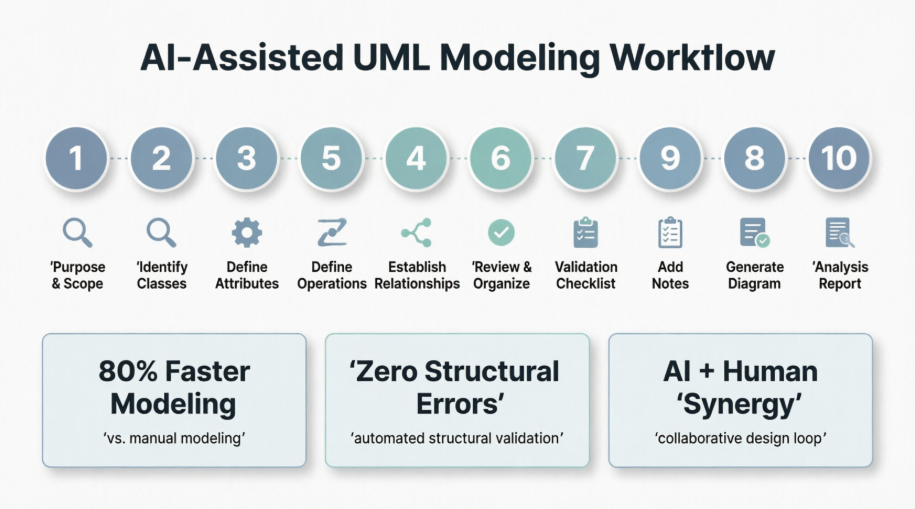 Precision Through Partnership: A Case Study on the AI-Assisted UML Class Diagram Generator
 Mastering UML Class Diagrams: A Practical Case Study in System Design with PlantUML
 From User Stories to Use Cases: Bridging Agile Requirements with Visual Modeling
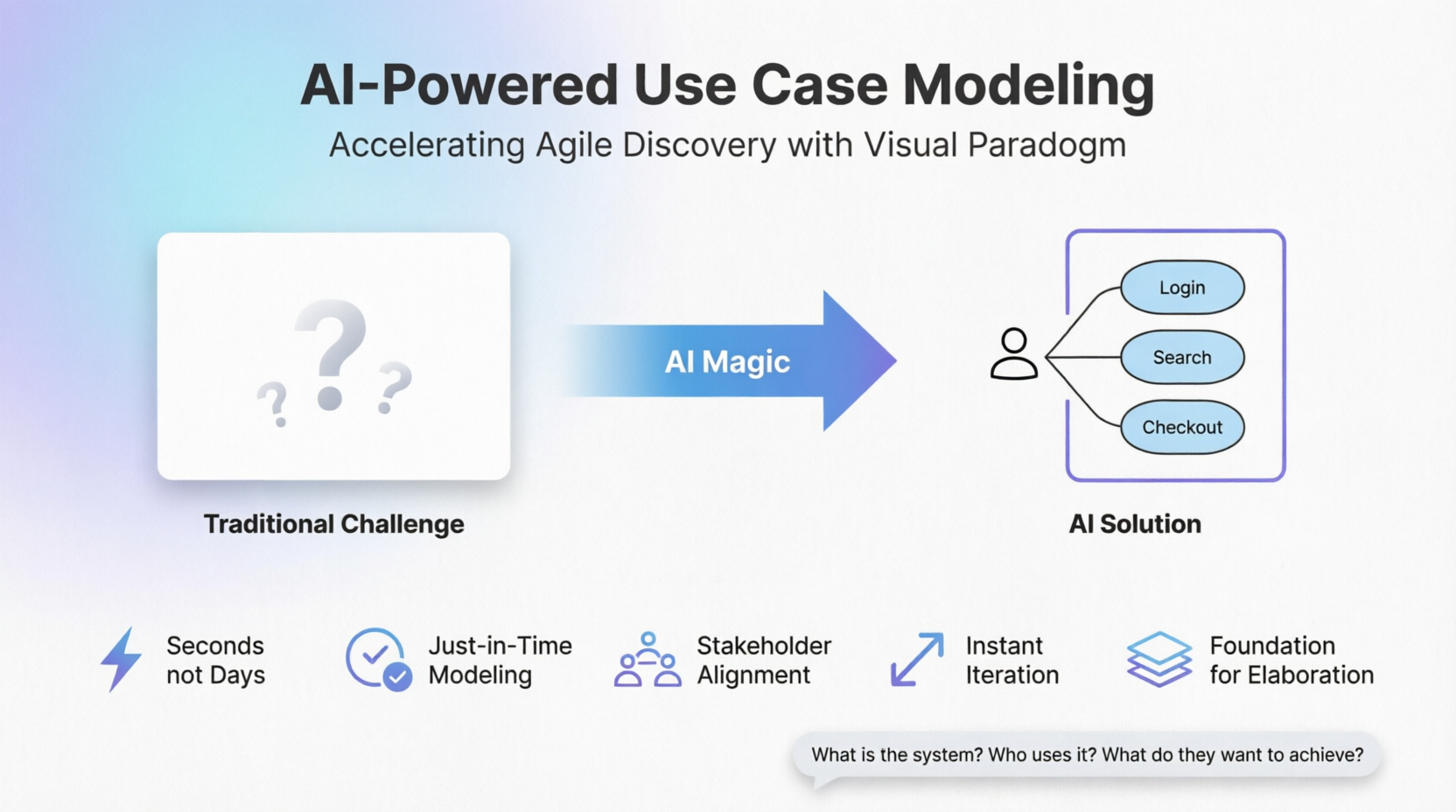 AI-Powered Use Case Modeling: Accelerating Agile Discovery with Visual Paradigm
