Home » Archives for Admin » Page 15
Safeguard your valuable content by password-protecting your slideshow. Discover the benefits of adding an extra layer of security to your presentation, ensuring that only authorized individuals can access your sensitive information. Explore how password protection enhances data confidentiality, prevents unauthorized distribution, and maintains the integrity of your content. Customize your slideshow security with individualized passwords for each recipient. Learn how to tailor access to your presentation by assigning unique passwords to different viewers. Discover the power of personalized security measures that ensure only designated individuals can view your content. Explore the step-by-step process…
continue reading →
Harness the power of PowerPoint presentations for impactful communication. Discover the advantages of using visual aids to convey complex information effectively. Elevate your content with dynamic slides, engaging graphics, and organized content flow. Learn how PowerPoint presentations captivate audiences, simplify data interpretation, and enhance overall engagement. Uncover the potential of visual storytelling with PowerPoint to leave a lasting impression. Experience enhanced engagement by displaying PowerPoint presentations online. Explore how taking your presentations to the digital realm boosts accessibility and interaction. Learn how sharing your content online increases reach, encourages audience participation, and streamlines…
continue reading →
Learn how to create a QR code to simplify sharing your PowerPoint slideshow. Discover how generating a QR code streamlines the process of sharing your presentation file. Enhance accessibility and convenience by implementing this technique, enabling others to easily access and view your content. Unlock the potential of QR codes to facilitate seamless sharing of your PowerPoint slideshow. Using QR codes to share links offers several advantages: Quick Access: QR codes provide an efficient way for users to access links without having to type in lengthy URLs manually. Reduced Errors: QR codes eliminate…
continue reading →
Enhance audience engagement by incorporating background music into your slideshow. Discover how this audio addition elevates the viewer's experience, creating a dynamic and immersive presentation. Learn how background music can set the tone, evoke emotions, and maintain attention, resulting in a more interactive and captivating slideshow. Elevate your content's impact with the power of sound and improve your engagement levels effectively. Discover how to add background music to your PowerPoint slideshow for an immersive experience. Elevate your presentations with the right audio ambiance that enhances your message. Learn step-by-step techniques to incorporate background…
continue reading →
Incorporating videos into your blog posts offers a strategic advantage for enhancing both the quality of your content and its search engine ranking. The integration of video content not only captures the attention of your audience but also provides additional dimensions of information and engagement that text alone might not achieve. Search engines, such as Google, tend to favor diverse and dynamic content that keeps users engaged and on your page longer. Embedding videos in your blog posts does just that. When visitors spend more time on your page watching a video, it…
continue reading →
Customizing your PowerPoint slideshow, including adding a favicon, is essential for a memorable impression. Tailored visuals, content, and branding, along with a favicon, boost engagement and make your presentation stand out. Explore the importance of personalization and learn how to customize your own Favicon to your presentations in this article. Create slideshows with ease Craft engaging slideshows effortlessly with Visual Paradigm Presentation. Easily design captivating presentations, complete with seamless transitions and impactful visuals. What's more, seamlessly integrate your unique branding into your slides for a professional touch. Discover how this versatile tool simplifies…
continue reading →
Effortlessly convert ICO images to PNG format using our convenient online image converter. Transform your custom icons into versatile PNG images with just a few clicks. Enhance your graphics and compatibility with our ICO to PNG converter. Give it a try today! Reasons Converting ICO to PNG PNG offers broader compatibility and supports transparent backgrounds, making it ideal for various platforms. Enhance image quality and versatility by making this conversion. Learn how to seamlessly convert ICO to PNG with our user-friendly guide. About PNG A PNG image is a widely used graphics format…
continue reading →
Both MP3 and WAV are commonly used audio formats. WAV objectively boasts superior quality compared to MP3, ensuring more lifelike and accurate audio clips. However, since WAV is an uncompressed format, its file size is larger than that of MP3. We can select the appropriate audio format for our tasks based on our needs and perform conversions accordingly. This article will outline the process of converting WAV to MP3 using the VP Online file converter in just a few steps. About WAV A WAV file is a kind of audio file that acts…
continue reading →
-
Posted on March 14, 2023
-
/Under Database
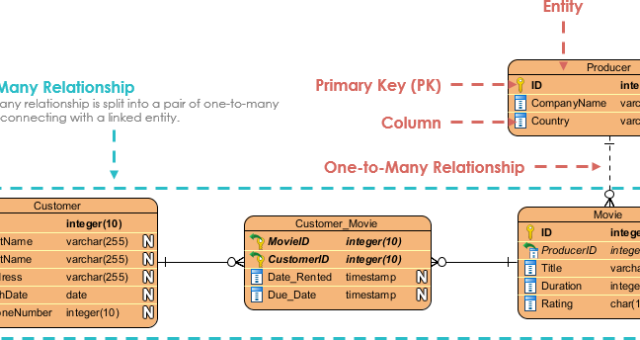
Introduction Entity-Relationship (ER) modeling is a powerful tool for designing and representing complex data systems. This modeling technique allows developers to visualize the relationships between different entities in a system and the attributes associated with them. ER modeling is widely used in software engineering, database design, and information system management. In this article, we will provide a comprehensive overview of ER modeling, including its components, rules, and best practices. We will also provide an example of ER modeling using PlantUML. ER Modeling Components: ER modeling comprises three primary components: entities, attributes, and relationships.…
continue reading →
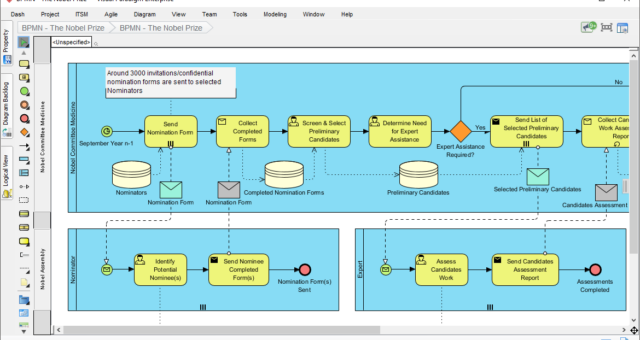
What is BPMN? BPMN stands for Business Process Model and Notation. It is a graphical representation of business processes that can be used to describe, analyze, and improve business processes. BPMN was developed by the Object Management Group (OMG) as a standard notation for modeling business processes. BPMN is a standard notation that uses graphical symbols and diagrams to represent business processes. These symbols and diagrams can be used to model different types of processes, such as business processes, system processes, and organizational processes. BPMN was developed by the Business Process Management…
continue reading →