




AI-Powered Use Case Modeling: Accelerating Agile Discovery with Visual Paradigm
In Agile development, speed and adaptability are paramount. Teams need to discover, document, and validate requirements rapidly while maintaining the flexibility to respond to change. Traditional use case modeling—while valuable—has often been perceived as too heavyweight for Agile contexts. But what if you could generate a complete, professionally structured use case model in seconds, simply by describing your system in plain English?
Visual Paradigm’s AI-Powered Use Case Modeling Studio fundamentally transforms how Agile teams approach requirements discovery. By combining human insight with intelligent automation, it eliminates the friction that has historically made use case modeling feel burdensome, enabling teams to focus on what truly matters: understanding user needs and delivering value.
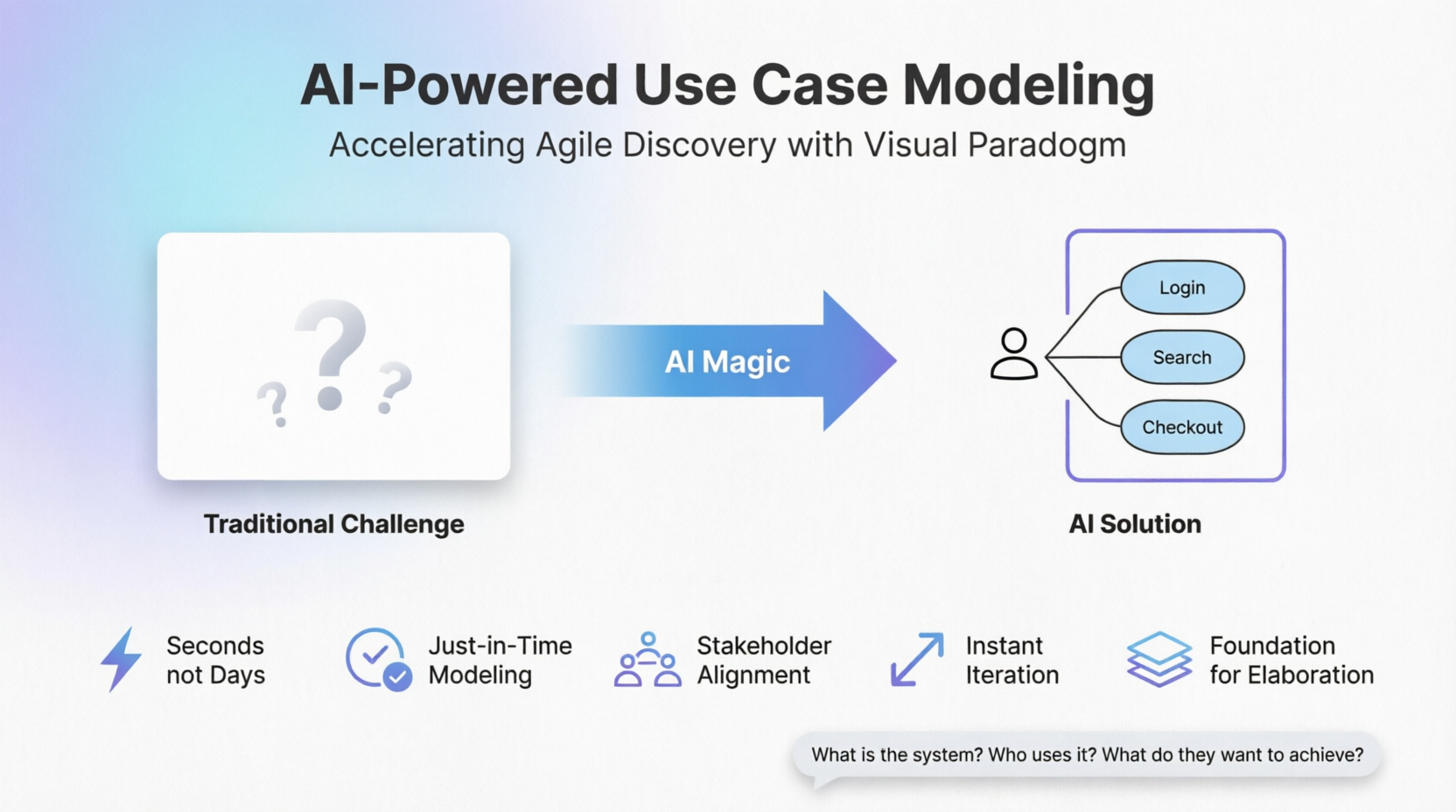
The Traditional Challenge: The Blank Canvas
One of the most paralyzing moments in any modeling session is facing an empty diagram editor. Where do you even start? What shape goes first? Which actors or entities matter most? This “blank canvas” syndrome has derailed countless Agile projects—leading teams to skip formal modeling altogether, rely on informal sketches that quickly become outdated, or waste hours debating scope before anything concrete appears.
In traditional approaches, identifying use cases can be time-consuming and error-prone—teams often produce incomplete, overlapping, or overly technical lists after days of brainstorming. For Agile teams working in short sprints, this overhead is often unacceptable.
How AI-Powered Use Case Discovery Works
Visual Paradigm’s AI ecosystem eliminates this barrier entirely by letting you bypass manual starting points. Instead of drawing your way into understanding, you describe your way into it. Natural language becomes the entry point: write or speak your high-level vision, business goal, or problem statement exactly as you would explain it to a colleague—and within seconds, the AI delivers a visual anchor that grounds the entire conversation.
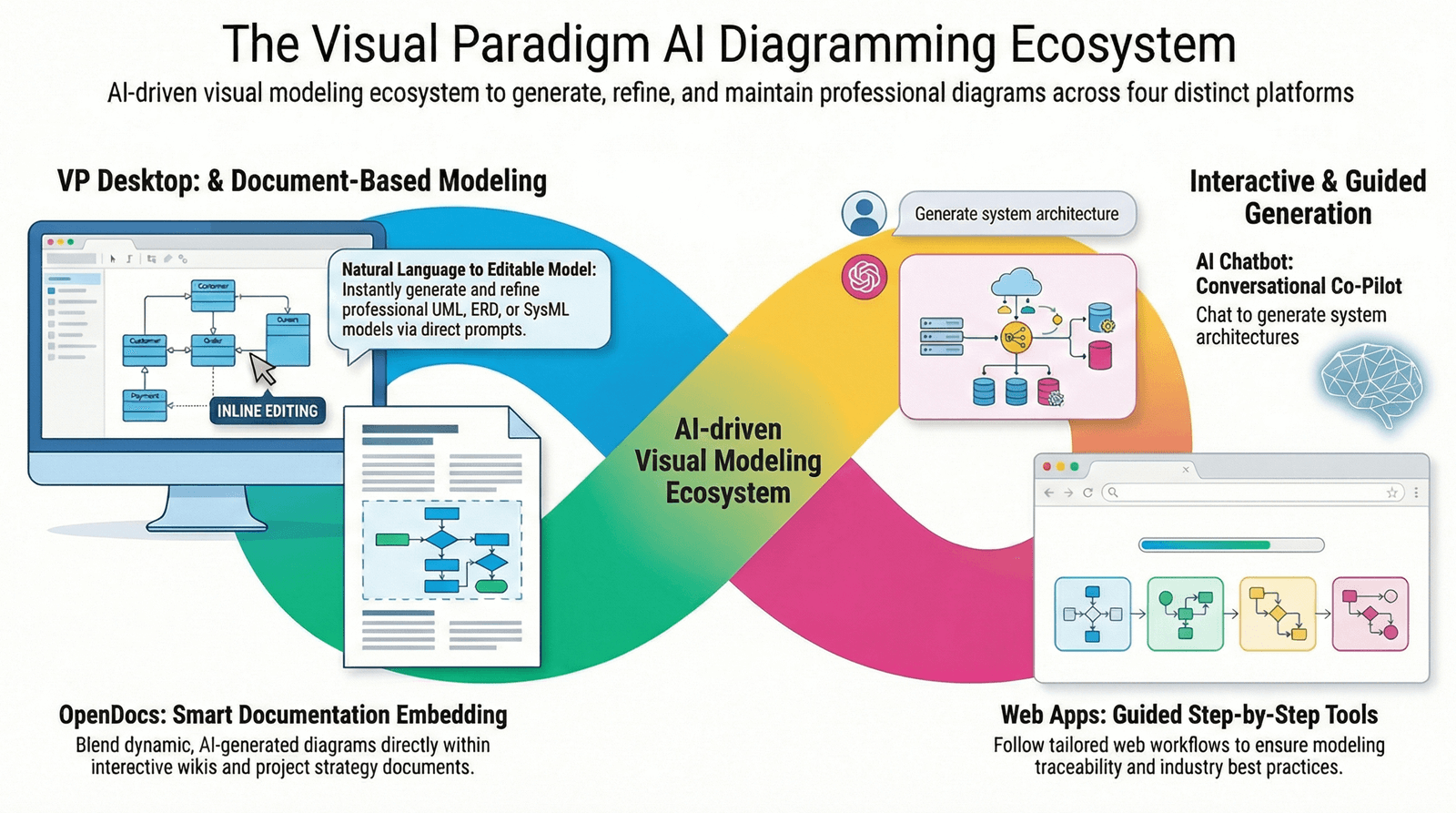
From Vision to Diagram in Seconds
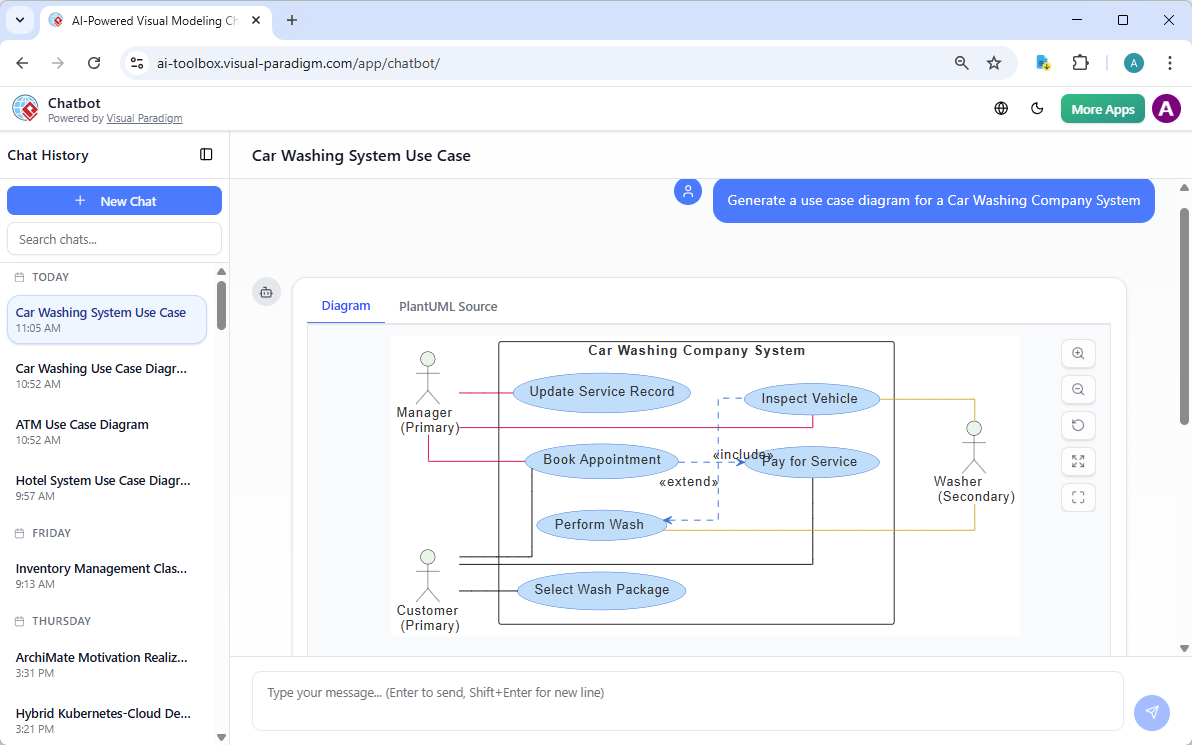
The process is remarkably straightforward:
-
Open the AI Chatbot—accessible via
chat.visual-paradigm.comor embedded in Visual Paradigm Desktop -
Write a clear description that answers three simple questions:
-
What is the system?
-
Who uses or interacts with it (people, external systems, devices)?
-
What are the main things they want to achieve?
-
-
Submit your prompt—within seconds, the AI returns a complete diagram
-
Refine conversationally—no need to redraw anything; simply add commands like “Add a Librarian actor” or “Make ‘Process Payment’ an included use case”
The AI handles the UML mechanics—actors, system boundaries, ovals, lines, and layout—so you can focus on what truly matters: ensuring the system delivers real value to real users.
Real-World Examples: AI in Action
Example 1: GourmetReserve – Mobile Dining Reservation App
Input to AI: Scope statement + problem description + stakeholder map (diners, restaurant staff, payment gateway, etc.)
AI-Suggested Candidate Use Cases (shown in a reviewable table):
| Use Case Name | Primary Actor | Goal / Value Delivered |
|---|---|---|
| Search for Available Tables | Diner | Find restaurants and open slots quickly |
| Book a Table | Diner | Reserve a specific table at a chosen time |
| Pre-order Meal | Diner | Select dishes in advance to reduce wait time |
| Cancel Reservation | Diner | Free up the slot if plans change |
| Process Payment | Payment Gateway | Handle secure transaction for deposit |
Result: The AI instantly generates a Use Case Diagram showing:
-
Diner connected to Search, Book, Pre-order, Cancel, Receive Reminder
-
Restaurant Staff connected to Manage Reservations and Prepare Kitchen
-
Payment Gateway as a secondary actor connected to Process Payment
-
A clear system boundary box labeled “GourmetReserve”
This diagram immediately reveals whether critical goals are covered and highlights potential gaps (e.g., “What about waitlist handling?”).
Example 2: Online Library System
Simple Prompt:
“Create a use case diagram for an online library system. Actors: Member, Librarian, Guest. Main use cases: Member borrows book, Member returns book, Member searches catalog, Member reserves book, Librarian adds new book, Librarian manages member accounts, Guest browses catalog. Include relationships like extends (reserve if book is borrowed) and includes (borrow includes search).”
Result: Visual Paradigm’s AI analyzes the text and creates:
-
Ovals for use cases
-
Stick figures for actors
-
Correct associations, «include»/«extend» arrows
-
Automatic layout with no overlapping or messy placement
Agile Benefits of AI-Powered Use Case Discovery
Speed and Efficiency
What once took hours or days of brainstorming and manual diagramming can now happen in seconds. Visual Paradigm’s AI-powered approach eliminates the “blank page paralysis” and proposes sensible starting points based on your earlier inputs—letting you focus on validation, prioritization, and domain-specific nuance.
Just-in-Time Modeling
Agile teams can create use case diagrams just-in-time for sprint planning or backlog refinement, rather than investing in heavy upfront documentation. The conversational nature of the AI chatbot enables rapid “what-if” exploration without the cost of manual diagram rework.
Improved Stakeholder Alignment
Generate and project the diagram live during the first 10 minutes of a requirements session. Immediate visual consensus emerges. Stakeholders can instantly see the system boundary and ask: “Is anything important missing or incorrectly placed inside/outside?”
Instant Iteration
Agile is all about responding to change. If feedback reveals gaps (e.g., “We need waitlist handling”), simply add the use case to the table—the diagram regenerates automatically. No manual repositioning, no broken connectors, no lost fragments.
Foundation for Elaboration
This clean starting diagram becomes the anchor for adding «include»/«extend» relationships, writing detailed scenarios, generating Activity Diagrams, and deriving sequences. The AI can even generate comprehensive multi-section use case specifications—including preconditions, postconditions, main scenarios, alternatives, and exceptions—with a single click.
Practical Tips for Effective AI Prompts
To get the best results from Visual Paradigm’s AI, follow these guidelines:
-
Start with the system name and core purpose → “A mobile banking app that allows users to…”
-
List actors explicitly when known → “customers, bank tellers, ATM machines, fraud detection service”
-
Focus on goals/outcomes, not steps → Say “Transfer Money” instead of “Enter amount, select account, confirm PIN”
-
Mention external integrations early → “integrates with credit card processors and email notification service”
-
Mention relationships when important → “Include extends (reserve if book is borrowed) and includes (borrow includes search)”
-
Keep it concise but specific—1–3 sentences usually works best for starters
-
If the first diagram misses something, don’t start over—just add: “Include a Guest user who can browse books without logging in”
Conclusion
AI-powered use case modeling transforms how Agile teams approach requirements discovery. By eliminating the blank canvas syndrome, accelerating discovery from days to seconds, and enabling just-in-time modeling, Visual Paradigm’s AI capabilities make use case modeling practical—even beneficial—in the fastest-moving Agile environments.
The result is not just faster modeling, but higher-quality starting points: the AI draws on UML best practices and common domain patterns to propose meaningful, appropriately scoped use cases while leaving full control in your hands to accept, reject, merge, split, or rename suggestions. By the end of the initial modeling session, you have a curated list of candidate use cases, a clear, professional Use Case Diagram, and a shared understanding of the system’s primary responsibilities from the users’ perspective.
With AI handling the boilerplate and mechanics, Agile teams can spend their cognitive energy where it matters most: delivering real value to real users.
This article is part of a series exploring the integration of AI-powered modeling and Agile development practices with Visual Paradigm.
This post is also available in Deutsche, Español, فارسی, Français, English, Bahasa Indonesia, 日本語, Polski, Portuguese, Ру́сский, Việt Nam, 简体中文 and 繁體中文.
