




Mastering the Visual Paradigm Unified Platform: The Ultimate Guide to a Seamless Creative Ecosystem
Introduction
In today’s fast-paced digital landscape, professionals are constantly battling tool fatigue. Whether you are mapping out a complex product roadmap, designing enterprise architecture, or collaborating on agile sprints, the modern workflow inevitably requires juggling multiple disconnected applications. This fragmentation leads to siloed data, endless context-switching, and a significant loss of momentum.
In June 2026, Visual Paradigm introduced a transformative answer to this universal challenge: the Visual Paradigm Unified Platform. Moving far beyond a simple software update, this release represents a fundamental reimagining of how creative and analytical work gets done. By seamlessly bridging the gap between robust desktop modeling and accessible cloud-based collaboration, Visual Paradigm has created a single, cohesive ecosystem.
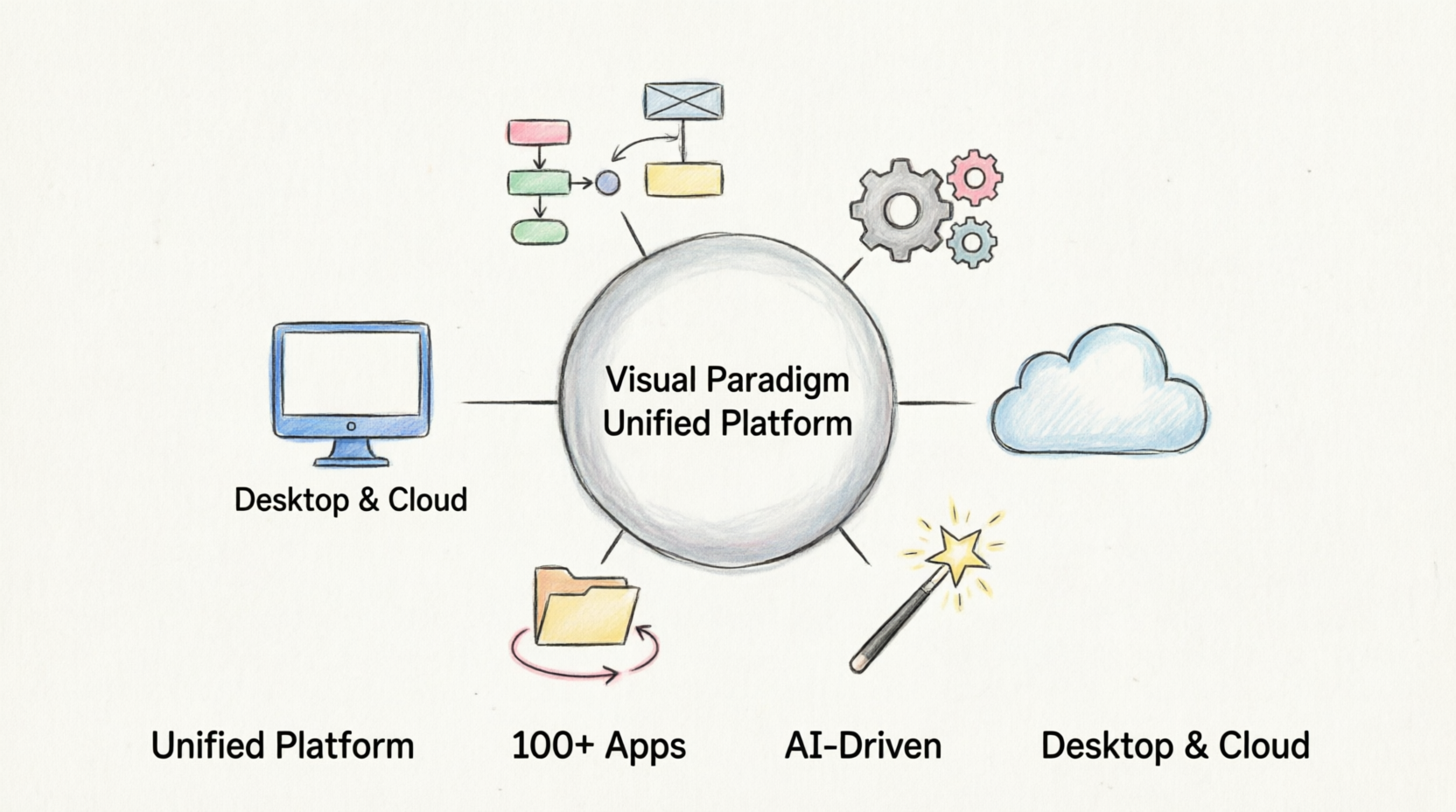
This comprehensive guide explores the core philosophy, standout features, and practical applications of the Unified Platform, providing everything you need to know to elevate your productivity and eliminate workflow friction.
The Core Philosophy of Unification
The Unified Platform was engineered around three foundational principles designed to eradicate the most persistent pain points in modern visual productivity:
1. Eliminating Siloed Data
One of the most frustrating aspects of working across multiple tools is the fragmentation of information. Files created in one application often cannot easily communicate with those in another, forcing users into manual export-import cycles or duplicate data entry. The Unified Platform solves this by integrating local desktop data and cloud app data seamlessly into a single file ecosystem. Whether you are working on an enterprise architecture diagram on your desktop or a project plan in the cloud, everything lives in one interconnected space.
2. Consolidating Multi-App Workflows
Modern projects rarely fit neatly into a single discipline. A product launch, for example, may require software architecture diagrams, agile sprint planning, business strategy documentation, and marketing infographics—each traditionally requiring different tools. The Unified Platform brings all of these workflows into a unified space, allowing teams to move fluidly between different types of work without losing context or switching applications.
3. Accelerating Production via AI
Perhaps the most forward-looking aspect of the platform is its deep integration of generative AI tools. Rather than treating AI as an afterthought or a separate add-on, Visual Paradigm has embedded it directly into the creative workflow. This enables users to rapidly transition raw text and ideas into production-ready diagrams, presentations, and applications, dramatically reducing the time from concept to deliverable.
Key Features of the Unified Platform
Desktop & Web Synergy
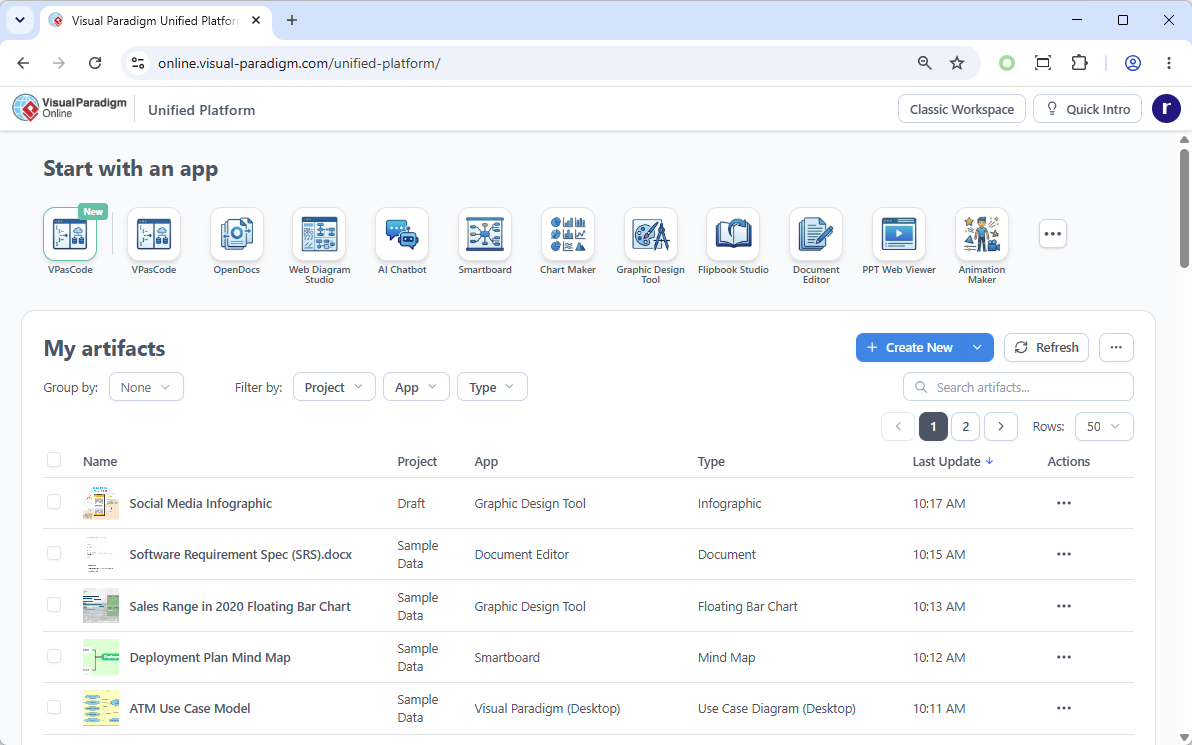
One of the platform’s most innovative design decisions is the way it handles the relationship between desktop and web environments. Users of Visual Paradigm Desktop can open the Unified Platform inside an embedded browser, allowing local enterprise modeling workflows and cloud assets to coexist flawlessly. This means you retain the full power of your desktop installation—including offline capabilities and deep system integration—while gaining instant access to cloud-based collaboration and resources.
The Unified Drive
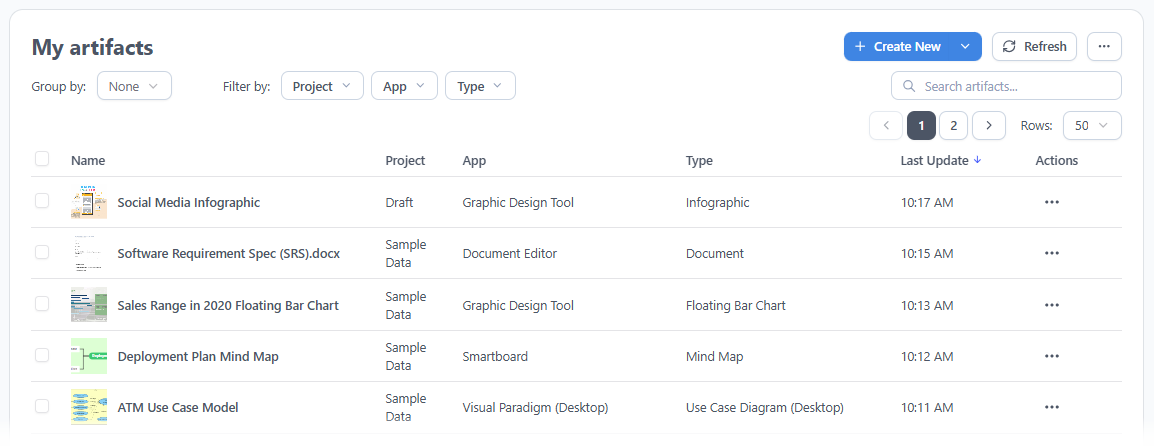
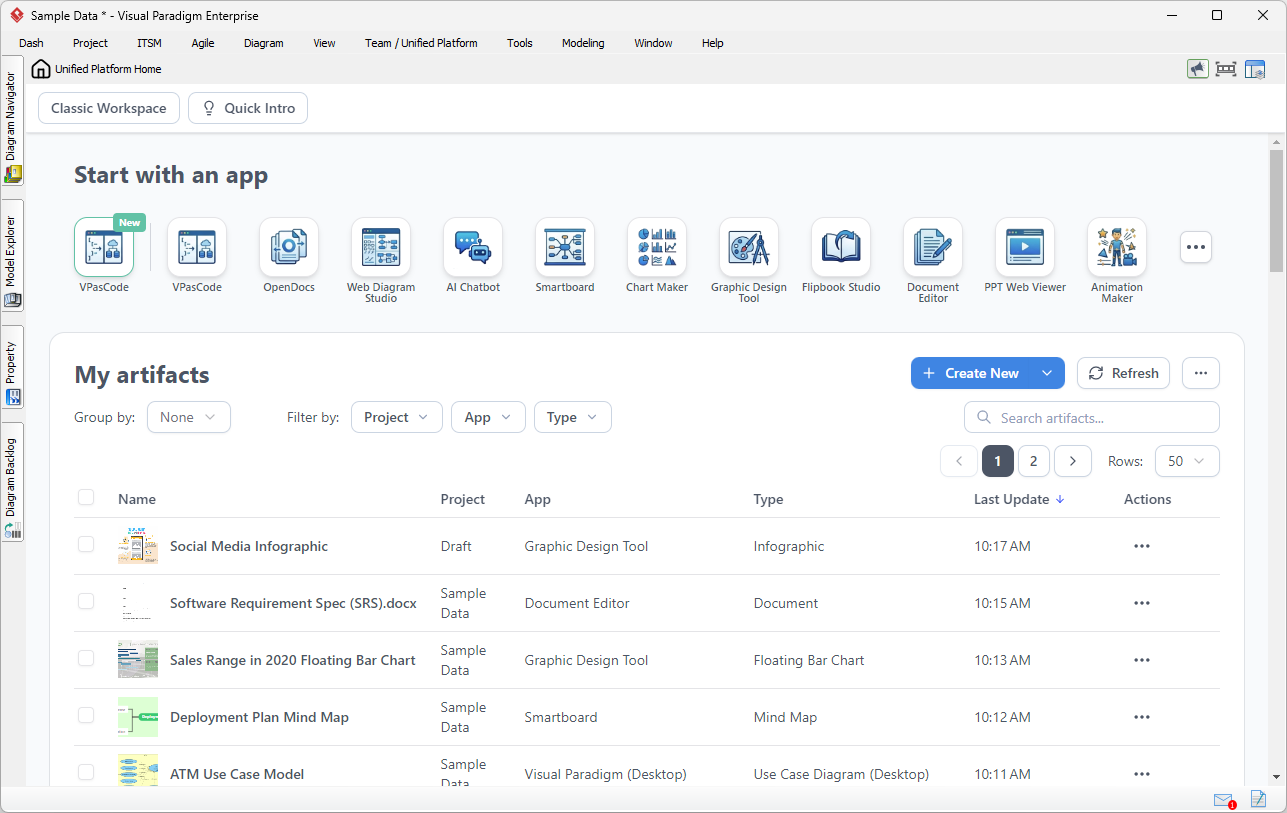
At the heart of the platform is the Unified Drive, a centralized, drive-like environment that automatically organizes every artifact, diagram, or project built across separate apps. Think of it as a universal file system for your visual work—no more searching through folders or remembering which application a file was created in. Everything is indexed, searchable, and accessible from a single interface.
100+ Specialized Apps Hub
The platform provides a single, categorized dashboard to instantly launch specialized tools spanning a remarkable range of disciplines. Rather than installing and maintaining dozens of separate applications, users gain access to an entire suite of tools through one unified interface.
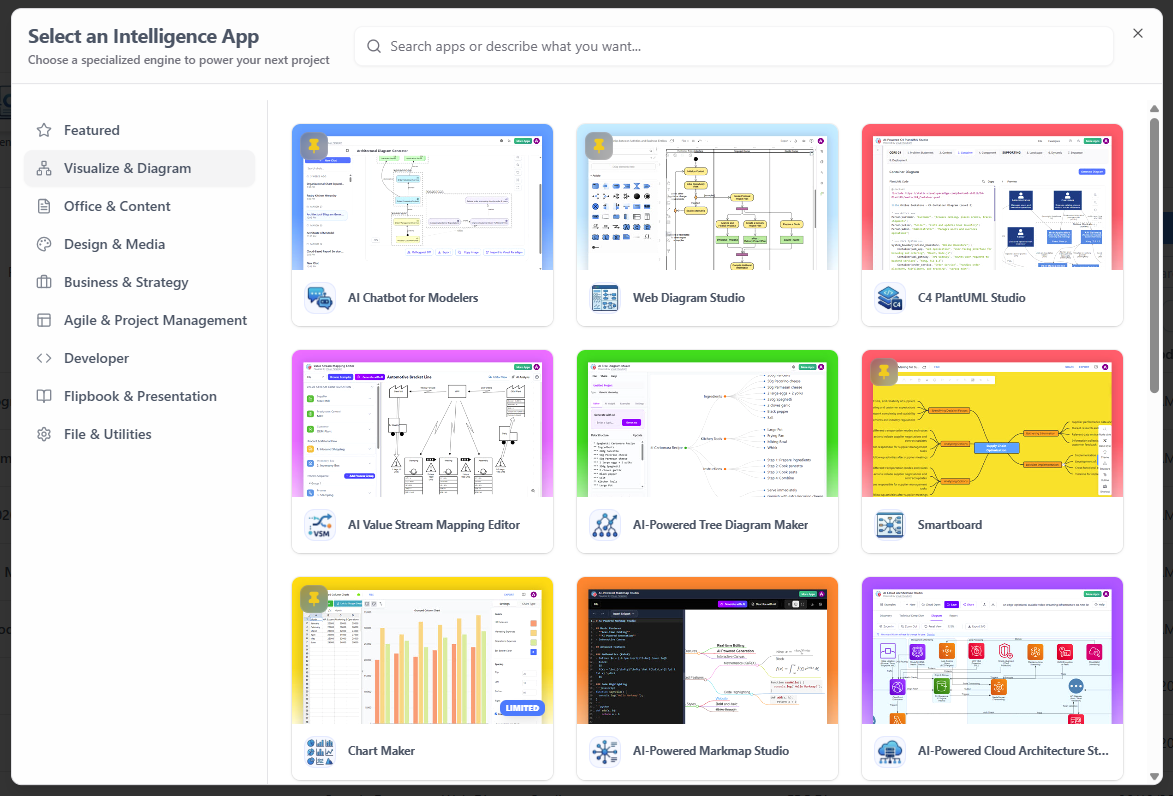
Key app categories include:
-
Agile planning and sprint management
-
Infographics and data visualization
-
Project management and Gantt charts
-
Advanced system design and architecture modeling
-
Business process modeling
-
UX wireframing and prototyping
Frictionless Creation Menu
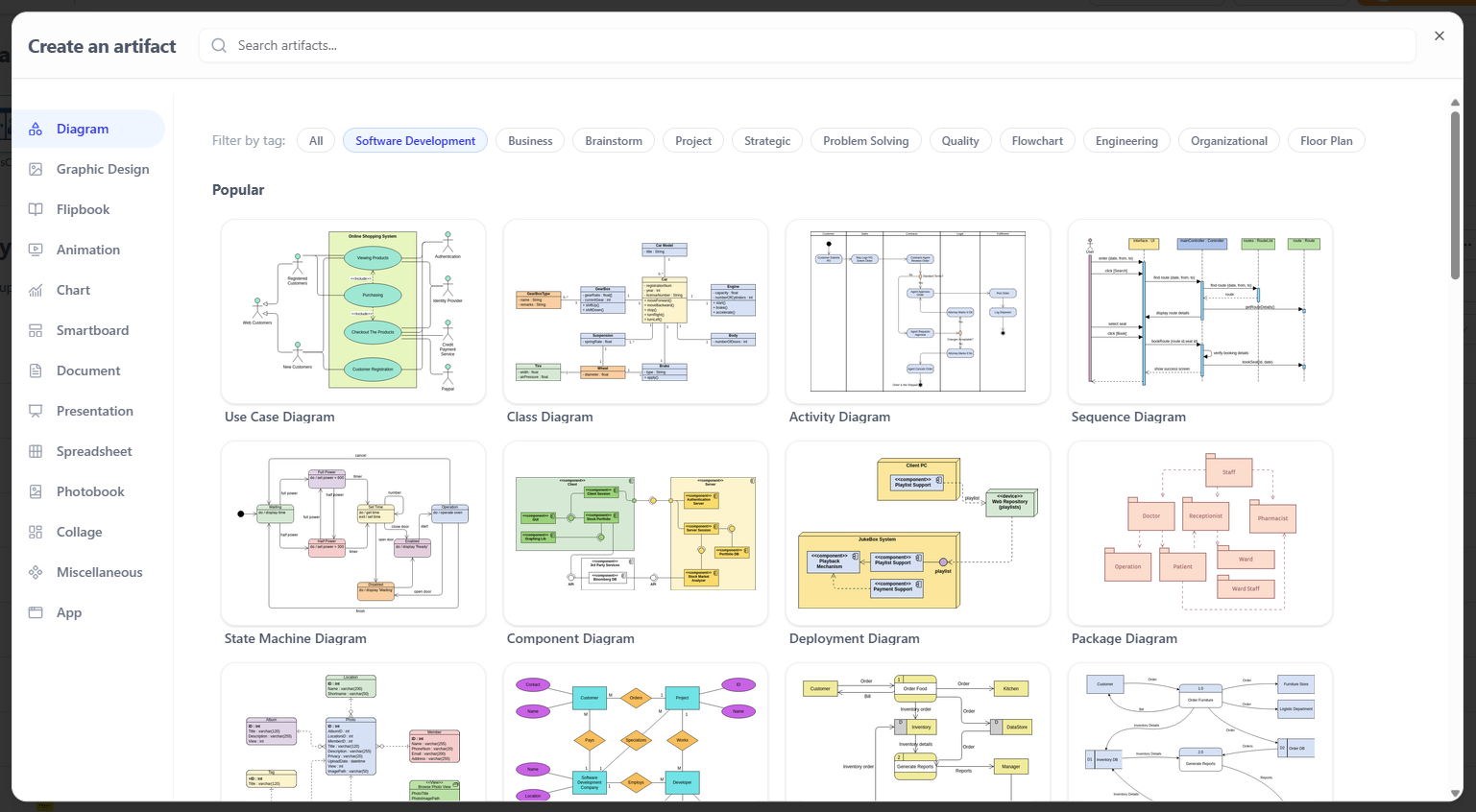
Visual Paradigm has redesigned the creation experience with a centralized “Create” menu that allows you to spin up any diagram or visual asset instantly. Gone are the days of navigating deep sub-menus or opening different standalone applications to start a new project. Whether you need a UML diagram, a flowchart, a presentation, or a wireframe, it is just a click away from a single, intuitive interface.
AI-Powered Ecosystem
The platform provides direct access to cutting-edge AI features that fundamentally change how visual work gets done:
-
VPasCode (Text-to-Diagram): Describe what you want to visualize in natural language, and the AI generates the corresponding diagram automatically.
-
AI Presentation Studio: Transform bullet points and raw content into polished, professionally designed presentations.
-
AI App Studio: Rapidly prototype and build functional applications from textual descriptions or rough sketches.
These tools are not isolated features but are woven throughout the platform, available contextually wherever visual creation happens.
Real-World Scenarios: Transforming Your Desktop Workflow

If you are primarily a Visual Paradigm Desktop user, you might wonder how this impacts your daily work. By embedding the Unified Platform directly into your desktop client, Visual Paradigm is eliminating the context-switching that slows down complex projects. Here are three practical scenarios showing how you can leverage this new synergy without ever leaving the desktop application:
Scenario 1: Connect Heavy System Modeling with Product Requirements
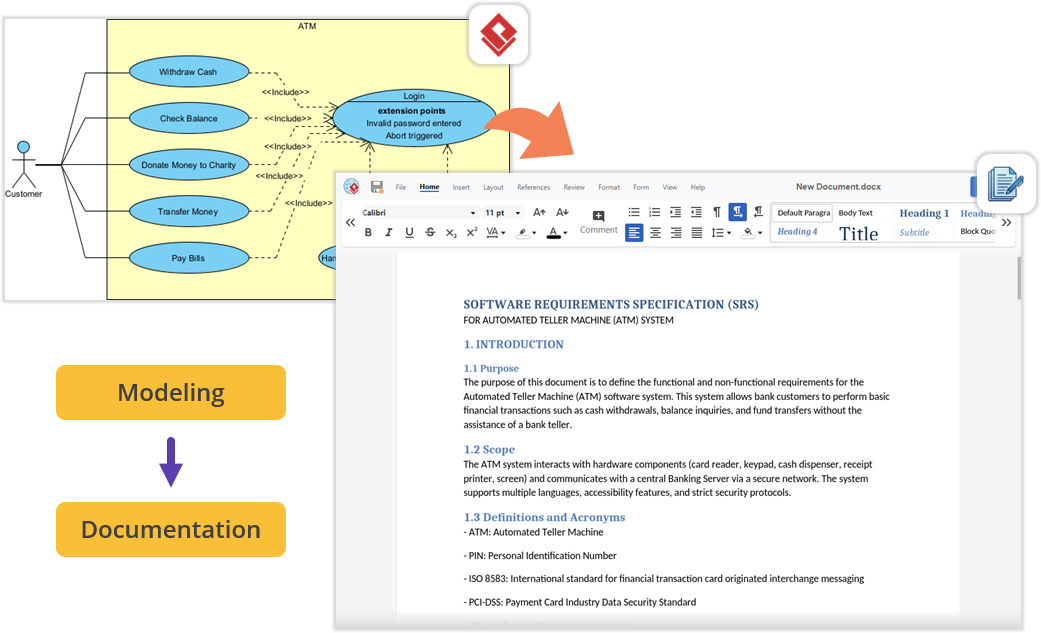
Imagine you are architecting a new software module using UML or SysML inside Visual Paradigm Desktop. Once the technical models are complete, you need to write the comprehensive Product Requirement Specification (PRD). Instead of minimizing Visual Paradigm, opening a local word processor, and exporting/importing image files, you can simply open the embedded Unified Platform. From there, launch the Document Editor app to write your requirements documentation right next to your active modeling environment—keeping everything perfectly organized under a single project space.
Scenario 2: Effortless Documentation via Pipeline and OpenDocs
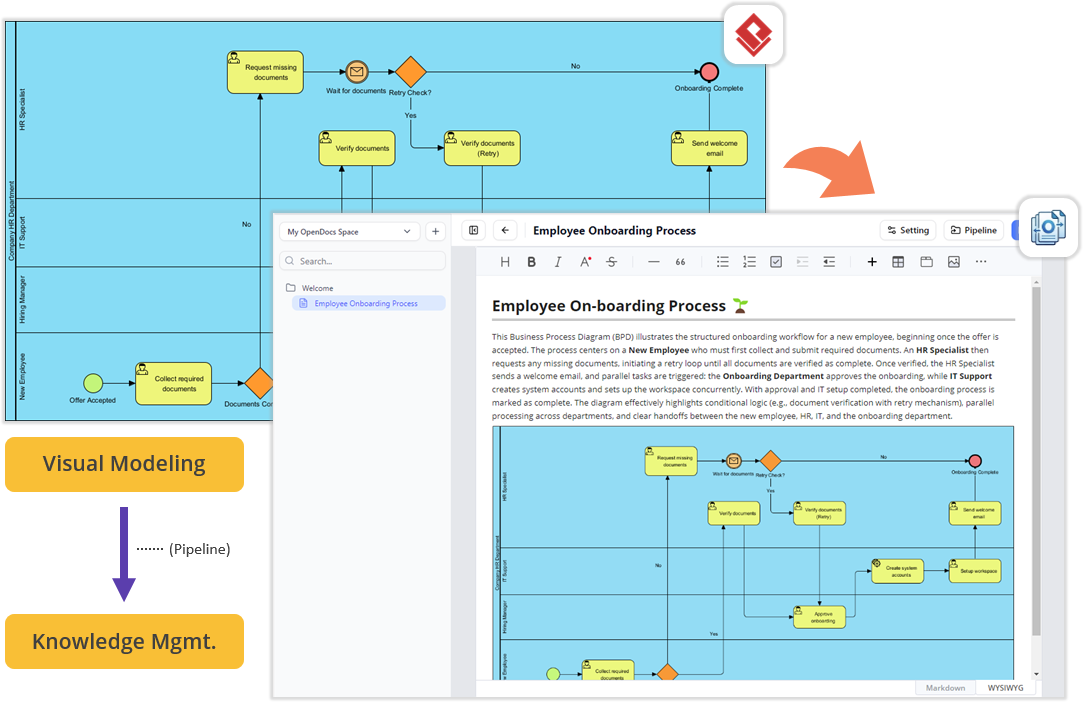
For teams looking to streamline their technical documentation, the flow between your desktop workspace and cloud features is now frictionless. You can build your diagrams locally in VP Desktop and send them to the cloud-based Pipeline. Next, switch over to the OpenDocs app within the Unified Platform panel. In the OpenDocs editor, you will find your Pipeline pane waiting for you. You can write your manuals or project guides and simply drag-and-drop your desktop-generated diagrams directly into the document canvas. No file exporting, no broken image links, and zero context-switching.
Scenario 3: Supercharge Projects with Agile and Management Tools
Software development requires far more than just architectural diagrams; it requires project management, scheduling, and team alignment. The Unified Platform instantly unlocks access to a massive library of specialized PM and Agile applications for desktop users. Within the same interface where you manage your codebase models, you can now jump into apps dedicated to Stakeholder Management, generate Development Plans, build interactive Gantt Charts, map out a RACI Matrix, or even design a prototype site using the Website Builder. It perfectly bridges the gap between engineering design and project execution.
How to Access the Unified Platform
Getting started with the new ecosystem is incredibly straightforward, whether you prefer working in a browser or inside the desktop software.
For Visual Paradigm Online Users
You can access the platform from any device via your web browser:
-
Log into your VP Online account at the official login portal.
-
Upon successful login, you will automatically be redirected to the new Unified Platform dashboard.
-
You can also bookmark and visit the platform directly at any time by navigating to the unified platform URL in your browser.
For Visual Paradigm Desktop Users
To view your synchronized diagrams and access the 100+ embedded apps right inside your desktop client, use the following steps:
-
Ensure you are logged in: To see the Unified Platform menu, you must first connect your desktop application to your cloud repository. If you haven’t logged in yet, go to the main menu and select Team / Unified Platform > Select Repository and enter your VP Online credentials.
-
Open the Platform: Once logged in, simply navigate to Team / Unified Platform > Unified Platform in the main menu.

-
An embedded browser will open directly inside your workspace, revealing the centralized cloud drive and your entire app ecosystem.
Conclusion
The Visual Paradigm Unified Platform represents more than just a new product launch—it is a reimagining of how professionals and teams approach visual work in an increasingly complex digital landscape. By eliminating the artificial boundaries between desktop and cloud, between specialized tools, and between human creativity and artificial intelligence, Visual Paradigm has created an ecosystem that respects the way people actually work.
For individuals, the platform offers the freedom to focus on ideas rather than tool management. For teams, it provides a shared space where collaboration happens naturally, without the friction of incompatible file formats or disconnected workflows. For organizations, it delivers the enterprise-grade capabilities needed for serious system design and architecture work, wrapped in an interface that remains accessible to non-technical stakeholders. As the platform continues to evolve, its integration of AI-driven tools and upcoming unified project concepts suggest a future where the gap between thought and visualization continues to narrow. Whether you are a product manager mapping out a roadmap, a software architect designing complex systems, or a creative professional building presentations, the Unified Platform offers a compelling vision of what truly integrated productivity looks like.
References
-
Visual Paradigm Unified Platform: Project Management UI Enhancements: Details on project management interface improvements.
-
Introducing Visual Paradigm 18.1: A New Era of Unified Ecosystems and AI-Driven Innovation: Overview of version 18.1’s unified ecosystem and AI capabilities.
-
Visual Paradigm Official Website: The main hub for Visual Paradigm products, resources, and information.
-
Visual Paradigm Online: Unified Platform: The cloud-based entry point for the Unified Platform experience.
-
Visual Paradigm Unified Platform: Quick Introduction: A beginner-friendly guide to getting started.
-
Announcing the All-New Visual Paradigm Unified Platform: The official launch announcement for the platform.
-
Visual Paradigm Desktop Product Updates: Latest updates and enhancements for the desktop application.
-
Visual Paradigm Updates Hub: The central repository for all release notes and product updates.
This post is also available in Deutsche, Español, فارسی, Français, English, Bahasa Indonesia, 日本語, Polski, Portuguese, Ру́сский, Việt Nam, 简体中文 and 繁體中文.
