




The Ultimate Text-Based UML Tool: How VPasCode is Redefining Diagram as Code in 2026
In the modern software development lifecycle, documentation is no longer an afterthought. It is a critical component of system architecture and team alignment. However, maintaining accurate, up-to-date diagrams has traditionally been a painful bottleneck. Engineers often face a frustrating choice: spend hours manually dragging and dropping shapes in visual editors that quickly become outdated, or wrestle with complex syntax in diagram as code tools where a single missing bracket can halt progress entirely.
This friction leads to “documentation drift,” where architectural diagrams fall out of sync with the actual codebase, reducing their value and trustworthiness. To bridge this gap, Visual Paradigm introduced VPasCode (Visual Paradigm as Code), a unified platform that treats diagrams with the same rigor as application code.
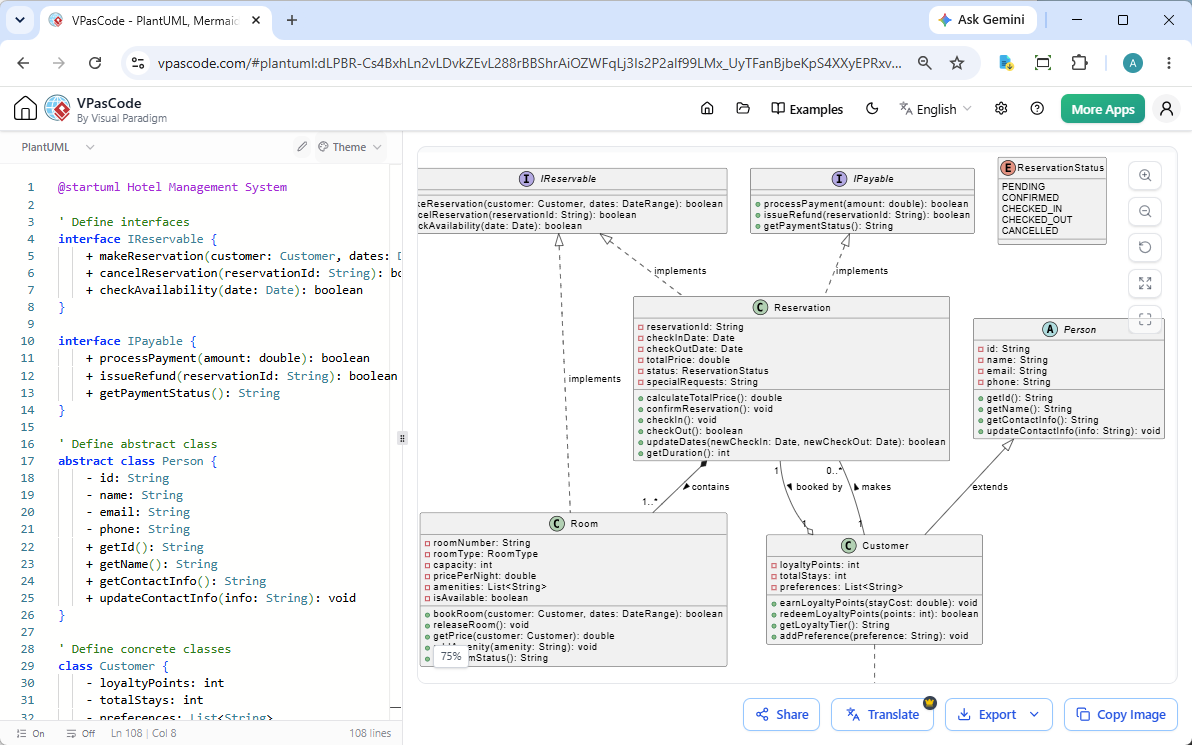
But even the best text-based tools have a learning curve. Recognizing that syntax errors are the primary barrier to adoption, Visual Paradigm has launched a groundbreaking feature set. This article explores why VPasCode is the text-based UML tool that teams have been waiting for—and why it deserves to be your first choice when you search for a diagram as code tool.
What is VPasCode?
VPasCode is an interactive, browser-based diagram-as-code (DaC) platform developed by Visual Paradigm. Designed for software engineers, architects, and technical documentation teams, it bridges the gap between text-driven development and high-fidelity system modeling. Instead of relying on manual drag-and-drop interfaces, VPasCode allows users to define, preview, and export complex architectural diagrams using structured markup languages.
It is a core element of the Visual Paradigm AI Ecosystem, allowing you to edit diagrams as text while leveraging AI to accelerate your workflow. Best of all, the core code-based diagramming software and editor are completely free, while advanced AI features are available as paid add-ons.
Key Value Propositions
- True Multi-Engine Unity: Most DaC editors lock you into a single syntax engine. VPasCode is the only platform that natively supports PlantUML, Mermaid, and Graphviz simultaneously in a single interface.
- Zero Setup: It operates completely within your web browser. There are no downloads, setups, or local configurations required. You can jump straight into the workspace and start diagramming instantly.
- AI-Native Architecture: It integrates directly with Visual Paradigm’s AI-powered Chatbot, enabling natural language to diagram conversion and offering features like AI code error fixing.
Unified Engine Ecosystem: One Platform, Multiple Syntaxes
VPasCode brings all your favorite text-to-diagram engines into one unified platform. Built entirely in your browser, it combines a free, smart code editor with a high-performance renderer for Mermaid, PlantUML, and Graphviz. Stop wrestling with clunky drawing tools—just type and watch your diagrams come to life instantly.
VPasCode supports all major syntax options across your favorite engines, allowing you to create dozens of professional layouts instantly from text.
PlantUML Support
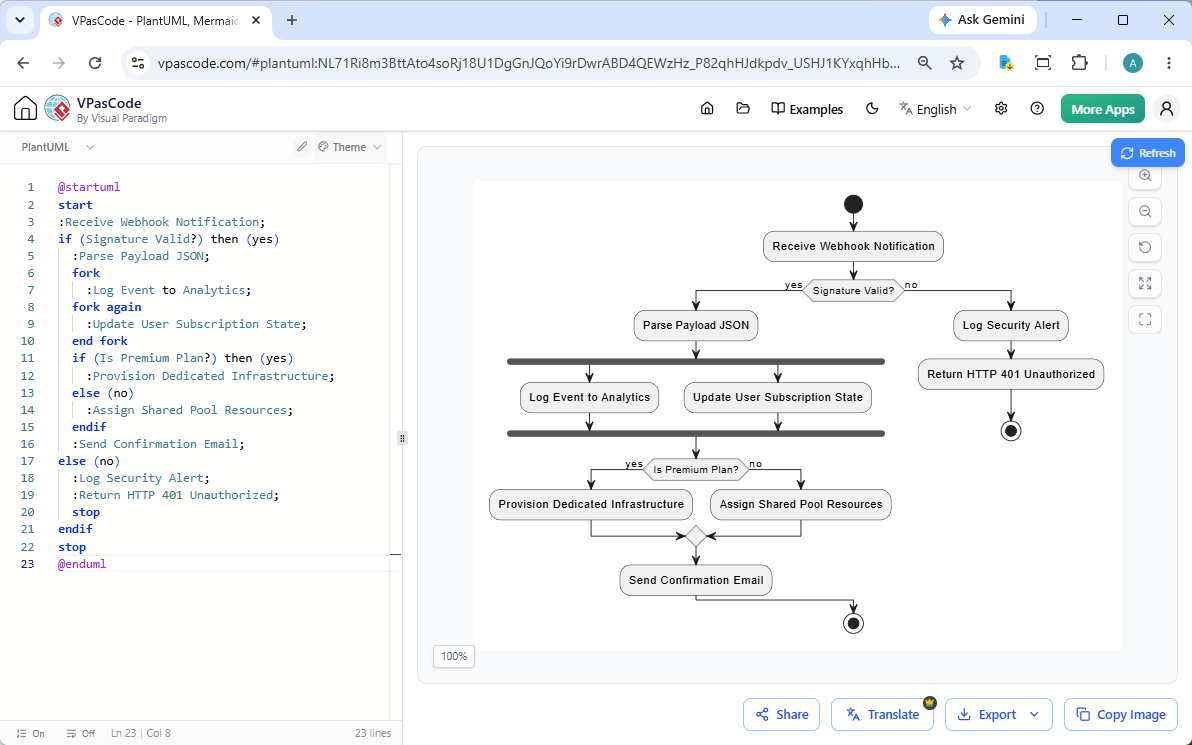
If you are looking for a text-based UML diagram editing experience, PlantUML integration is key. VPasCode offers deep, integrated support for PlantUML, enabling you to create:
- Class diagrams and Object diagrams
- Sequence diagrams and Use case diagrams
- Activity diagrams and State diagrams
- Component diagrams and Deployment diagrams
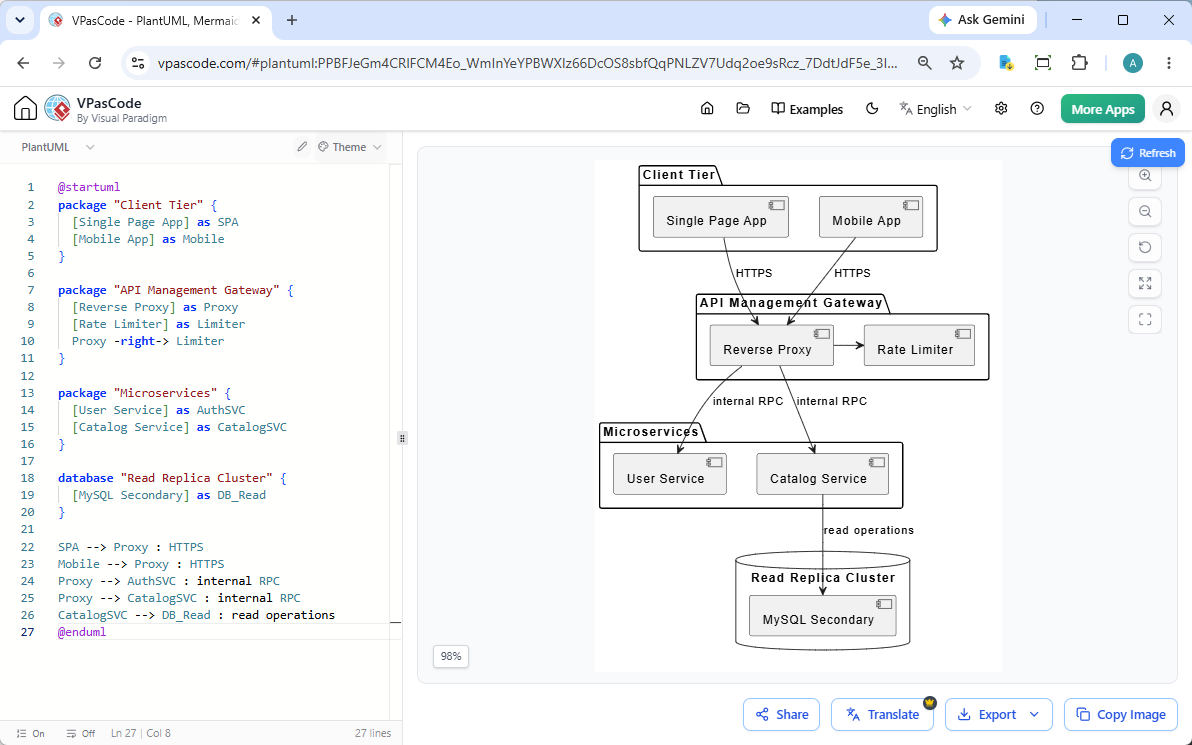
- Timing diagrams
- ArchiMate diagrams, C4 models, ERD, Network, WBS, Gantt, Mind Map, Chen ERD, Regex, Salt, JSON, and YAML.
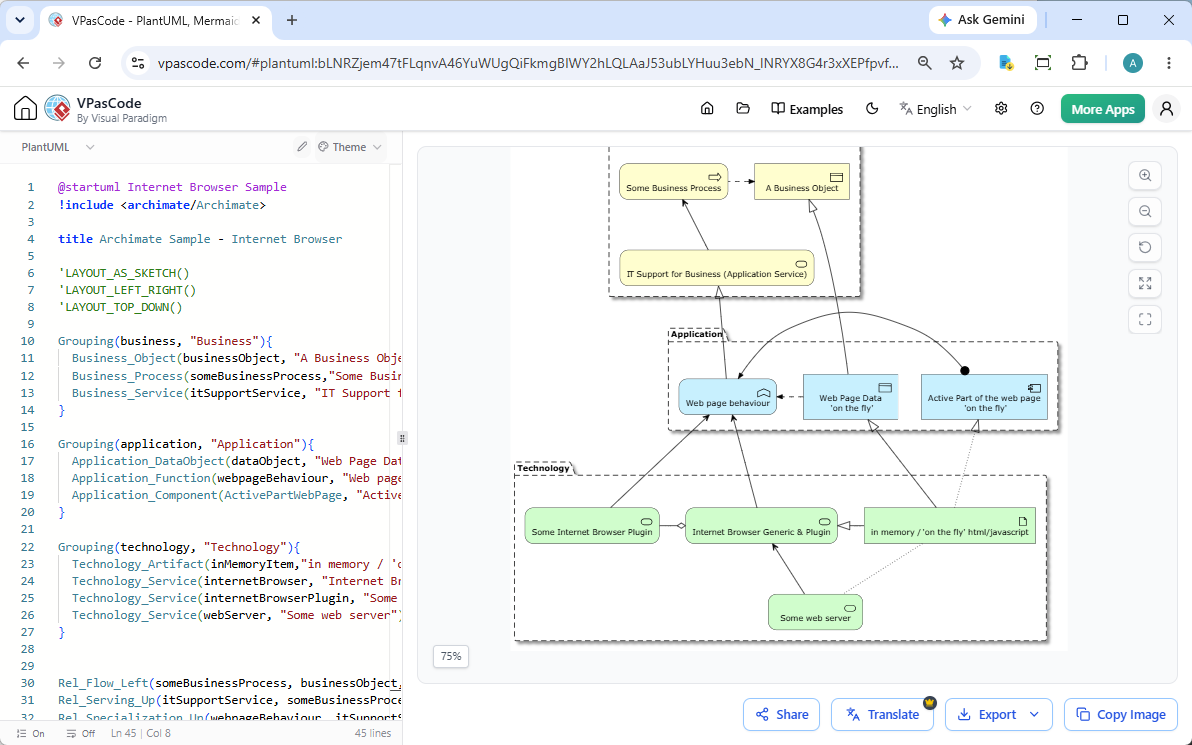
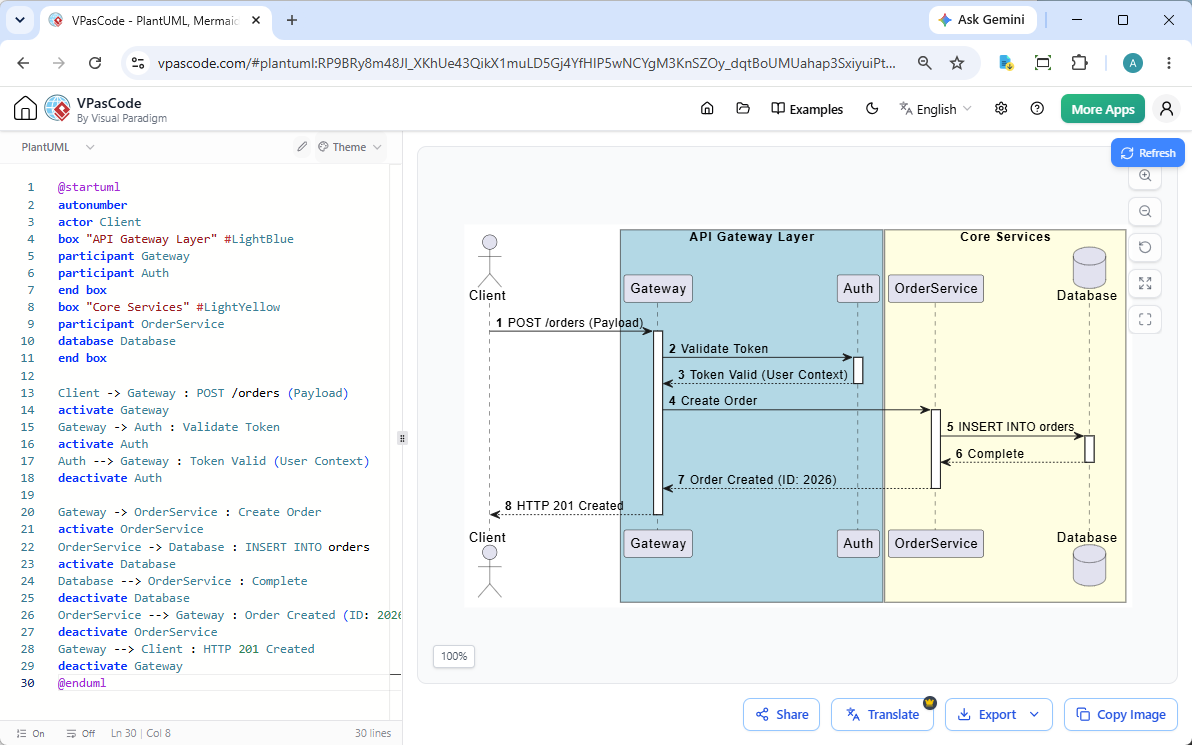 (
(
Mermaid.js Support
For modern, markdown-friendly syntax, VPasCode fully supports Mermaid. You can create diagrams from text for:
- Flowcharts, sequence diagrams, class diagrams, and state diagrams
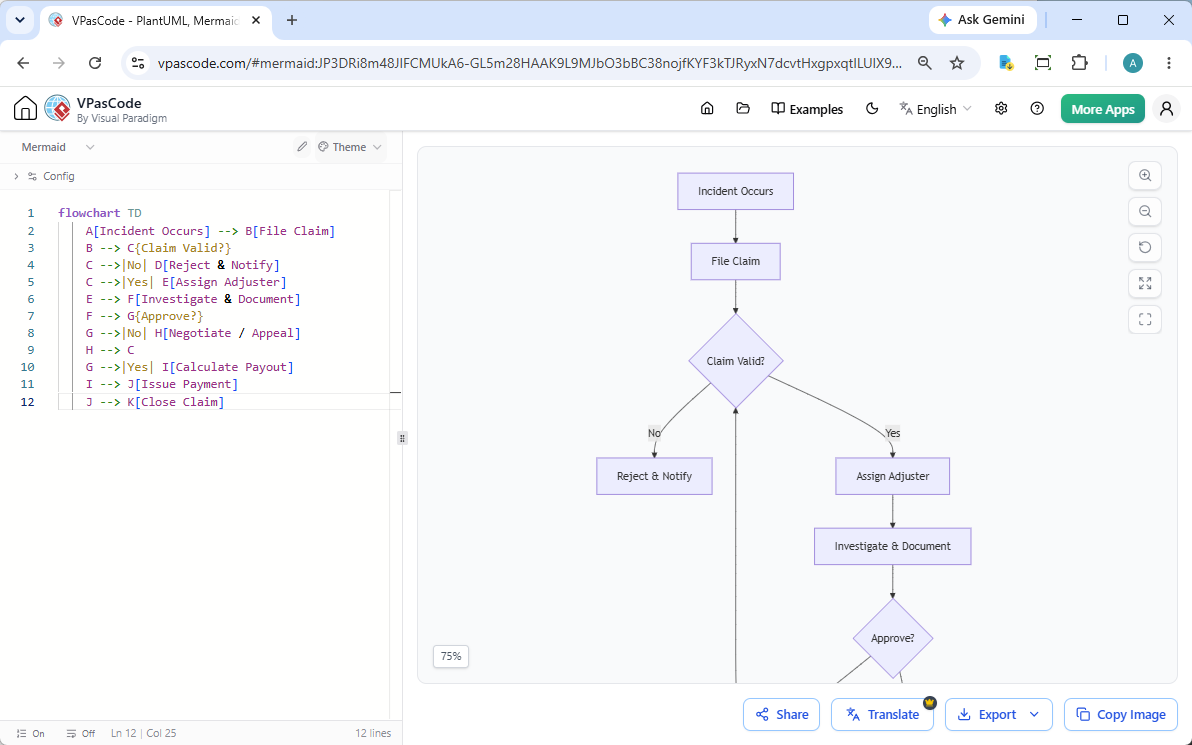
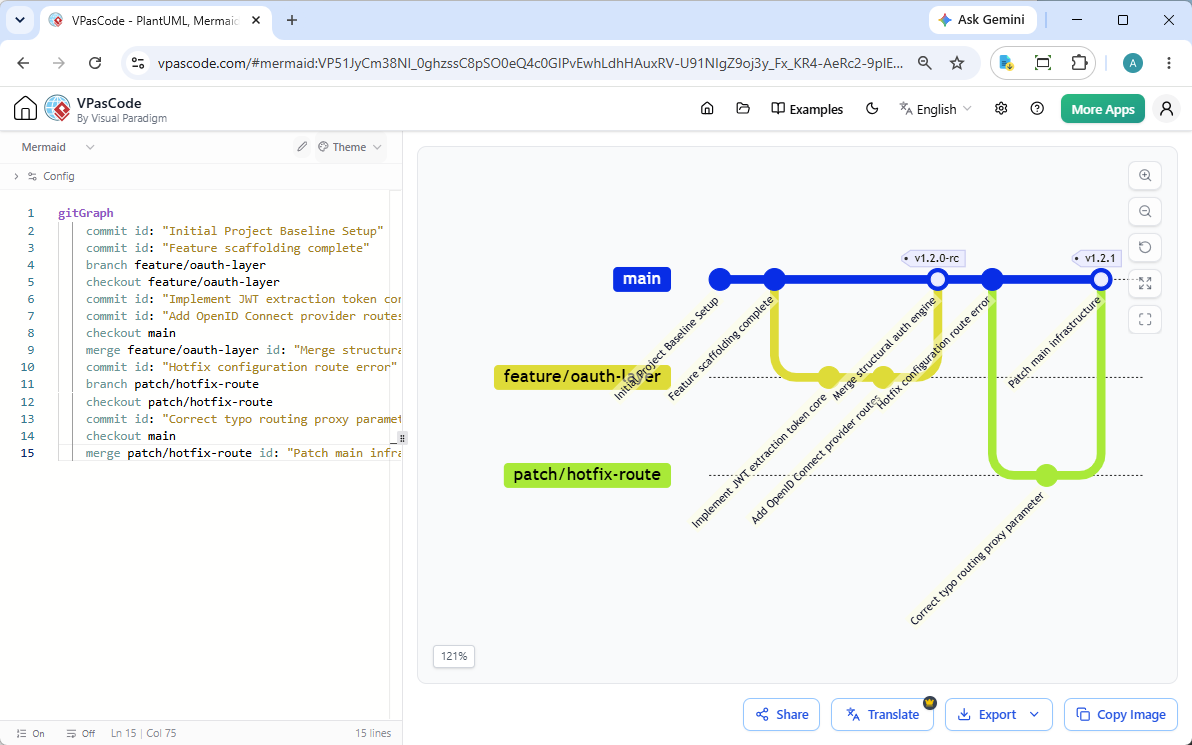
- ER diagrams, Gantt charts, user journeys, and Git Graphs
- Pie Charts, C4, mind maps, timelines, quadrant, requirement diagrams, Sankey, XY charts, block diagrams, packet, Kanban, architecture, treemap, Ishikawa, treeview, event modeling, venn, wardley, Cynefin, radar, railroad, and swimlanes.
Graphviz Support
For complex network topologies and dependency trees, VPasCode supports Graphviz using the DOT language:
- Digraph and standard graphs
- Flowcharts and organization charts
- Cluster diagrams and data flow diagrams
VPasCode also supports other formats like Mapmap, Echarts, JSON, and SQL, with more text-to-diagram formats coming in future updates.
AI-Powered Features: The “Last Mile” Solution for Diagramming
One of VPasCode’s most transformative capabilities is its native compatibility with Artificial Intelligence. While large language models struggle to manipulate complex visual canvases, they excel at generating and interpreting structured text.
This integration solves the “Last Mile Problem” of AI generation. The AI Chatbot is fast but generic; VPasCode is precise. It allows you to fix the “messiness” of AI-generated diagrams.
Key AI Capabilities
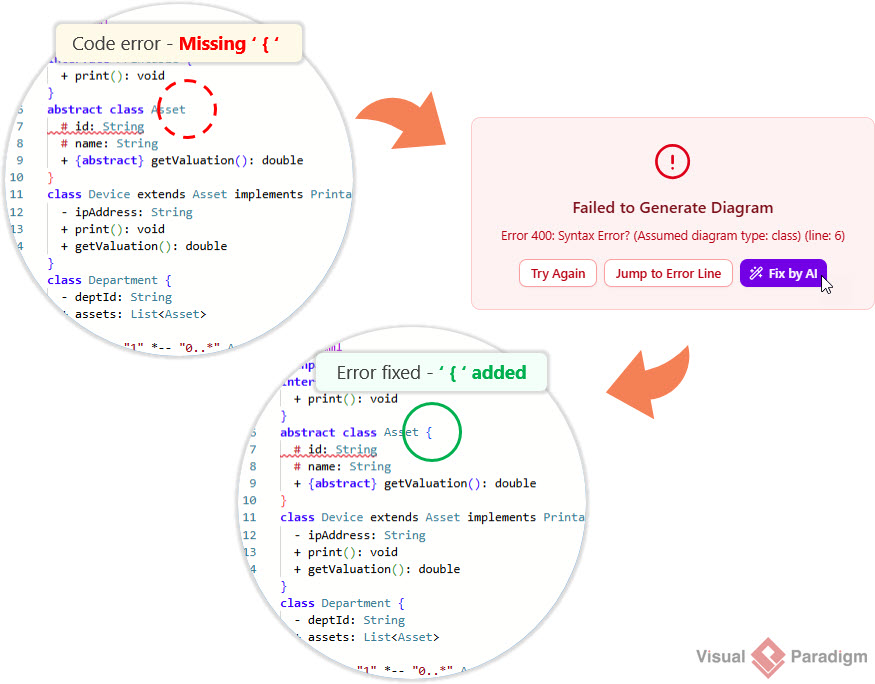
- AI Code Error Fixing: VPasCode introduces a seamless, AI-powered intervention system that detects, analyzes, and corrects syntax errors in real-time. Instead of forcing the user to consult documentation or manually troubleshoot the syntax, VPasCode offers an intelligent one-click solution. Click “Fix by AI,” and the system performs a rapid analysis of the erroneous code segment, replacing it with correct syntax.
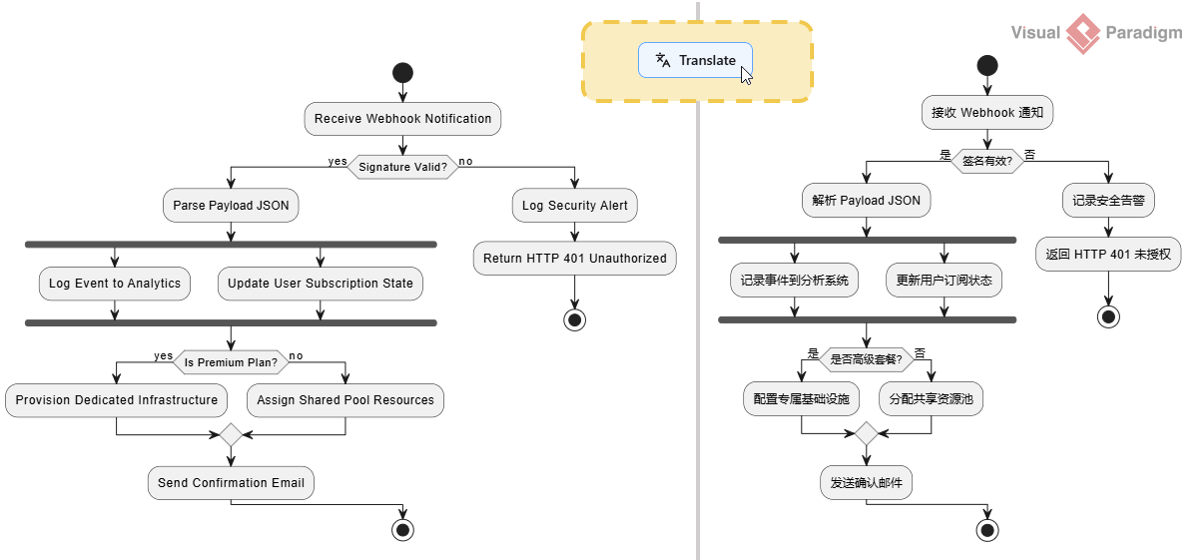
- AI Translation: Seamlessly converts text labels within your diagrams to accommodate international project teams (e.g., “Car” becomes “汽車”).
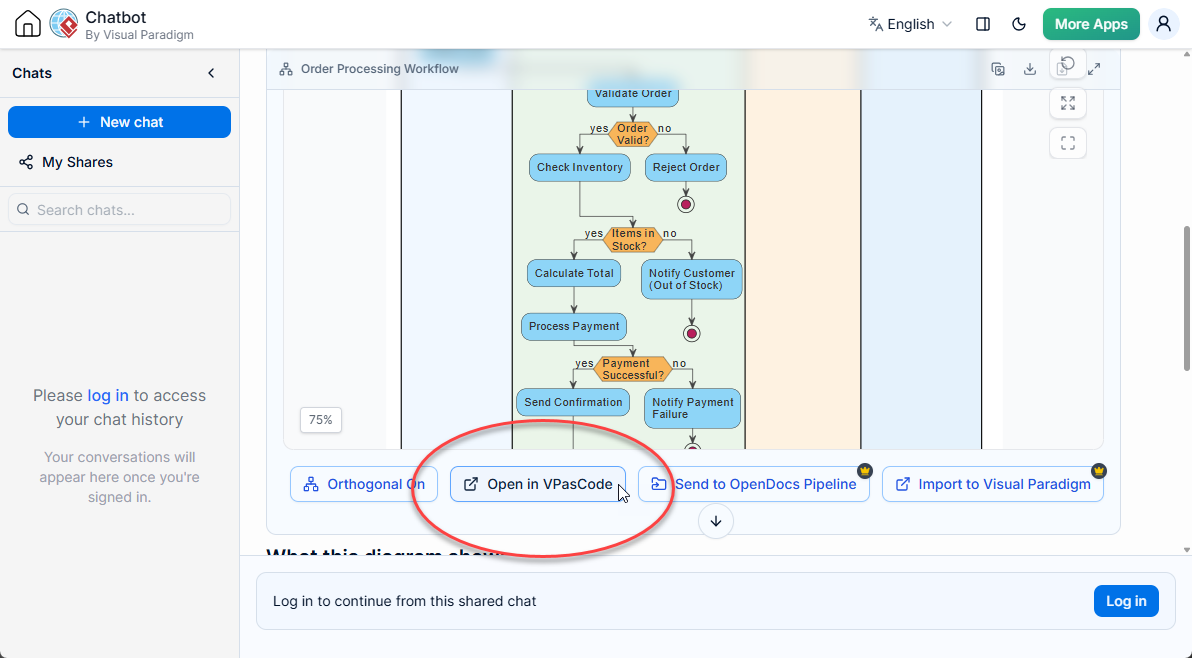
- Integrated Workflow: Use the AI Diagramming Chatbot to generate code from a natural language prompt, then click the “Edit in VPasCode” button to touch up the code generated.
Collaboration and Documentation: The OpenDocs Integration
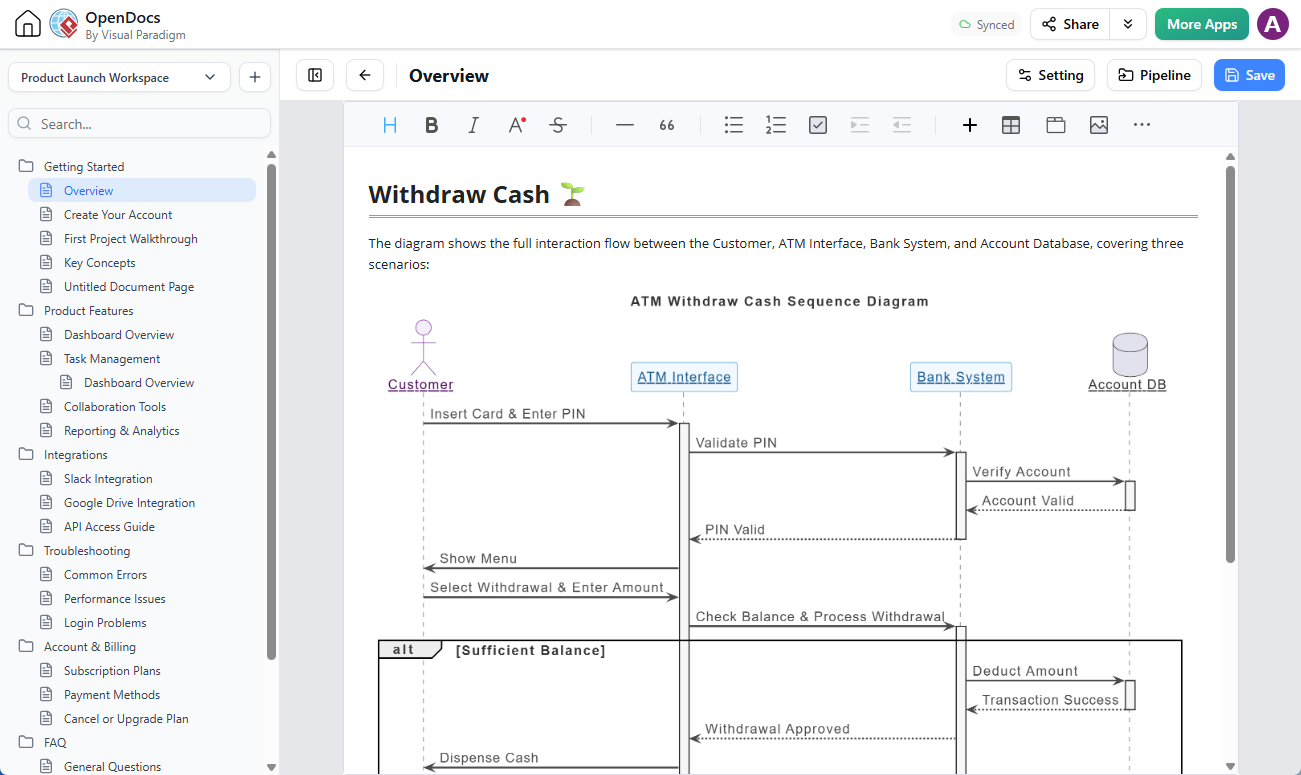
VPasCode is not an island. It is an integral part of the Visual Paradigm AI Ecosystem. This seamless ecosystem allows you to not only paste code into VPasCode and edit it, but also to send the diagram to Visual Paradigm OpenDocs for further documentation and knowledge sharing.
This online text to diagram tool allows for a seamless transition from coding to documentation. Once your diagram is finalized, VPasCode provides one-click options to integrate visuals into your knowledge base.
Conclusion: The Future of Architecture Documentation is Text-Driven
VPasCode represents more than a new tool—it embodies a paradigm shift in how engineering teams conceptualize, communicate, and maintain system architecture. By embracing Diagram-as-Code, organizations gain:
- Agility: Diagrams evolve alongside code, with no manual synchronization overhead.
- Consistency: Automated layout and styling eliminate visual debt across documentation.
- AI-Readiness: Structured syntax unlocks the full potential of LLMs for architecture generation and analysis.
- Accessibility: Cloud-native, zero-install deployment lowers barriers to adoption across roles and locations.
Whether you are documenting microservices, mapping system dependencies, or creating onboarding architecture guides, VPasCode ensures your diagrams remain as maintainable, reviewable, and collaborative as your actual codebase. If you are searching for a diagram as code software that unifies PlantUML, Mermaid, and Graphviz with AI power, VPasCode is the answer you’ve been looking for.
Stop letting outdated diagrams hold your team back. Try the free diagram as code tool today and experience the future of technical documentation.
This post is also available in Deutsche, Español, فارسی, Français, English, Bahasa Indonesia, 日本語, Polski, Portuguese, Ру́сский, Việt Nam, 简体中文 and 繁體中文.
Related posts:
 Case Study: Accelerating Software Architecture Documentation with VPasCode – A Diagram-as-Code Revolution
 From Code to Clarity: A Beginner’s Guide to Seamless Diagramming with VPasCode and OpenDocs
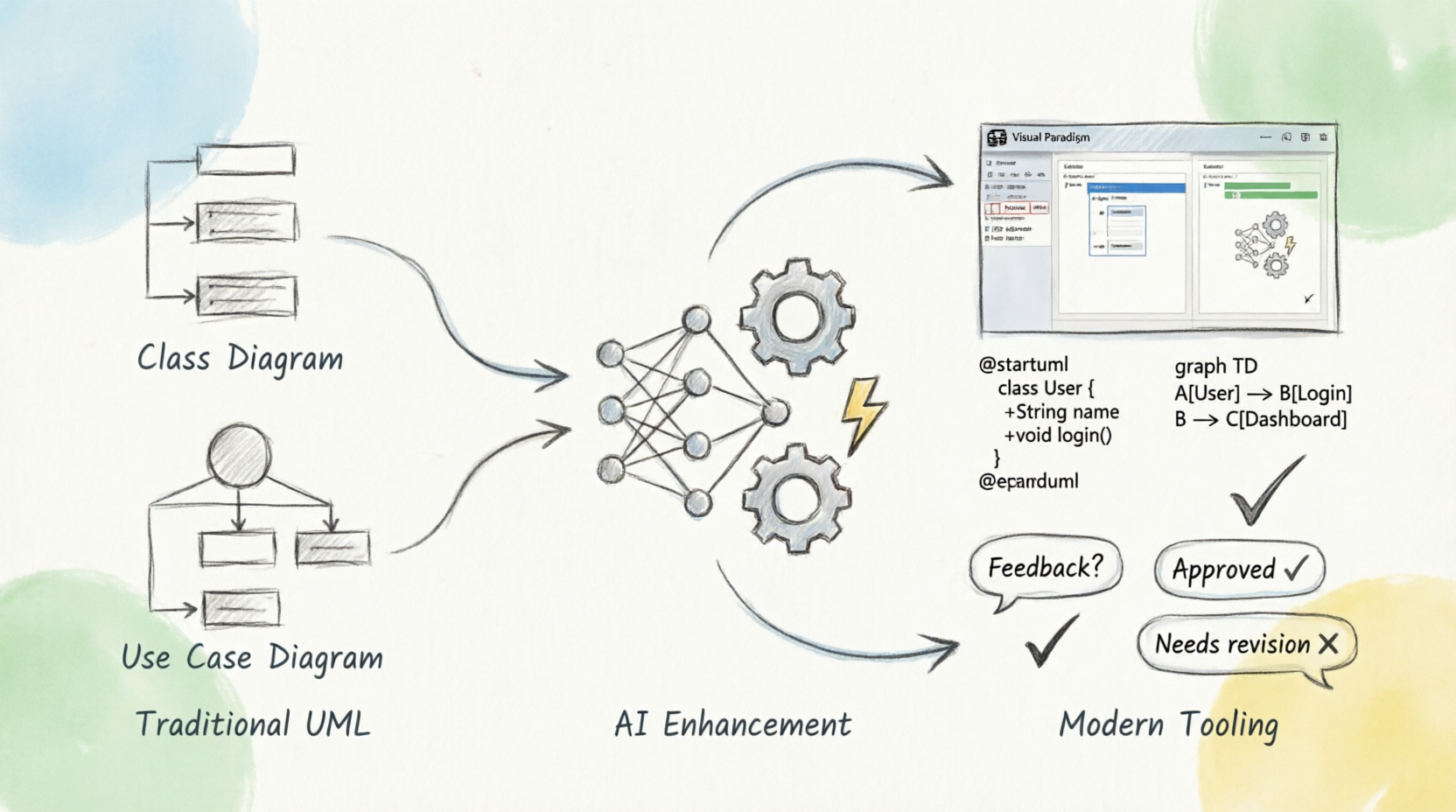 Beyond Pretty Pictures: A Modern Guide to Analysis and Design with AI, Diagram-as-Code, and Visual Paradigm
From Code to Clarity: A Beginner’s Guide to Seamless Diagramming with VPasCode and OpenDocs
Beyond Pretty Pictures: A Modern Guide to Analysis and Design with AI, Diagram-as-Code, and Visual Paradigm
From Code to Clarity: A Beginner’s Guide to Seamless Diagramming with VPasCode and OpenDocs
