Introducing the Visual Paradigm Unified Platform
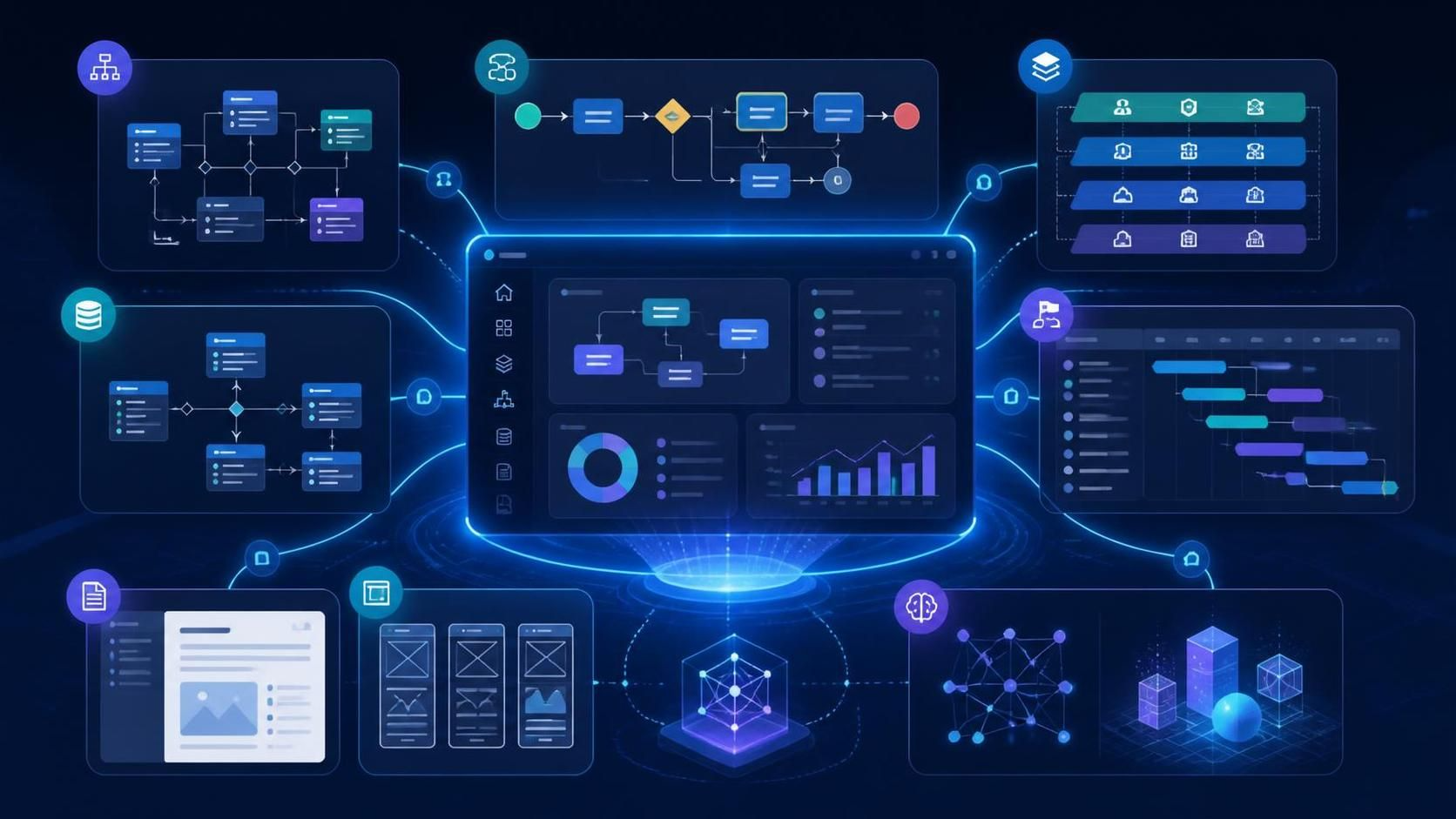
The Visual Paradigm Unified Platform brings visual modeling, business analysis, software design, agile planning, project management, documentation, and collaboration into one connected workspace. Rather than treating diagrams, requirements, plans, code, and documents as separate deliverables, it helps teams connect them throughout the project lifecycle.
The platform serves as a central hub for Visual Paradigm Desktop, VP Online, cloud-based applications, shared artifacts, documentation tools, and AI-assisted utilities. Users can access work through Visual Paradigm Desktop or a web browser, while the Unified Platform provides a shared location for discovering tools, creating artifacts, and organizing projects.
What the platform brings together
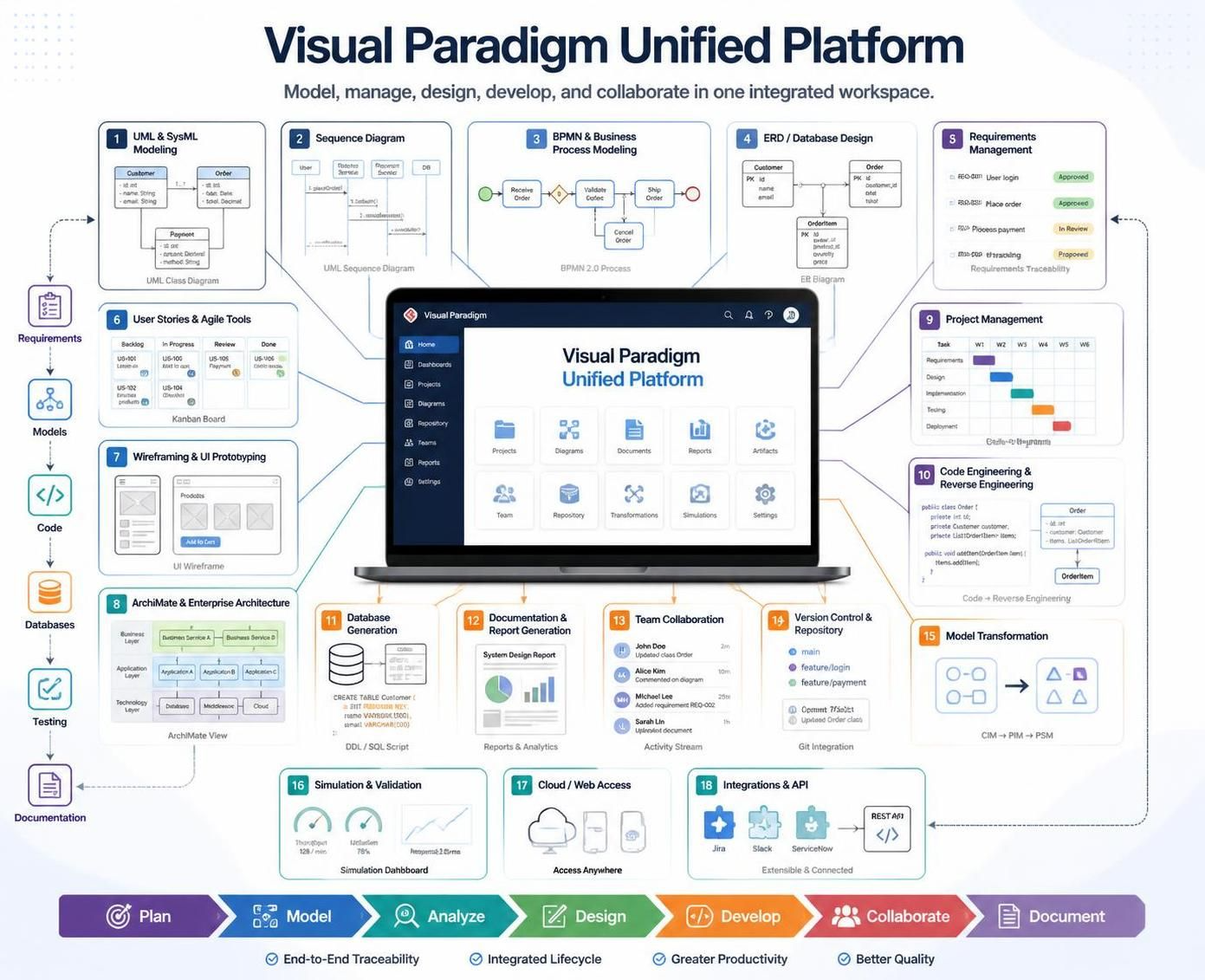
The infographic illustrates the main capability areas:
-
Visual modeling: UML, SysML, BPMN, flowcharts, activity diagrams, state machines, and other models.
-
Business analysis: Requirements, use cases, business processes, decision tables, customer journeys, and process maps.
-
Enterprise architecture: ArchiMate, TOGAF, organizational modeling, capability mapping, and strategic planning.
-
Agile and product management: User story maps, backlogs, roadmaps, sprint planning, prioritization, and retrospectives.
-
UX and product design: Wireframes, storyboards, user journeys, wireflows, and prototypes.
-
Database engineering: ER diagrams, schema design, database generation, reverse engineering, and DDL scripts.
-
Code and API engineering: Code generation, reverse engineering, round-trip engineering, REST API design, and API documentation.
-
Documentation and reporting: Project documentation, model-based reports, presentations, specifications, and published deliverables.
-
Collaboration: Shared workspaces, comments, task coordination, version management, and team-based modeling.
-
AI-assisted work: Text-to-diagram generation, model analysis, diagram refinement, and other intelligent modeling assistance.
Visual Paradigm’s feature catalog includes support for visual modeling, enterprise architecture, agile workflow, business analysis, project management, UX design, and code and database engineering.
Key benefits
1. One connected project workspace
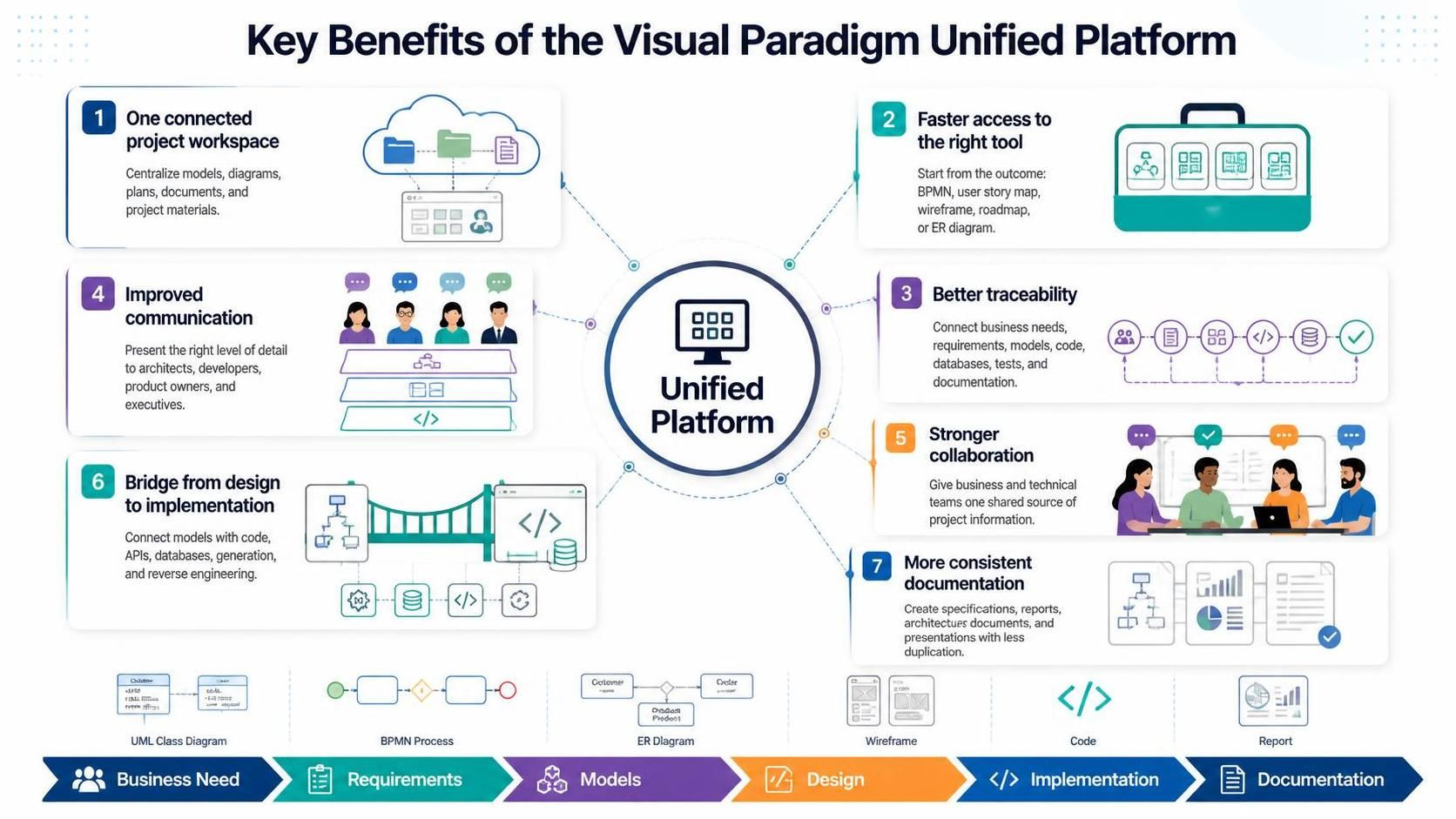
The Unified Platform reduces the separation between desktop models, online diagrams, planning artifacts, and project documentation. Teams can organize diagrams, documents, and related project materials in a centralized, drive-like environment instead of searching across disconnected applications.
2. Faster access to the right tool
The platform provides a single entry point to a broad collection of specialized applications. Instead of deciding which separate product or menu to open, users can begin from the outcome they want to create—for example, a BPMN diagram, user story map, wireframe, roadmap, or ER diagram.
3. Better traceability
A project can progress from a business need to requirements, models, designs, code, databases, tests, and documentation. This makes it easier to understand why a design decision was made and which implementation elements are affected when requirements change.
4. Improved communication
Different stakeholders need different levels of detail. Architects may work with formal models, developers with class and sequence diagrams, product owners with roadmaps, and executives with summary views. The platform allows teams to create and present information in forms that are appropriate for each audience.
5. Stronger collaboration between technical and business teams
Business analysts, architects, developers, designers, project managers, and stakeholders can work around shared project information rather than maintaining separate versions of the truth.
6. A bridge from design to implementation
Code engineering, database engineering, API design, and reverse engineering help connect conceptual models with technical implementation. Visual Paradigm supports generating or reversing code and generating or reversing database structures from ER models.
7. More consistent documentation
Because models, requirements, and project artifacts are created within the same ecosystem, teams can produce specifications, reports, architecture documents, and presentations with less manual duplication.
Typical usage cases
| Usage case | How the platform can be used | Main benefit |
|---|---|---|
| Software development | Capture requirements, create UML models, design APIs, generate code, and document architecture | Connects analysis with implementation |
| Business process improvement | Map current processes in BPMN, identify problems, design future-state processes, and document procedures | Makes operational change easier to analyze |
| Agile product development | Convert product ideas into epics, user stories, story maps, roadmaps, and sprint plans | Keeps agile planning connected to product design |
| Enterprise architecture | Model business, application, data, and technology layers using enterprise architecture views | Supports strategic alignment and impact analysis |
| Database and API design | Create ER diagrams, design schemas, model REST APIs, and generate technical artifacts | Reduces gaps between logical and physical design |
| UX and product design | Map user journeys, create wireframes, organize storyboards, and connect designs to requirements | Links user needs to system behavior |
| Requirements engineering | Capture stakeholder needs, define use cases, model scenarios, and generate specifications | Improves clarity and traceability |
| Education and training | Teach UML, BPMN, systems analysis, software architecture, and project planning | Provides one environment for theory and practice |
| Documentation and governance | Maintain architecture diagrams, decision records, specifications, and project reports | Creates more consistent project knowledge |
Example workflow: from idea to implementation
A typical project can move through the platform using the following sequence:
-
Capture the idea
Record the business problem, stakeholder goals, user needs, or product opportunity. -
Define requirements
Refine informal ideas into requirements, use cases, user stories, acceptance criteria, and measurable outcomes. -
Model the processes
Use BPMN, activity diagrams, customer journey maps, or process maps to describe how work should happen. -
Design the solution
Create wireframes, domain models, class diagrams, sequence diagrams, component diagrams, deployment diagrams, or SysML models. -
Design data and APIs
Develop ER diagrams, database structures, REST API designs, and integration models. -
Plan delivery
Organize work into a product backlog, roadmap, release plan, work breakdown structure, or project schedule. -
Implement the solution
Use code engineering, database generation, reverse engineering, and technical documentation to support development. -
Review and validate
Check models, analyze dependencies, simulate selected processes where appropriate, and review designs with stakeholders. -
Publish and collaborate
Generate specifications, reports, presentations, and shareable project views for technical and nontechnical audiences.
This hybrid workflow combines deep modeling in the desktop environment with browser-based access, online tools, planning, documentation, and collaboration.
Who benefits most?
The Unified Platform is particularly useful for:
-
Business analysts who need to connect stakeholder needs, processes, requirements, and documentation.
-
Software architects who create models spanning business, application, data, and technology concerns.
-
Developers who want a stronger connection between models, APIs, databases, and source code.
-
Product owners who manage user stories, prioritization, roadmaps, and product communication.
-
UX designers who connect user journeys and wireframes with requirements and system design.
-
Project managers who need schedules, roadmaps, dependencies, and progress views.
-
Enterprise architects who maintain strategic, business, application, and technology models.
-
Students and educators who need a broad environment for learning modeling and software design.
Recommended introduction plan
Phase 1: Start with a real project
Choose a project that already has visible coordination problems, such as unclear requirements, inconsistent diagrams, duplicated documentation, or weak communication between business and development teams.
Phase 2: Establish a shared structure
Create a workspace organized around:
-
Project goals
-
Stakeholders
-
Requirements
-
Business processes
-
System models
-
UX designs
-
Data and APIs
-
Delivery plans
-
Documentation
Phase 3: Define a lightweight modeling standard
Agree on:
-
Which diagram types the team will use
-
Naming conventions
-
Required documentation
-
Review responsibilities
-
Versioning practices
-
When a model should be updated
-
Which artifacts are authoritative
Avoid modeling everything in advance. Start with the diagrams that directly support decisions, communication, or implementation.
Phase 4: Connect planning and design
Link user stories and requirements to process models, wireframes, system diagrams, and implementation tasks. This creates a traceable path from “why are we building this?” to “how will we build it?”
Phase 5: Publish useful outputs
Create audience-specific deliverables:
-
Executive summaries for decision-makers
-
Process maps for business teams
-
Architecture views for technical reviewers
-
Wireframes for product stakeholders
-
API and database documentation for developers
-
Project roadmaps for delivery teams
Phase 6: Expand gradually
Once the team is comfortable, introduce additional capabilities such as enterprise architecture, model transformation, code engineering, database generation, AI-assisted modeling, simulation, and integrations.
Final perspective
The main value of the Visual Paradigm Unified Platform is not simply the number of diagrams or tools it provides. Its value comes from connecting the full path from business idea to working solution:
Plan → Model → Analyze → Design → Develop → Collaborate → Document
Used effectively, the platform can help organizations reduce tool fragmentation, improve communication, preserve project knowledge, and create a more traceable relationship between requirements, architecture, implementation, and delivery.