




Introducing Visual Paradigm 18.1: A New Era of Unified Ecosystems and AI-Driven Innovation
Introduction: Beyond the Hype
As a professional who has spent years navigating complex system architectures, product roadmaps, and enterprise modeling, I’ve tested my fair share of diagramming and development tools. When Visual Paradigm announced the release of Version 18.1, the claims of a “unified ecosystem” and “production-ready AI tools” immediately caught my attention. I decided to take the latest milestone release for a spin to see if it truly lives up to the hype.
What I found was not just a cosmetic face-lift, but a massive evolution that successfully bridges the gap between desktop and cloud environments. Version 18.1 feels like an entirely integrated ecosystem designed to transition raw ideas into diagrams, presentations, and persistent cloud-backed applications faster than ever before.
Here is my comprehensive, hands-on review and user experience guide to everything Visual Paradigm 18.1 has to offer, breaking down the five major pillars that make this update a game-changer.
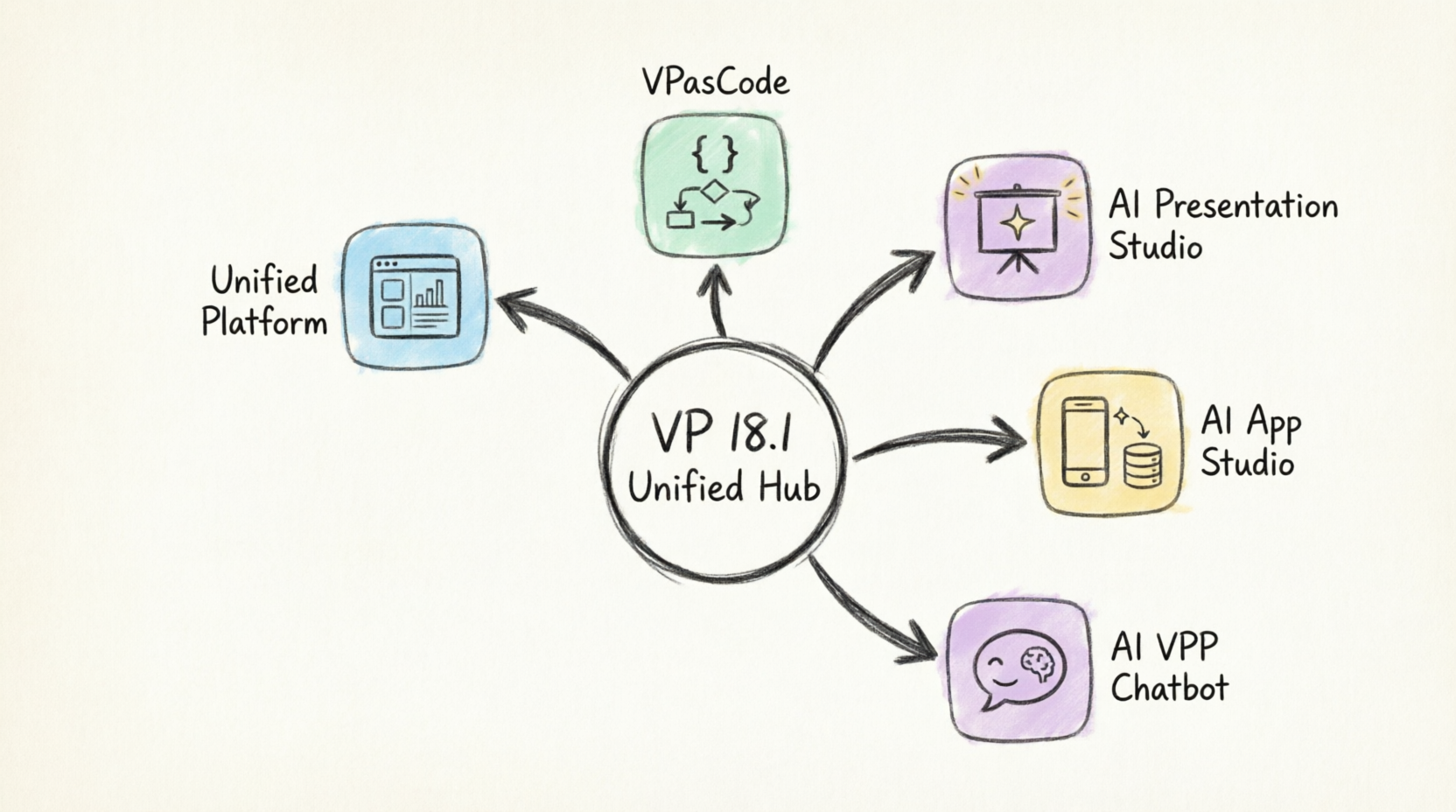
My Hands-On Experience with the Key Features
1. Unified Platform: Finally, a True Command Hub
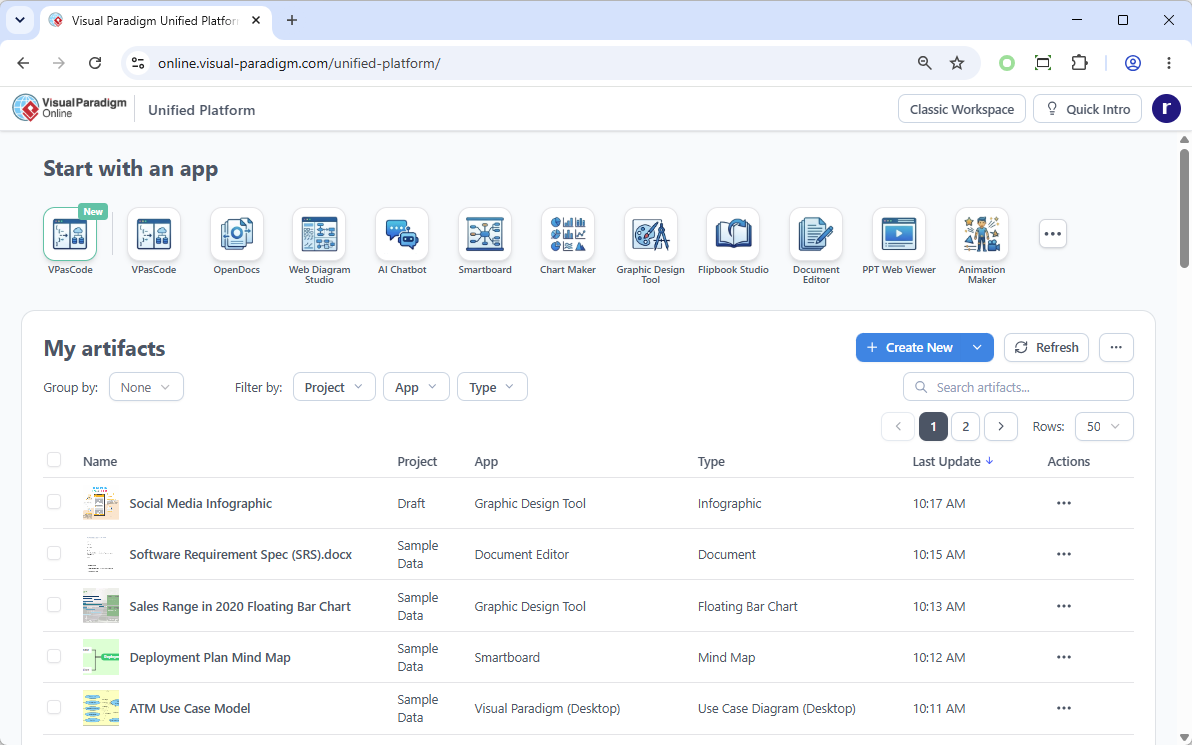
Historically, jumping between different modeling apps and cloud environments felt fragmented. The Unified Platform completely revolutionizes the Visual Paradigm workspace by establishing a true hub for their ecosystem of over 100 apps.
What stood out to me in my testing:
-
Centralized App & Data Management: I loved being able to launch any tool instantly from one dashboard. Viewing all my saved works across separate apps in a single, drive-like environment saved me countless clicks.
-
Desktop & Web Synergy: This is a massive quality-of-life improvement. Visual Paradigm Desktop users can now open the Unified Platform inside an embedded browser. For the first time, my desktop-designed diagrams and cloud app data coexist flawlessly in one centralized space.
🔗 Try it out: Unified Platform URL
2. VPasCode: Diagramming at the Speed of Thought
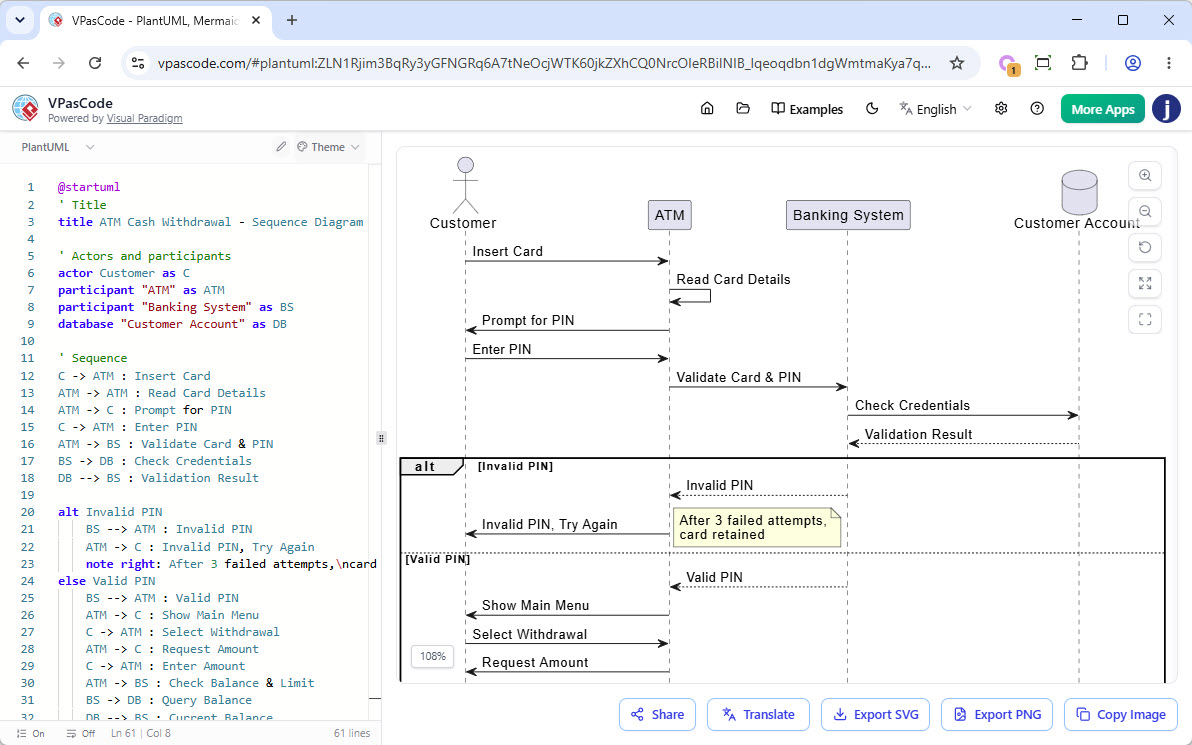
As someone who prefers typing over dragging-and-dropping, VPasCode was a breath of fresh air. It brings a high-performance, real-time code editor and rendering engine directly to your workspace.
My favorite aspects:
-
Supported Frameworks: Writing natively using PlantUML, Mermaid, or Graphviz to instantly generate Sequence diagrams, ERDs, Mind Maps, C4 models, and Flowcharts felt incredibly seamless.
-
AI Superpowers: While the free tier (real-time previewing, URL sharing, SVG/PNG exporting) is generous, the premium tiers are where the magic happens. The AI Code Error Fixing saved me from syntax headaches, and the instant AI Language Translation is a brilliant touch for global teams.
🔗 Try it out: Visit VPasCode
3. AI Presentation Studio: Cinematic Slides Without the Frustration
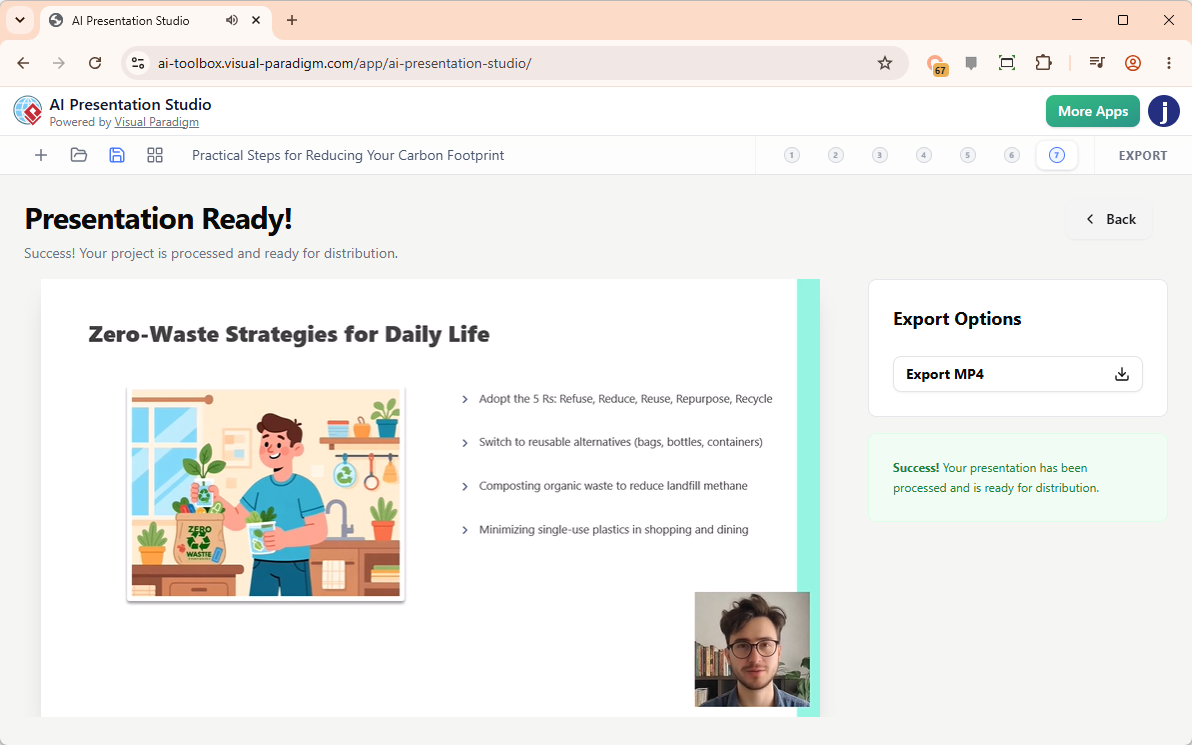
I usually dread AI presentation generators because they tend to dump uneditable slide images or flat HTML pages, forcing a complete restart if the AI misses the mark. Visual Paradigm’s AI Presentation Studio fixes this with an interactive, step-by-step workflow.
How it performed for me:
-
The Iterative Workflow: I input my topic and audience context, refined the AI outline via a highly visual content editor, applied professional design themes, and inserted dynamic animations from over 60 cinematic transitions. I felt entirely in control.
-
Humanless Narration & Avatars: This feature blew me away. I generated automated text-to-speech scripts, chose from over 600 lip-synced AI Avatars, and even used AI Face Swap to map my own face onto a professional narrator avatar. Exporting a polished, standalone MP4 video ready for production was the cherry on top.
🔗 Try it out: Visit AI Presentation Studio
4. AI App Studio: Solving the “Stateless App” Paradox
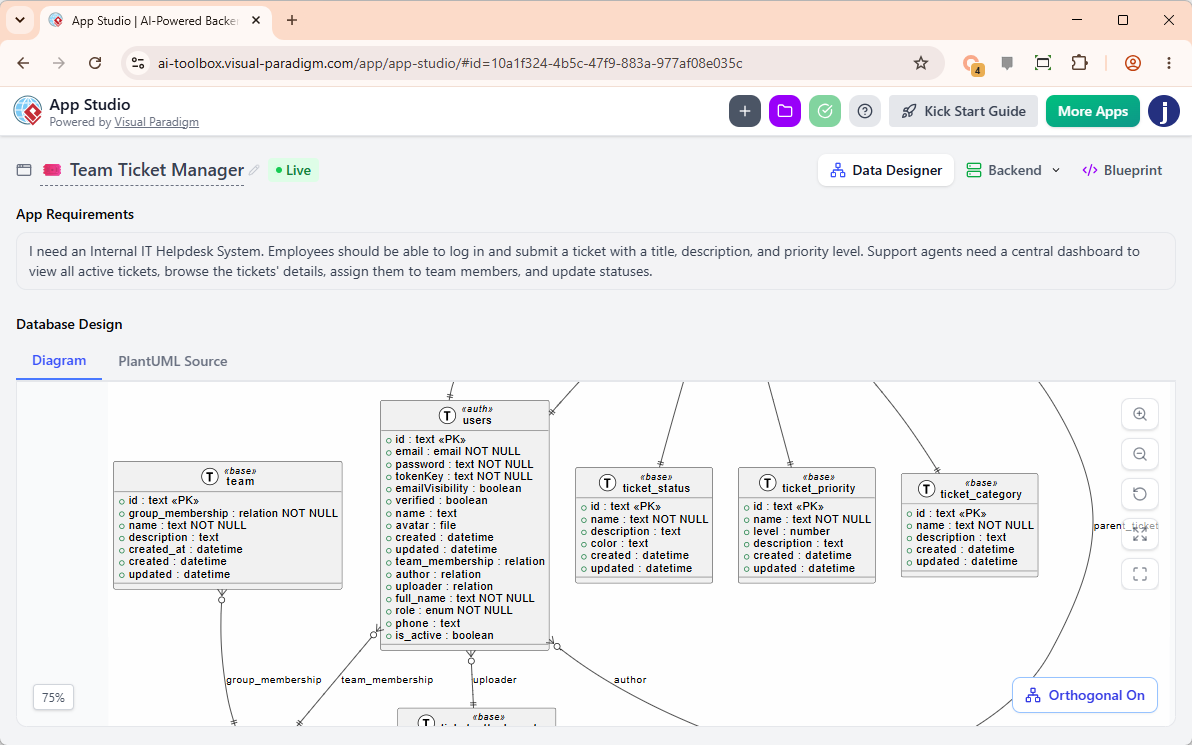
Building full-stack apps using pure text AI tools frequently leads to stateless, broken apps because the AI coder tries to guess user data logic. AI App Studio solves this paradox with a strict, data-driven methodology that I found incredibly robust.
Key takeaways from my build:
-
Blueprint Over Lock-In: Instead of forcing me into a rigid low-code interface, it automatically provisioned a secure, live cloud backend database for my app just by reading my plain English requirement description.
-
Master Prompt Generation: This is a genius feature. App Studio packaged my active cloud database infrastructure, endpoints, custom UI themes, frameworks (React, Vue, etc.), and styles into a production-ready Master AI Prompt. Pasting this into external engines like Google AI Studio launched a persistent, stable application that didn’t break on a browser refresh.
-
Mock Data Seeding: Instantly seeding my freshly provisioned database with relational mock data meant my app was functional right out of the gate.
🔗 Try it out: Visit AI App Studio
5. AI VPP Chatbot: Making Sense of Massive Models
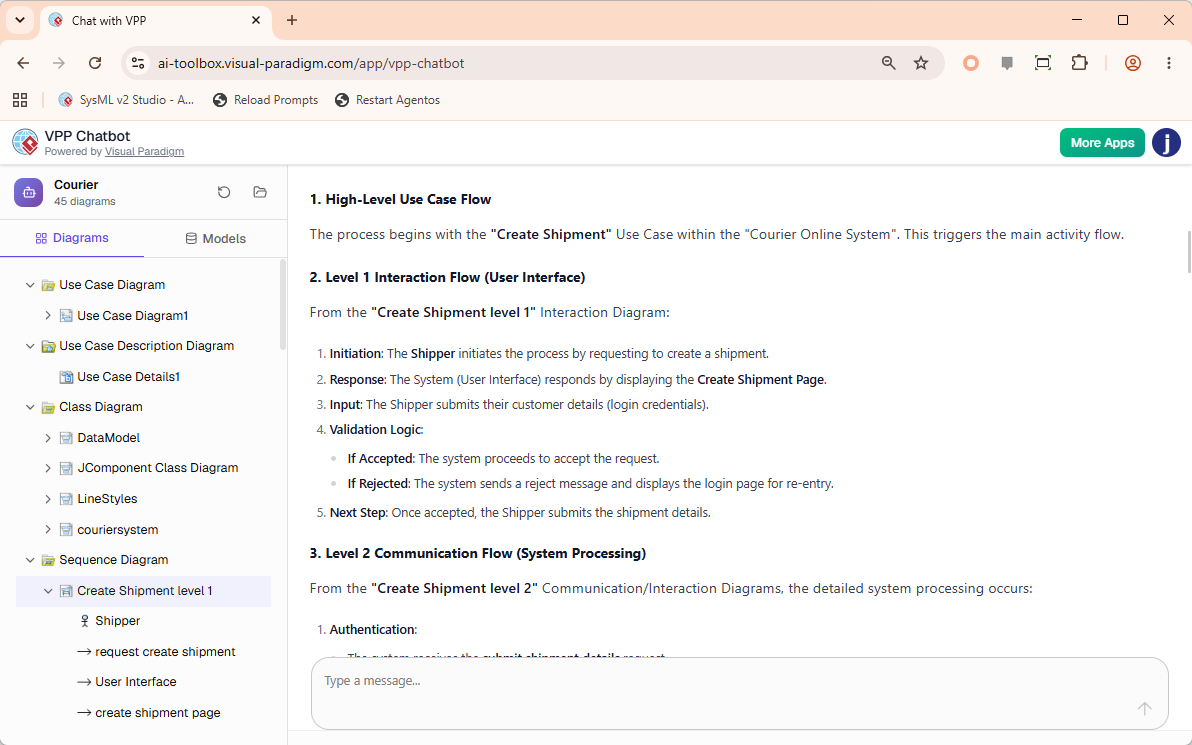
Navigating large, complex enterprise models used to be a nightmare of endless clicking. Introducing the VPP Chatbot, an intelligent AI-powered tool designed to read, analyze, and answer questions directly from native Visual Paradigm Project (.vpp) files.
Why I think this is a must-have:
-
Interactive Chat Interface: Dropping my
.vppfile into the app populated my complete diagram structure on the left sidebar, while a conversational chatbot interface occupied the right. -
Deep Semantic Analysis: Instead of manually digging through models, I asked the AI to query my project directly. Requesting it to list all key use cases, outline the flow of events for specific scenarios, or summarize intricate interaction diagrams into plain documentation saved me hours of manual work.
🔗 Try it out: Visit AI VPP Chatbot
Licensing & Value: Is It Worth the Upgrade?
To use these advanced web apps and premium AI extensions, an active software maintenance contract or active subscription is required. During my review, I mapped out the eligibility matrix to help you decide which tier fits your needs:
| Feature | Free Capabilities | Premium / AI Elements Included In: |
|---|---|---|
| Unified Platform | Core Hub & Dashboard View | N/A |
| VPasCode | Code Editor, Preview, URL Sharing, SVG/PNG Export |
|
| AI Presentation Studio | N/A |
|
| AI App Studio | N/A |
|
| AI VPP Chatbot | N/A |
|
💡 Reviewer’s Pro-Tip (The Cross-Platform Advantage): If you are already a Visual Paradigm Desktop Professional Edition (or higher) user with an active software maintenance plan, you are automatically granted full access to the web apps of VP Online Combo Edition. This unlocks all the premium AI tools at no additional charge!
The Upgrade Process: How Smooth Was It?
Upgrading to a major version can sometimes be a headache, but Visual Paradigm has made moving to Version 18.1 surprisingly painless. Here is what you need to know based on your current license status:
Scenario A: You Have an Active Subscription or Maintenance Plan
If your software maintenance or subscription is currently active, you can move to Version 18.1 immediately using their automated upgrade tools. I followed their step-by-step documentation based on my license type:
-
How to upgrade Visual Paradigm (with Subscription License) to New Version
-
How to upgrade Visual Paradigm (With Single Seat License) to New Version
Scenario B: Your Software Maintenance Has Lapsed
If you are currently out of maintenance (like many legacy users), you will need to renew your plan to gain access to the Version 18.1 installation files and activate the bundled cloud app features.
-
Simply log into your Customer Service Center account to process a renewal and instantly activate your upgrade access.
Conclusion: The Final Verdict
After spending extensive time with Visual Paradigm 18.1, I can confidently say that this is not just an incremental update—it is a paradigm shift. By breaking down the walls between desktop and cloud, and by integrating AI tools that actually solve real-world workflow bottlenecks (like stateless app generation and unreadable legacy models), Visual Paradigm has cemented its place as a leader in the enterprise modeling space.
Whether you are a systems architect needing to query massive .vpp files via the VPP Chatbot, a product manager looking to generate cinematic stakeholder presentations in minutes, or a developer wanting to spin up stable, data-backed apps without low-code lock-in, Version 18.1 delivers.
Visual Paradigm’s commitment to continuous innovation means that 18.1 is just the beginning. If you are on the fence about upgrading, my advice is to dive in—especially if you can leverage the Cross-Platform Advantage to unlock the premium AI suite. Explore the future of visual modeling and application design; your workflow will thank you.
This post is also available in Deutsche, Español, فارسی, Français, English, Bahasa Indonesia, 日本語, Polski, Portuguese, Ру́сский, Việt Nam, 简体中文 and 繁體中文.
