



Visual Paradigm Unified Platform: A Practical Guide
The Visual Paradigm Unified Platform is a central workspace for accessing Visual Paradigm’s desktop modeling environment, web apps, and project artifacts. It’s best understood as an organizing and integration layer—not a replacement for Visual Paradigm Desktop or VP Online. Its aim is to make work created across those tools easier to find, launch, and carry into other workflows.
What it brings together
-
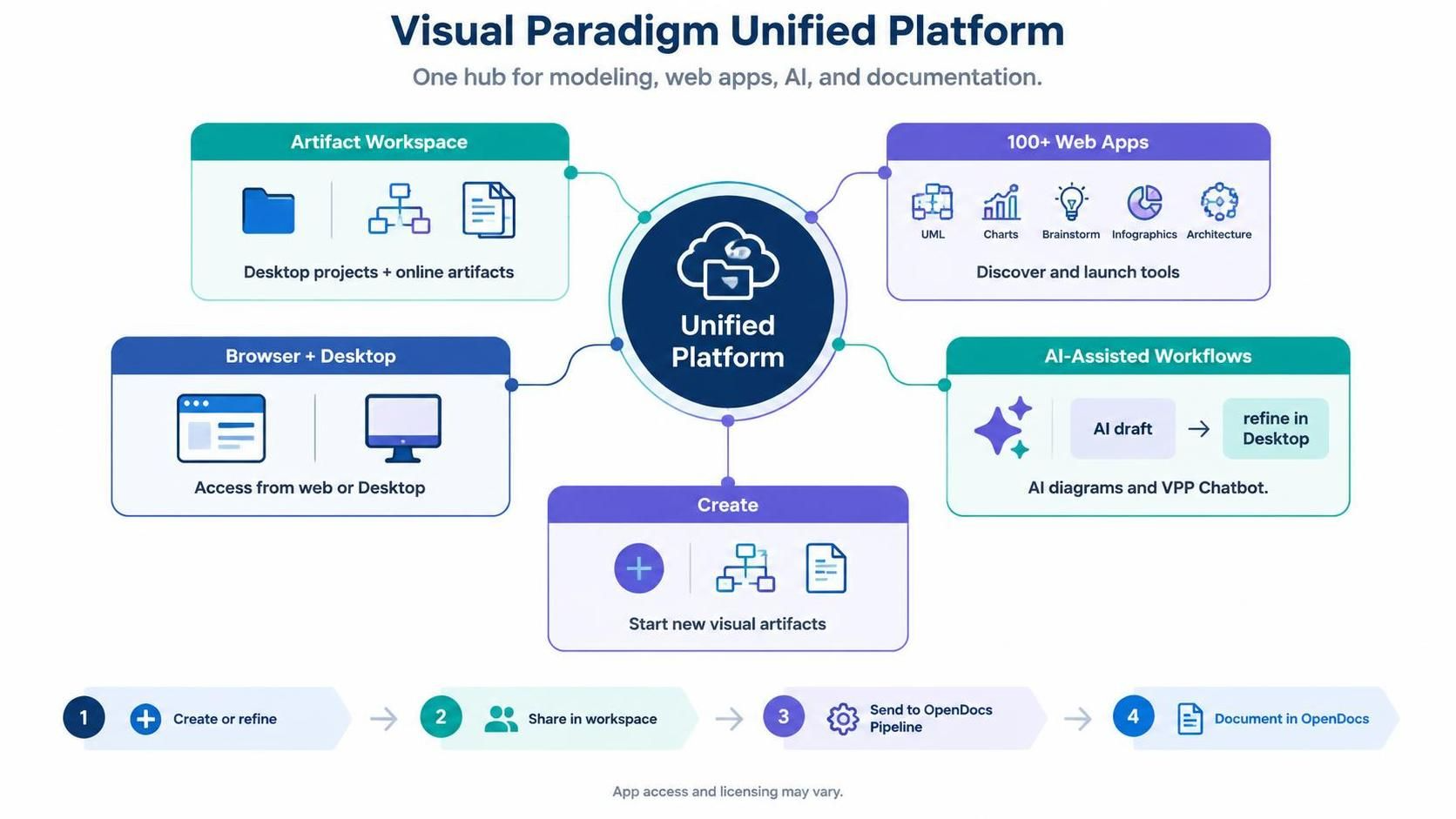
A central artifact workspace: A drive-like view brings together desktop diagrams and projects with artifacts created in online apps.
-
A launcher for 100+ web apps: A centralized app directory helps users discover and open tools for diagramming, modeling, documentation, planning, and design.
-
Browser and desktop access: Users can open the platform in a browser; Desktop users can also open it from Team / Unified Platform > Unified Platform.
-
A unified creation entry point: A central Create menu helps start new diagrams and other visual or document artifacts without first locating a particular app.
-
AI-assisted workflows: Available tools include AI diagram generation and the VPP Chatbot. Generated diagrams can be brought into Visual Paradigm Desktop for further refinement.
The app catalog includes tools for UML and other diagrams, charts, brainstorming, infographics, and architecture. The exact apps available to an account—and whether they require a paid license—can vary.
How it connects to the ecosystem
| Component | Role in the workflow |
|---|---|
| Visual Paradigm Desktop | The full desktop modeling environment for creating and refining project diagrams. Desktop users can open the Unified Platform from its menu and see desktop work alongside online artifacts. |
| VP Online | The browser-based environment for online diagramming and other web apps. The Unified Platform acts as a shared starting point for discovering tools and managing artifacts. |
| AI tools and VPP Chatbot | Help users create or explore diagrams using AI. Chatbot-generated diagrams can be imported into Desktop for further editing. |
| Pipeline and OpenDocs | Provide a route from a diagram in Desktop or VP Online into web-based documentation. Send a diagram to the OpenDocs Pipeline, then insert it into an OpenDocs page. |
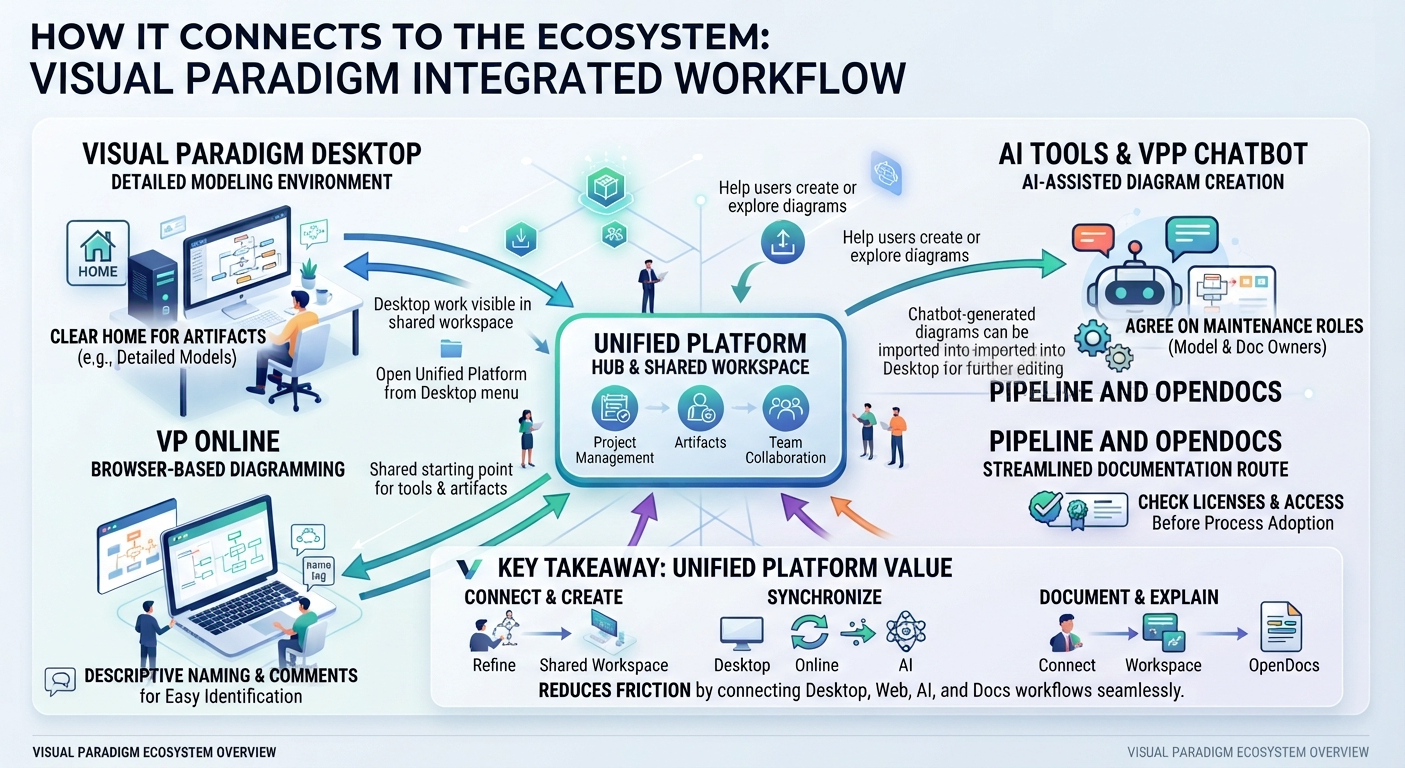
The Desktop-to-platform connection is designed to make desktop work visible in the shared workspace, while keeping Desktop as the place for detailed modeling. For documentation, the Pipeline provides a handoff: in Desktop, use Export > Send to OpenDocs Pipeline; then in OpenDocs, edit a page, choose Insert > Pipeline, and select the artifact. This is useful for keeping diagrams close to the written explanations they support.
A typical end-to-end workflow
-
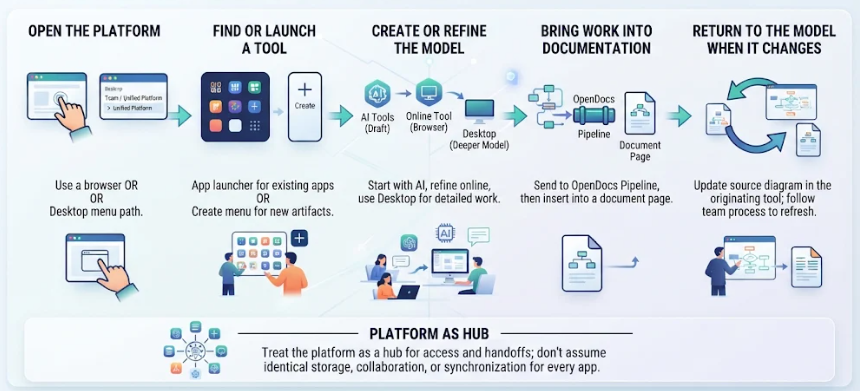
Open the platform. Use a browser, or in Desktop select Team / Unified Platform > Unified Platform.
-
Find or launch a tool. Use the app launcher for an existing app, or the Create menu to start a new artifact.
-
Create or refine the model. Work in Desktop for deeper project modeling, or use an online tool for browser-based creation. AI tools can help produce a first draft.
-
Bring work into documentation. Send a diagram to the OpenDocs Pipeline, then insert it into a document page.
-
Return to the model when it changes. Update the source diagram in the tool where it is maintained, and follow your team’s process for refreshing the documentation artifact.
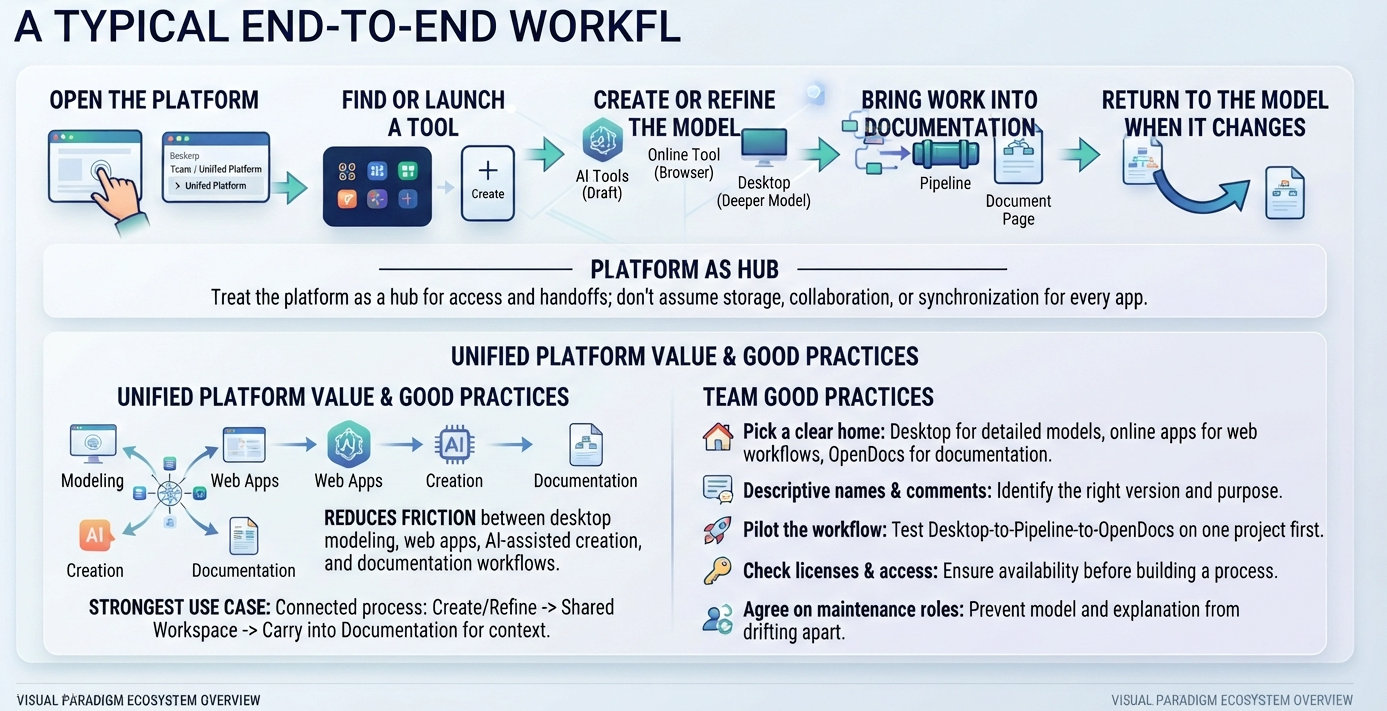
Treat the platform as a hub for access and handoffs; don’t assume that every app uses identical storage, collaboration, or synchronization behavior.
Access, support, and licensing
Visual Paradigm says access to the Unified Platform and its core features is available to all users. Many advanced online apps require Visual Paradigm Professional Edition or higher and an active maintenance contract or subscription. The precise requirements can differ by app, so check the licensing information for the specific tool your team plans to use.
For help, Visual Paradigm lists support options including forums, help requests, and customer service, along with tutorials, documentation, and demo videos.
Good practices for teams
-
Pick a clear home for each artifact: Desktop for detailed models, online apps for web workflows, and OpenDocs for explanatory documentation.
-
Use descriptive artifact names and comments so teammates can identify the right version or purpose.
-
Pilot the Desktop-to-Pipeline-to-OpenDocs workflow on one project before adopting it across a team.
-
Check licenses and app access before building a process around a particular online tool.
-
Agree on who maintains diagrams and who updates linked documentation, so the model and its explanation don’t drift apart.
In short, the Unified Platform’s main value is reducing the friction between Visual Paradigm’s desktop modeling, web apps, AI-assisted creation, and documentation workflows. Its strongest use case is a connected process: create or refine a model, make it available in the shared workspace, and carry it into documentation when others need context.
