




AI Chatbot: A Comprehensive Guide to Visual Modeling
Introduction
The world of software engineering, system architecture, and business process management has traditionally relied on time-consuming manual processes to create professional visual models. Diagrams like UML, BPMN, and ArchiMate are essential for visualizing complex systems, yet creating them has often meant hours of dragging, dropping, and aligning shapes.
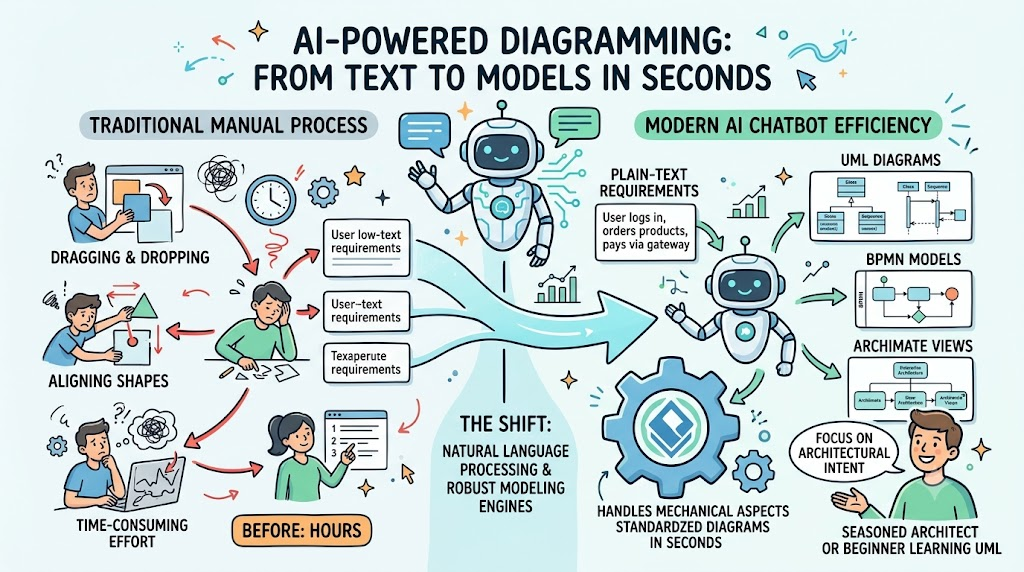
Enter the Visual Paradigm AI Chatbot. This tool represents a fundamental shift in the paradigm. By combining natural language processing with robust modeling engines, it transforms plain-text requirements into professional, standardized diagrams in seconds. Whether you are a seasoned architect or a beginner learning UML, this AI-powered assistant acts as an always-available co-designer, handling the mechanical aspects of diagramming so you can focus on architectural intent.
Key Concepts
1. Instant Diagram Generation
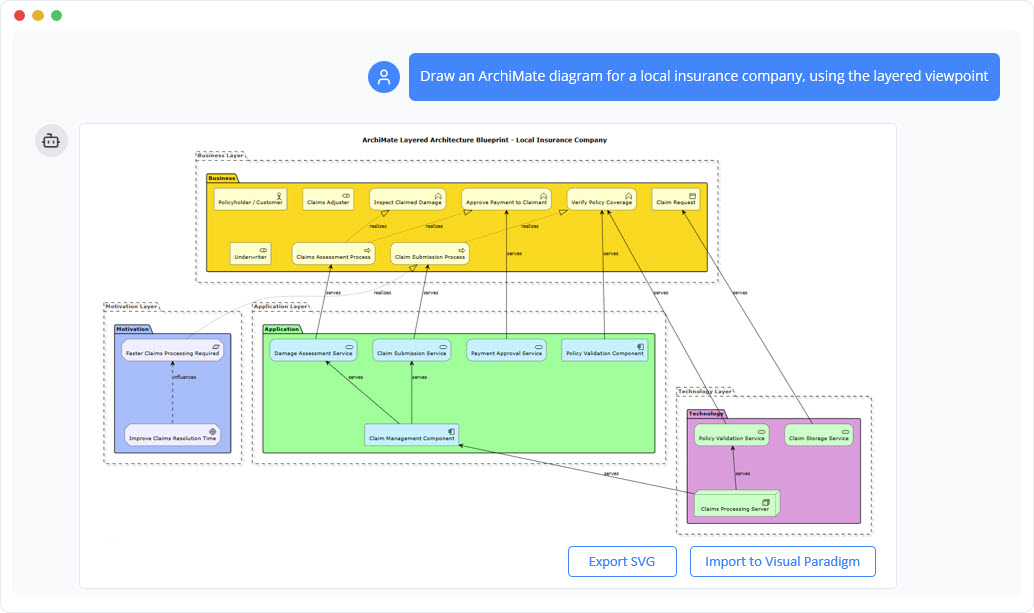
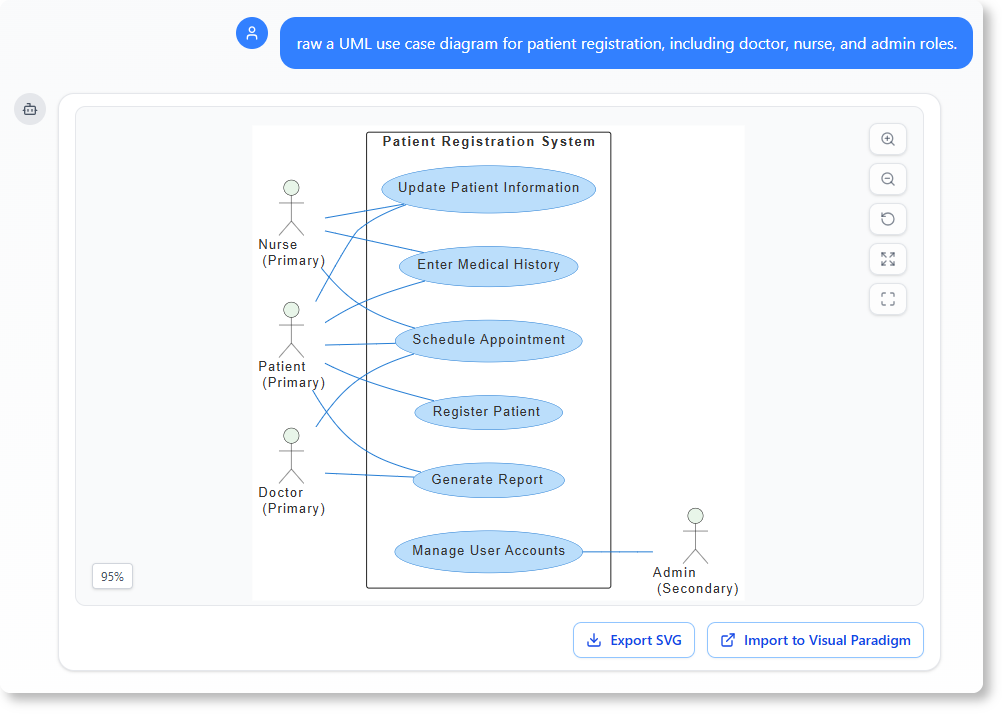
The core capability of the AI Chatbot is transforming natural language descriptions into fully structured, editable diagrams within seconds. Users simply describe a system, process, or use case in plain English, and the AI renders complete models without manual drawing.
-
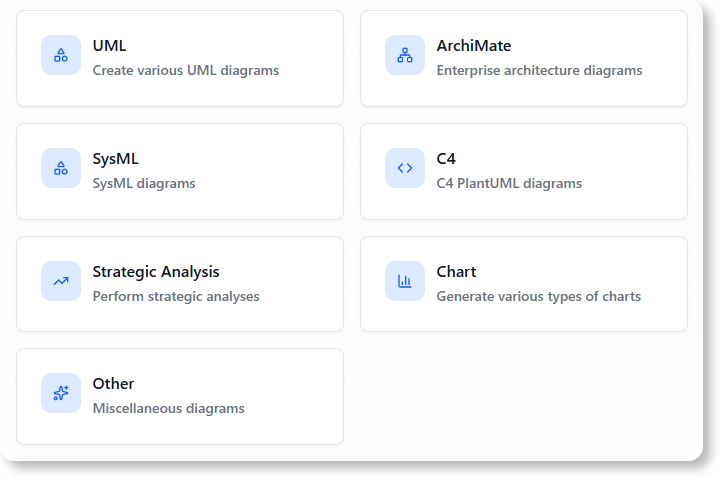
Supported Diagram Types: UML 2.5 (Class, Sequence, Use Case, Activity), Enterprise Architecture (ArchiMate 3.2), System Modeling (SysML), Architecture Views (C4), Data Modeling (ERD), Process Modeling (BPMN), and Strategic Tools (Mind Maps, SWOT, PESTLE).
-
Standards Compliance: The AI enforces modeling standards, ensuring logical consistency and drastically reducing human error.
2. Conversational Refinement
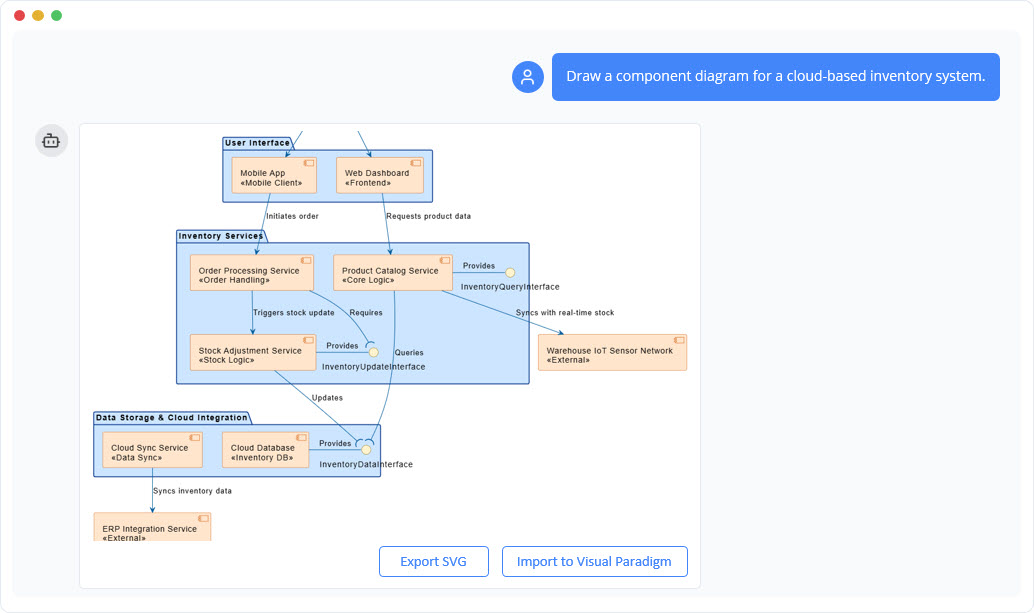
Unlike static generators, the AI Chatbot allows users to treat diagrams as living documents. Users can refine and evolve models through natural conversation, using simple chat commands to add, rename, or restructure elements.
-
Adding Elements: “Add an admin actor who can reset passwords.”
-
Renaming: “Rename Customer to Online Buyer.”
-
Structural Updates: “Insert a retry loop on failed login.”
-
Layout Adjustments: “Make the layout more compact for presentation.”
3. Intelligent Model Analysis
The chatbot serves as an intelligent analysis partner. Users can query their models to gain insights, identify gaps, and produce professional reports.
-
Model Summarization: “Generate a project summary and list the main use cases based on this model.”
-
Design Improvement: “Does this design follow UML best practices?”
-
Impact Analysis: “Show me all business processes affected if we decommission the Legacy Billing System.”
4. Cross-Platform Integration
The tool offers seamless accessibility. Users can access the chatbot via the web at chat.visual-paradigm.com or directly within the Visual Paradigm Desktop application for a unified workflow.
-
Web-Based: Instant diagramming from any browser.
-
Desktop Integration: Diagrams created in the chat can be imported directly into Visual Paradigm Desktop for advanced editing, team collaboration, and code engineering.
5. Educational Applications
The AI Chatbot transforms UML learning from a passive exercise into an interactive experience. Learners can describe scenarios and instantly visualize concepts.
-
Interactive Learning: “Explain the difference between association and aggregation.”
-
Visualization: “Show how a Payment class interacts with an Order and Customer in a UML Sequence Diagram.”
6. Strategic & Business Frameworks
The tool supports complex business frameworks, enabling intelligent transitions between strategic planning and technical modeling.
-
Frameworks: SWOT, PEST, PESTLE, Ansoff Matrix, Balanced Scorecard.
-
Use Case: A researcher can begin with a SWOT analysis and transition to a C4 system context to evaluate scalability.
Real-World Examples
Example 1: Software Architecture Prototyping
Scenario: A cloud architect needs to prototype a system for a startup.
Prompt: “Create a C4 container diagram for an e-commerce platform with a Web Client, API Gateway, Order Service, and Inventory Database.”
Result: The AI generates a structured container diagram with appropriate boundaries and relationships. The architect then refines it: “Add a Redis cache between the API Gateway and Order Service.”
Example 2: Business Process Modeling (BPMN)
Scenario: A business analyst needs to document a customer return process.
Prompt: “Generate a BPMN diagram for a customer return process involving a return request, warehouse inspection, and refund approval.”
Result: The AI produces a standard-compliant BPMN diagram with events, tasks, and gateways. The analyst uses chat to: “Add a parallel gateway to allow simultaneous notification to the customer and finance team.”
Example 3: SysML Requirement Modeling
Scenario: A graduate student is modeling safety requirements for an autonomous vehicle.
Prompt: “Generate a SysML requirement diagram for safety-critical behaviors in a self-driving car.”
Result: The AI creates a diagram with functional, behavioral, and constraint elements. The student refines it: “Add a failure condition for sensor timeout and link it to the control state.”
Feature Overview
| Feature | Description | Benefit |
|---|---|---|
| Instant Generation | Converts text to diagrams in seconds. | Saves time and eliminates manual drawing. |
| Conversational Editing | Refine diagrams via chat commands. | Iterative design without breaking model integrity. |
| Multi-Language Support | Supports UML, SysML, ArchiMate, C4, BPMN, etc. | Comprehensive coverage for all modeling needs. |
| Automated Documentation | Generates reports and walkthroughs from models. | Reduces manual documentation effort. |
| Desktop Integration | Seamless sync between web chat and desktop app. | Combines AI speed with advanced desktop features. |
| Learning Assistant | Provides explanations and examples on demand. | Lowers the barrier to learning complex modeling standards. |
Review Feedback
Users and experts highlight several strengths of the Visual Paradigm AI Chatbot compared to generic diagramming tools:
-
Accuracy & Rigor: Unlike generic AI tools that often produce syntactically plausible but semantically flawed models, the Visual Paradigm AI Chatbot is trained on formal standards (OMG UML, ArchiMate). It enforces metamodel compliance at generation time.
-
Contextual Understanding: The AI maintains diagram state across conversations and understands the context of the model, allowing for complex, multi-step refinements without losing coherence.
-
Unified Workflow: The integration with Visual Paradigm Desktop allows users to move from quick AI ideation to advanced, production-grade modeling without switching tools or losing data.
-
Education Value: For learners, the ability to ask “why” and see immediate visual feedback accelerates the understanding of complex concepts like composition vs. aggregation.
“Finally—an AI that knows the difference between a composition and an aggregation. My students won’t believe it.”
— Dr. Elena Torres, Professor of Software Architecture, TU Delft
Getting Started
-
Access: Visit https://chat.visual-paradigm.com via your web browser.
-
Prompt: Start with a clear description of your diagram type and elements. (e.g., “Create a UML Class Diagram for a library system.”)
-
Refine: Use natural language commands to add, remove, or modify elements.
-
Export/Import: Import diagrams directly into Visual Paradigm Desktop for further editing and collaboration.
-
Explore: Use the
/examplescommand in the chat to browse 100+ prompt templates.
AI Chatbot Reference List
-
AI Chatbot Feature – Intelligent Assistance for Visual Paradigm Users
-
Visual Paradigm Chat – AI-Powered Interactive Design Assistant
-
What Makes Visual Paradigm’s AI Chatbot Different from Other AI Diagram Tools?
-
BPMN for Beginners – A Complete Guide to Business Process Modeling Notation
This post is also available in Deutsche, Español, فارسی, Français, English, Bahasa Indonesia, 日本語, Polski, Portuguese, Ру́сский, Việt Nam, 简体中文 and 繁體中文.
