




Beyond UML: Every Architecture and Data Diagram You Can Edit as Code in VPasCode
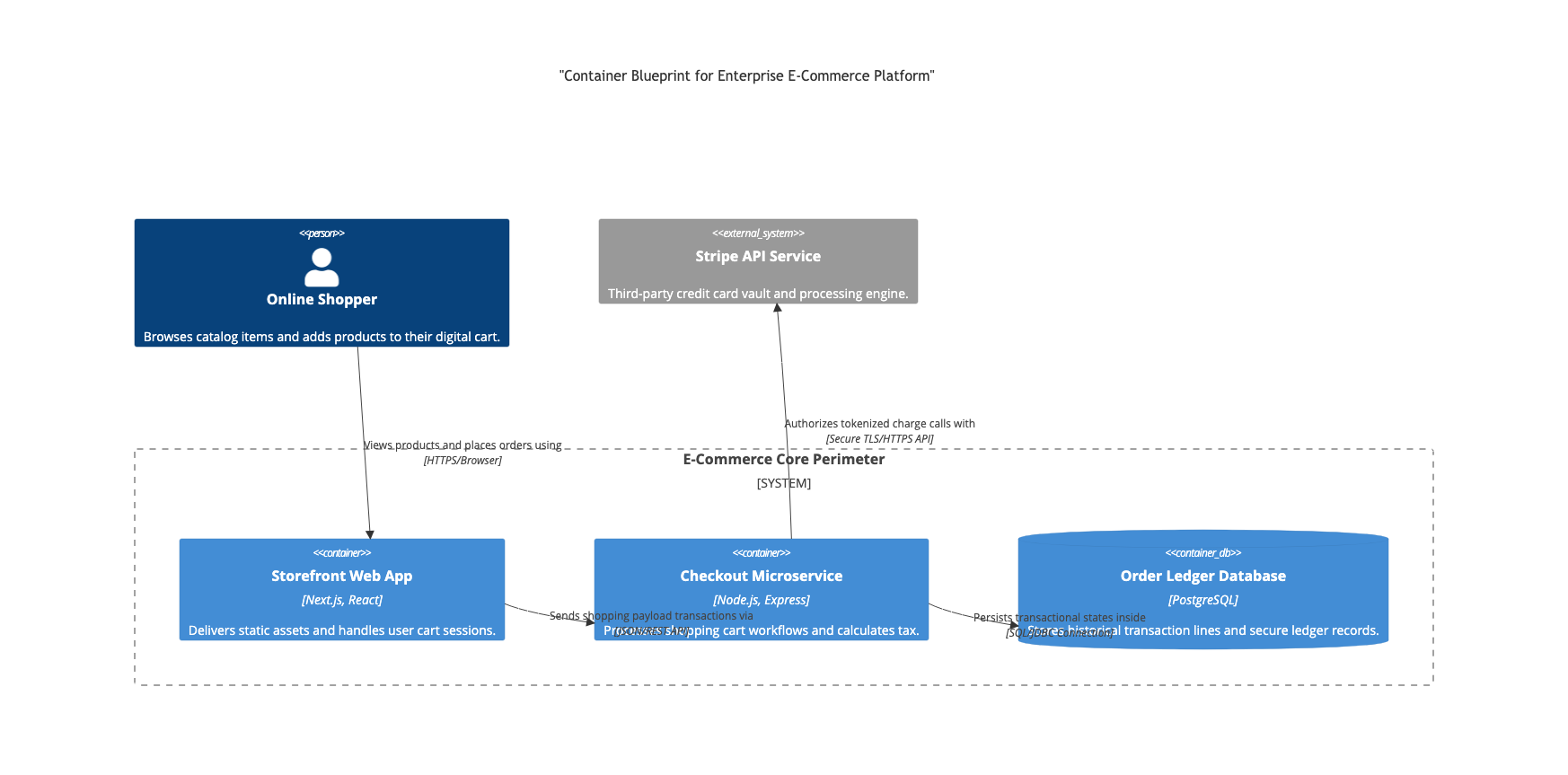
The C4 Model allows you to visually drill down from Context into Containers and Components using clear, structured markup.
1. High-Level Enterprise & Software Architecture
Modern software development requires clear structural mapping. VPasCode supports the most requested enterprise architecture frameworks:
- C4 Model (Context, Containers, Components, Code): Map your software architecture across multiple levels of abstraction. Using C4 syntax within Mermaid or PlantUML, you can describe how software systems interact, down to individual container deployments.
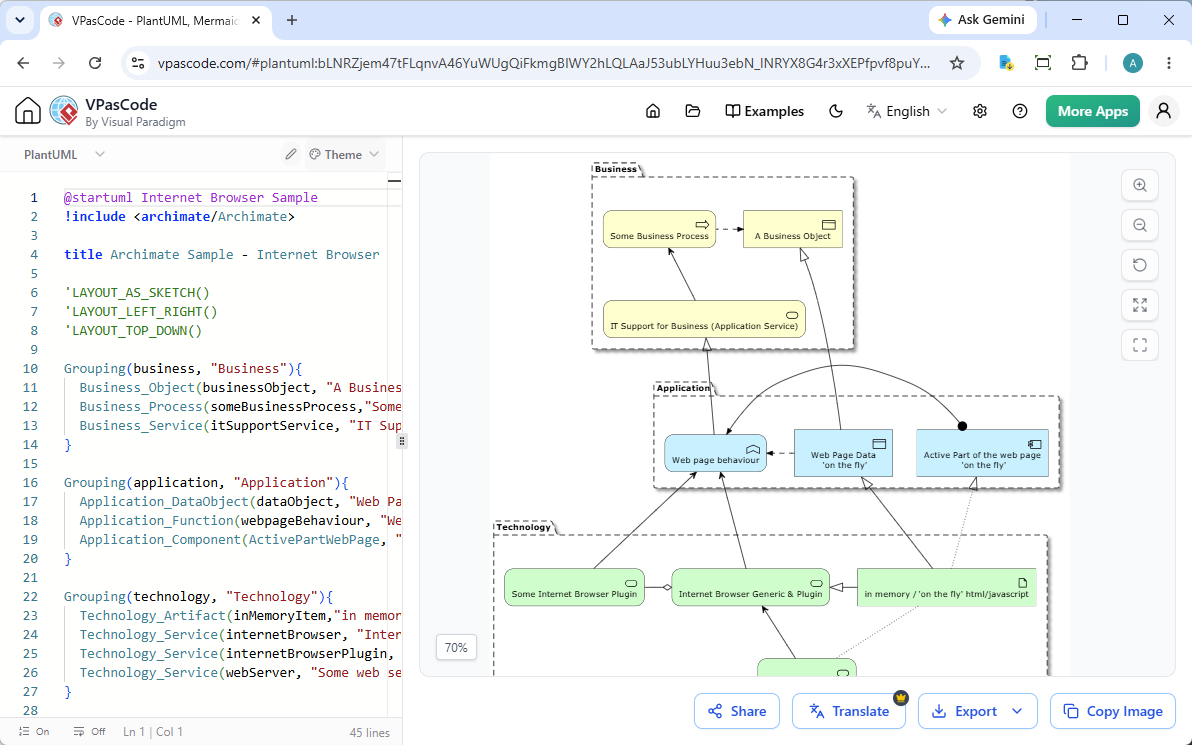
- ArchiMate: For enterprise architects, VPasCode supports ArchiMate modeling. Map business processes, application services, and infrastructure layers in plaintext without relying on heavy, slow desktop modeling tools.
2. Technical UML Modeling
For deep text-based UML diagram editing, VPasCode provides a robust editing canvas. Whether you are mapping system behavior or software blueprints, you can write and manage:
- Class diagram & Object diagram: To define code structures and object relationships.
- Sequence diagram: Essential for mapping API calls and multi-service workflows.
- Use case diagram & Activity diagram: To document business logic and system requirements.
- State diagram: Perfect for tracking lifecycle changes within a system.
- Component diagram & Deployment diagram: To visualize physical hardware nodes and microservice layouts.
- Timing diagram: To analyze performance constraints and execution order.
3. Data & Process Modeling
Data pipelines and database relationships must change as rapidly as your application. VPasCode allows you to edit data-centric models using intuitive code scripts:
- Entity Relationship Diagrams (ERD): Model relational database schemas cleanly in plaintext using Crow’s Foot notation.
- Data Flow Diagrams (DFD): Keep track of how information moves through your systems, processes, and external actors.
- Flowcharts: Quickly outline logical decision-making paths and conditional loops.
4. Product Roadmap & Brainstorming Tools
Technical documentation isn’t just about software blueprints. VPasCode is a fully capable diagram as code software workspace for project managers and product owners:
- Gantt Charts: Track project timelines, dependencies, and resource allocations by writing simple chronological schedules.
- Markmap (Interactive Mind Maps): Turn standard Markdown lists into beautiful, expandable visual mind maps for quick brainstorming sessions.
The Advantage of the Visual Paradigm AI Ecosystem
Writing these complex schemas from scratch can be time-consuming. Because VPasCode is a core pillar of the Visual Paradigm AI Ecosystem, you don’t have to start with a blank page.
Generate complex architectures with the Visual Paradigm AI Diagramming Chatbot, click “Edit in VPasCode” to pull the code into your workspace, and begin editing instantly. If you make a syntax error, use AI Code Error Fixing to correct it, or use AI Code Content Translation to quickly adapt labels for international deployments.
When your edits are complete, push them immediately to Visual Paradigm OpenDocs to publish collaborative, up-to-date documentation for your team.
Streamline Your Documentation Flow
No matter what standard your architecture team uses, VPasCode has the engine to support it. Stop wrestling with layout tools. Try Visual Paradigm VPasCode today and bring developer-friendly speeds to your system design.
This post is also available in Deutsche, Español, فارسی, Français, English, Bahasa Indonesia, 日本語, Polski, Portuguese, Ру́сский, Việt Nam, 简体中文 and 繁體中文.
