




Why AI-Assisted + Diagram As Code is the Perfect Match for BPMN in Modern Agile Teams
In the era of rapid digital transformation, the gap between business strategy and technical implementation is a critical challenge. For Agile teams, where speed and adaptability are paramount, the traditional method of manually drafting Business Process Model and Notation (BPMN) diagrams has become a bottleneck. However, the convergence of AI-Assisted natural language processing and Diagram As Code principles offers a revolutionary solution, perfectly aligning with the needs of modern Agile workflows.
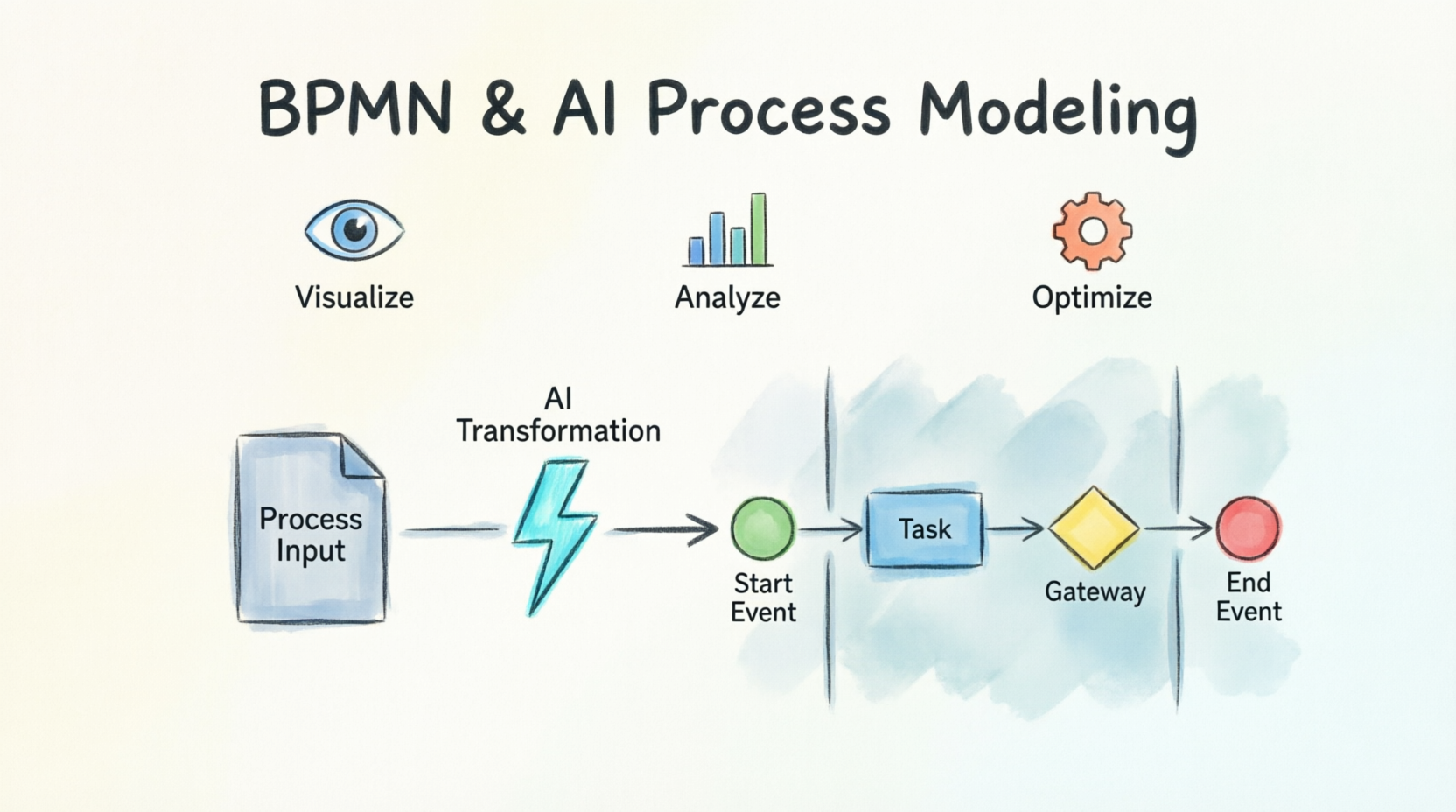
1. The Challenge: Manual BPMN vs. Agile Speed
Traditional BPMN diagramming requires significant manual effort—dragging elements, aligning swimlanes, and meticulously connecting sequence flows. This friction slows down discovery sessions and delays stakeholder alignment. Agile teams often struggle to keep up because the “diagramming tax” of manually creating process models detracts from actual analysis and innovation.
The “Invisible Wall” exists because traditional text-to-diagram frameworks (like PlantUML or Mermaid.js) excel at simple flowcharts but struggle with the multi-dimensional geometry of BPMN swimlanes . Unlike single-threaded flowcharts, BPMN requires complex matrix reasoning to handle pools, lanes, and semantic relationships.
2. The Solution: AI-Powered Narrative-to-Diagram Translation
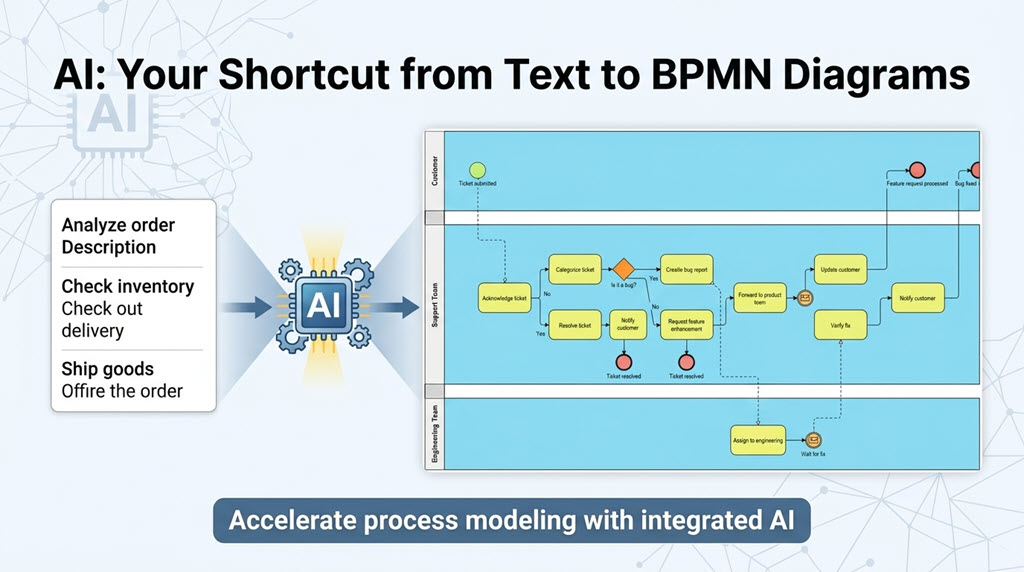
The perfect match lies in using AI to translate plain-English narratives directly into standards-compliant BPMN 2.0 diagrams. This approach removes the manual drafting phase, allowing teams to focus on what truly matters: analyzing, optimizing, and iterating on the workflow logic.
Key Concept 1: Natural Language Processing (NLP) for Process Logic
AI-powered Natural Language Processing engines can instantly identify roles, structure swimlanes, sequence tasks, and apply appropriate BPMN gateway logic based on a simple text description.
-
The Shift: Instead of “drafting,” analysts are “editing” a pre-generated model.
-
The Benefit: Eliminates syntax errors and ensures compliance with BPMN 2.0 standards automatically.
3. Bridging the Gap: From Chat to Code
The integration of AI into modeling tools transforms process modeling from a specialized technical skill into an accessible, collaborative activity. This is particularly powerful for Agile teams who may not have dedicated BPM experts but need clear process visualizations.
Key Concept 2: Conversational Ideation
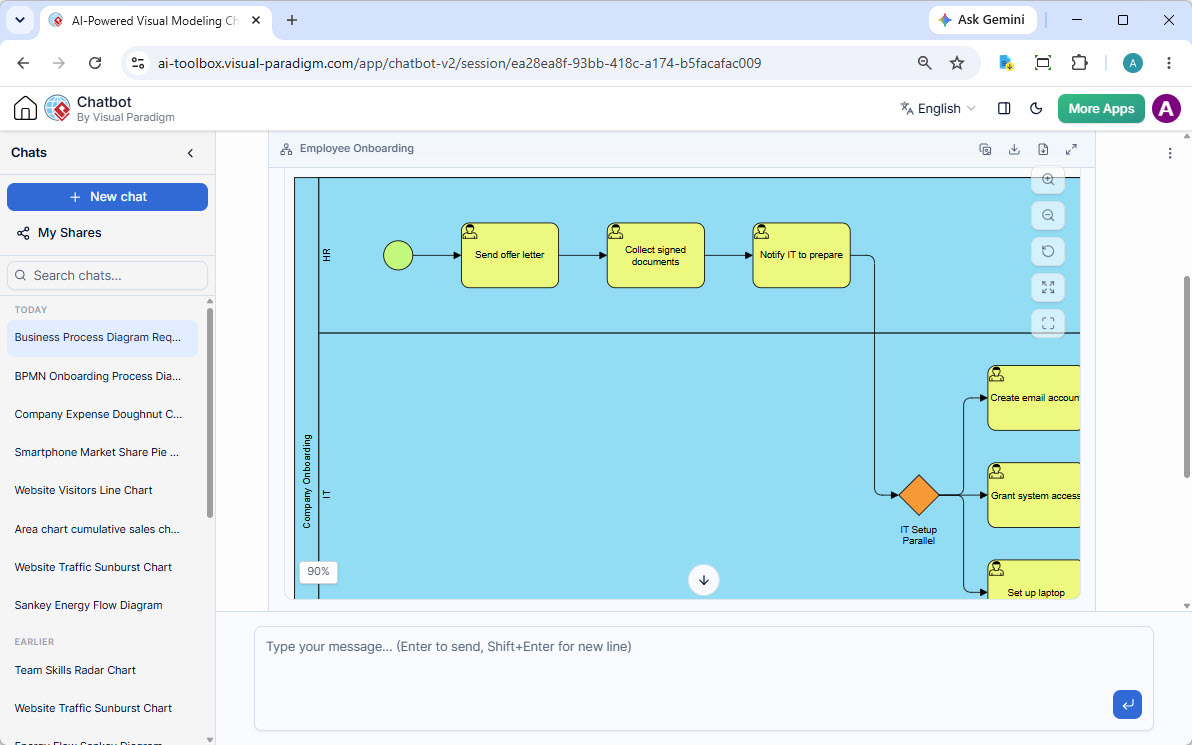
Modern AI tools allow users to rapidly generate and refine business processes by simply describing their problem in a chatbot interface. The AI analyzes the needs, proposes a solution, and creates the BPMN diagram.
Example Workflow:
-
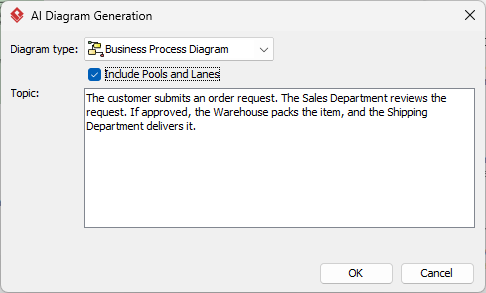
User Prompt: “The customer submits an order request. The Sales Department reviews the request. If approved, the Warehouse packs the item, and the Shipping Department delivers it.”
-
AI Action: The engine parses the roles (Sales, Warehouse, Shipping) and creates the corresponding swimlanes.
-
Output: A fully interactive BPMN diagram with tasks, gateways, and sequence flows is generated instantly.
4. Diagram As Code: The Agile Advantage
While “Diagram As Code” often refers to text-based syntax (like Mermaid), in the context of modern BPMN, it represents a shift toward version-controlled, text-driven process modeling. AI enhances this by allowing the “code” to be natural language, which is then compiled into the diagram.
Key Concept 3: Version Control and Iteration
Just as software code is versioned, AI-generated BPMN diagrams can be managed iteratively. The underlying logic is captured in the prompt and the generated model, making it easier to track changes and audit process evolution.
-
Collaboration: Teams can discuss process logic in plain text before the diagram is rendered.
-
Reproducibility: The same prompt generates the same structure, ensuring consistency across teams.
5. Dynamic Swimlanes and Complexity Management
BPMN’s complexity often stems from the multi-dimensional geometry of swimlanes. AI solves the “layout engine” challenge that traditional text-to-diagram tools cannot.
Key Concept 4: Automatic Layout Engine
The AI layout engine automatically maps roles to distinct lanes, positions tasks sequentially, and routes sequence lines. This ensures that complex multi-role workflows are rendered with clarity, a task that is notoriously difficult to achieve manually without professional expertise.
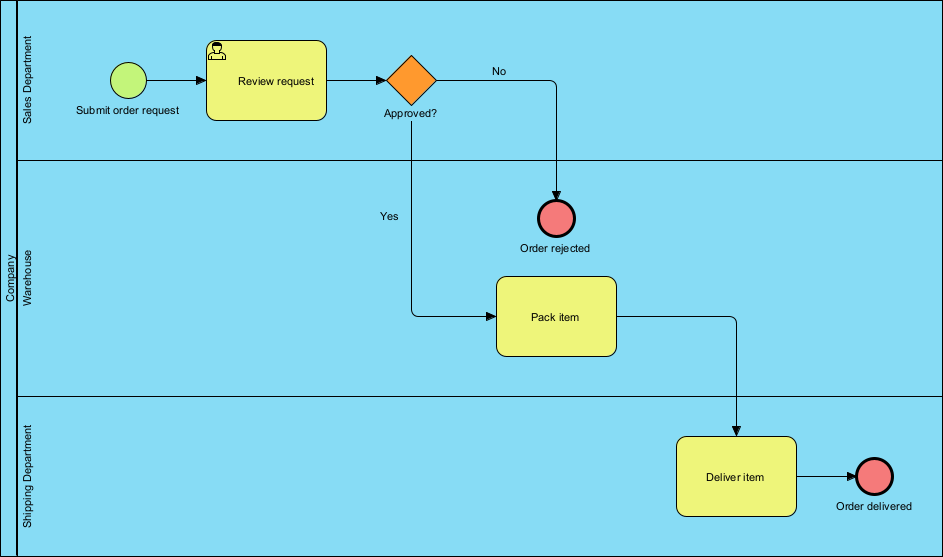
Diagram Example: Order Fulfillment Process
A typical AI-generated diagram will show:
-
Sales Department: Handles initial review and rejection.
-
Warehouse Department: Handles packing if approved.
-
Shipping Department: Handles final delivery.
-
Gateway Logic: Automatic decision points (e.g., “Approved?”) branching to correct lanes.
6. Seamless Integration with Agile Backlogs
The true power of this approach in an Agile environment is the ability to transform business processes into technical artifacts seamlessly.
Key Concept 5: Process to User Stories
Advanced BPMN tools can transform BPMN diagrams directly into user stories or Agile process backlogs. This bridges the gap between high-level business process modeling and the day-to-day work of development sprints.
-
Gap Analysis: Automatically compare “As-Is” and “To-Be” processes to identify improvements.
-
Backlog Creation: Extract tasks from the BPMN diagram to populate the sprint backlog.
7. Continuous Improvement and Simulation
Agile is about continuous improvement. AI and BPMN enable this through rapid prototyping and simulation.
Key Concept 6: Simulation and Animation
Once a process is modeled, teams can run simulations to identify bottlenecks or evaluate cost. AI-generated models can be animated to illustrate different paths, helping teams visualize the impact of process changes before implementation.
Example:
-
Simulation: “What happens if the Warehouse is understaffed?”
-
Result: The diagram shows the bottleneck forming in the simulation, allowing the team to adjust the process or resources before execution.
Conclusion
The combination of AI-Assisted generation and Diagram As Code principles provides the perfect match for BPMN in modern Agile teams. It removes the friction of manual drafting, ensures standards compliance, and enables rapid iteration and collaboration. By translating plain English directly into visual models, Agile teams can focus on value creation rather than syntax.
How to Use This Approach (Step-by-Step)
-
Access the Tool: Open your Visual Paradigm Desktop environment and navigate to Tools > AI Diagram Generation.
-
Select Type: Choose Business Process Diagram as the diagram type.
-
Enable Pools and Lanes: Check the “Include Pools and Lanes” option to ensure the AI constructs clear swimlanes for every role mentioned.
-
Enter Prompt: Paste your structured narrative (e.g., “The Customer places an order. Sales checks inventory…”).
-
Generate: Click OK. The AI will map roles, sequence tasks, and route flows.
-
Iterate: Refine the diagram by editing tasks or requesting new variations via chat.
Reference List
-
AI BPMN Business Process Diagram Generator Update: Official release notes detailing the integration of AI-powered BPMN diagram generation.
-
From Narrative to Diagram: How Visual Paradigm’s AI BPMN Generator Transforms Process Modeling Workflows: A detailed case study on the AI generator’s capabilities.
-
How AI-Powered NLP is Revolutionizing Text-to-BPMN Generation for Enterprise Process Modeling: An in-depth guide on the technical foundations of NLP in BPMN.
-
BPMN for Beginners – A Complete Guide to Business Process Modeling Notation: Foundational guide to BPMN 2.0.
-
AI Diagram Generation Feature Page: Official product page for AI diagram generation tools.
-
BPMN Tutorial 1: Comprehensive tutorial on BPMN 2.0 notations and swimlane editing.
-
As-Is to-Be Business Process: Tutorial on modeling process improvements.
-
Business Process Modeling: Overview of BPM capabilities including simulation and analysis.
-
The Premier AI BPMN Tool and Diagram Generator: Overview of the integrated AI ecosystem for process modeling.
This post is also available in Deutsche, Español, فارسی, Français, English, Bahasa Indonesia, 日本語, Polski, Portuguese, Ру́сский, Việt Nam, 简体中文 and 繁體中文.
Related posts:
 Comprehensive Guide to BPMN, Visual Paradigm Tooling, AI, and Ecosystem
🚀 Stop Designing, Start Generating! Create Animated Banners Instantly with Visual Paradigm’s AI Tool!
Comprehensive Guide to BPMN, Visual Paradigm Tooling, AI, and Ecosystem
🚀 Stop Designing, Start Generating! Create Animated Banners Instantly with Visual Paradigm’s AI Tool!
 Precision Through Partnership: A Case Study on the AI-Assisted UML Class Diagram Generator
Agile Modeling in Action: Accelerating Sprints with Just-in-Time Use Cases
Precision Through Partnership: A Case Study on the AI-Assisted UML Class Diagram Generator
Agile Modeling in Action: Accelerating Sprints with Just-in-Time Use Cases
