




From Static Snapshots to Living Knowledge: Unifying Documentation and Modeling with Visual Paradigm OpenDocs
Introduction
In the rapidly evolving landscape of software development and enterprise architecture, the gap between technical documentation and visual modeling has long been a source of friction. Traditional knowledge management platforms treat diagrams as static images—snapshots that quickly become obsolete as systems evolve. This disconnect leads to documentation drift, where written specifications no longer match the actual system design, creating confusion, inefficiency, and risk.
Visual Paradigm OpenDocs emerges as a transformative solution to this challenge. As an AI-powered, web-based knowledge management platform, it unifies technical documentation with visual modeling and diagramming into a single source of truth. By treating diagrams as live, interactive elements rather than static images, OpenDocs ensures that documentation remains synchronized with design changes in real-time. This case study explores how OpenDocs revolutionizes knowledge management through its unique integration ecosystem, key features, and practical applications in real-world scenarios.
How OpenDocs Interacts with Ecosystem Components
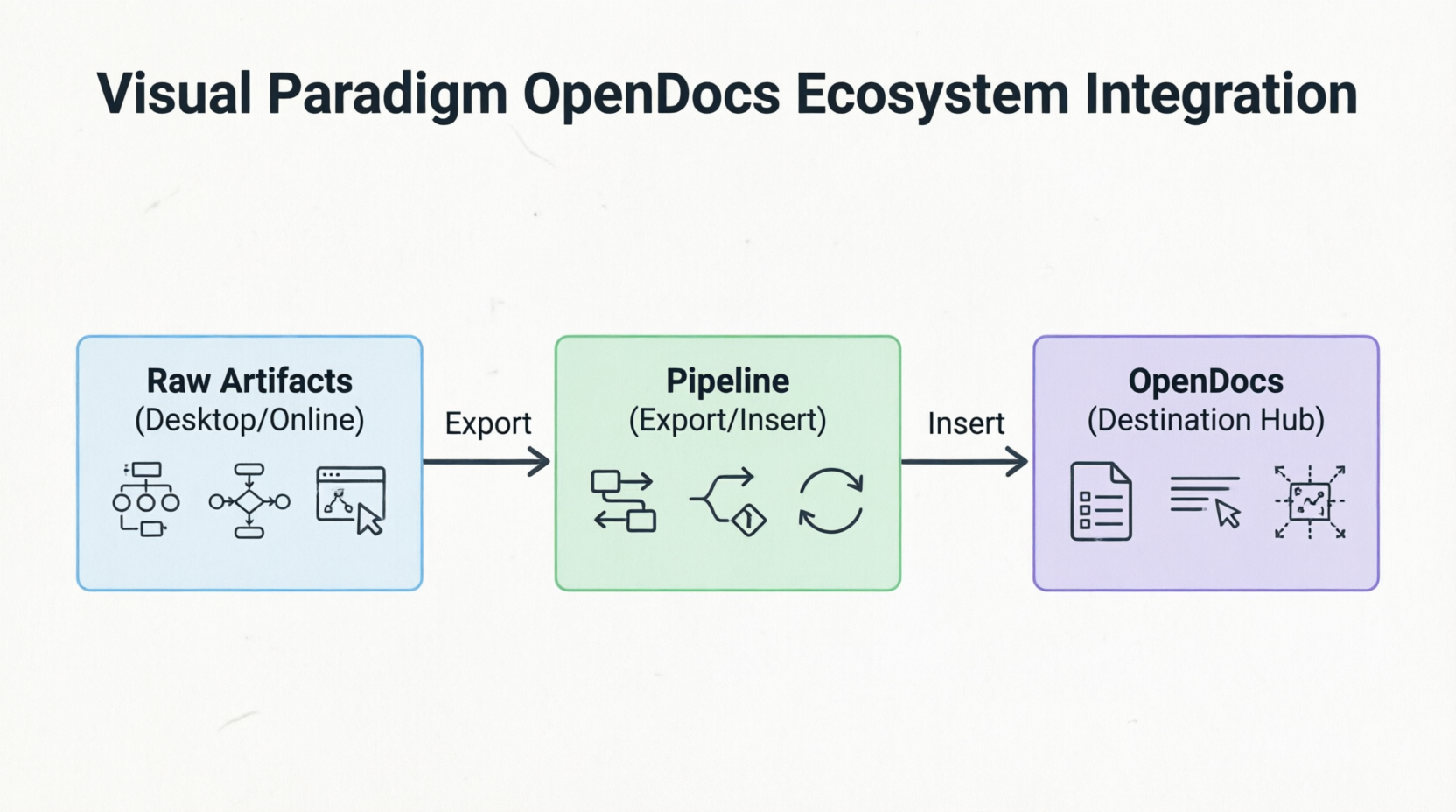
OpenDocs acts as the destination hub for data generated across the wider Visual Paradigm (VP) ecosystem. The integration is driven by a linear assembly line architecture that keeps text and visuals synchronized:
Visual Paradigm Desktop & Online Editors
Raw modeling visual elements—including UML, BPMN, ERD, and ArchiMate diagrams—created in the desktop software or web application are treated as first-class, versioned cloud assets. They are sent directly into documentation without requiring manual screenshots or manual file saving. This seamless integration eliminates the tedious process of exporting, uploading, and manually updating images whenever a diagram changes.
The OpenDocs Pipeline
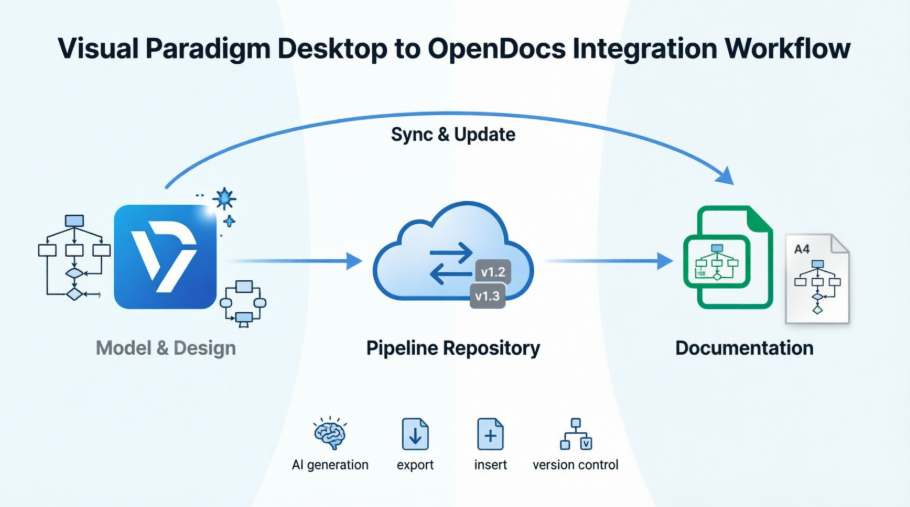
This acts as the secure, central transit hub and repository. It automatically handles background asset tracking, version control, and change management. The Pipeline ensures that every diagram maintains its connection to its source model, enabling automatic synchronization when updates occur. This infrastructure is the backbone that makes live, interactive diagrams possible within documentation.
AI Chatbots & Generators
Natural language prompts provided to the AI subsystem can instantly generate complex process diagrams or structural views right inside the workspace. For example, users can request “Create a flowchart for a refund process” and receive a professionally structured diagram that can be further refined. This AI capability accelerates the initial documentation phase and helps teams visualize concepts quickly.
Distribution Layers
Finished documentation sets compiled in OpenDocs can be embedded into dynamic interactive formats like Visual Paradigm Flipbooks or shared broadly via web-based Bookshelves. These distribution options ensure that stakeholders can access documentation in formats that suit their needs, whether for internal review or client-facing deliverables.
Key Concepts of OpenDocs
Diagram-Aware Text
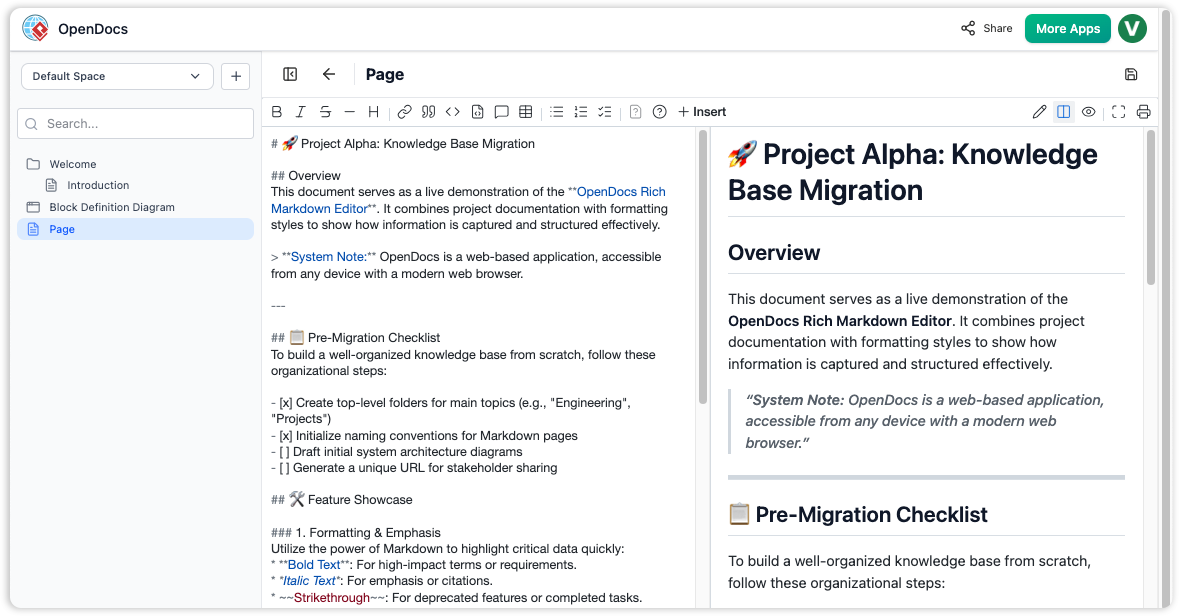
Unlike standard text platforms such as Confluence or Google Docs where images are static snapshots, embedded visuals in OpenDocs remain live vectors. Users can click the element directly inside the document to open the source model and update it. This interactivity transforms documentation from a passive reference into an active workspace where readers can explore and understand the underlying models.
Tree-Structured Spaces
Documentation is organized using a deep, hierarchical nested folder-tree structure. This allows users to easily drag and drop pages or diagrams to reorganize growing knowledge repositories. The tree structure mirrors the logical organization of complex systems, making it intuitive for teams to navigate and maintain large documentation sets.
Automated Synchronization & Revisions
When a source diagram changes in Visual Paradigm, an indicator appears in the document’s Pipeline panel. The user can selectively review revisions and swap out elements with one click. This feature ensures that documentation stays current without requiring manual intervention, while still giving authors control over when and how changes are incorporated.
Model-to-Text AI Generation
The AI system can analyze structural diagram flows and automatically generate corresponding descriptive textual narratives, keeping functional documentation from drifting out of date with the models. This bidirectional synchronization means that changes in either the diagram or the text can inform updates to the other, maintaining consistency across the documentation.
Usage Case Example
Who Uses It?
A Lead Enterprise Architect and a Senior Business Analyst working together at a financial technology firm.
When Do They Use It?
During a major application modernization initiative where legacy core microservices are being redesigned.
Real-World Workflow Example
1. Brainstorming
The Business Analyst speaks to the integrated AI assistant inside OpenDocs to instantly map out user journeys and generate basic flowcharts for a payment sequence. This rapid prototyping phase allows the team to visualize concepts quickly and iterate on ideas without getting bogged down in detailed modeling.
2. Refinement
The Enterprise Architect links OpenDocs to Visual Paradigm Desktop to refine the generated workflow into highly precise, strict UML sequence and architecture diagrams. The desktop environment provides the advanced modeling capabilities needed for enterprise-grade specifications, while maintaining the connection to the OpenDocs workspace.
3. The Pipeline Bridge
Instead of exporting images, the Architect pushes the diagrams directly to the OpenDocs Pipeline. This step establishes the live connection between the source model and the documentation, enabling automatic synchronization going forward.
4. Documentation Compilation
The team writes out the technical specifications with the live system elements. The combination of rich text and interactive diagrams creates comprehensive documentation that serves both technical and non-technical stakeholders.
5. Managing Revisions
Two weeks later, engineering alters a compliance route. The Architect edits the diagram block in the desktop modeler. OpenDocs flags a sync change to the authoring team, who swap the live document view to the new Latest Revision without breaking manual formatting or layouts. This seamless update process ensures that documentation remains accurate without disrupting the workflow.
6. Delivery
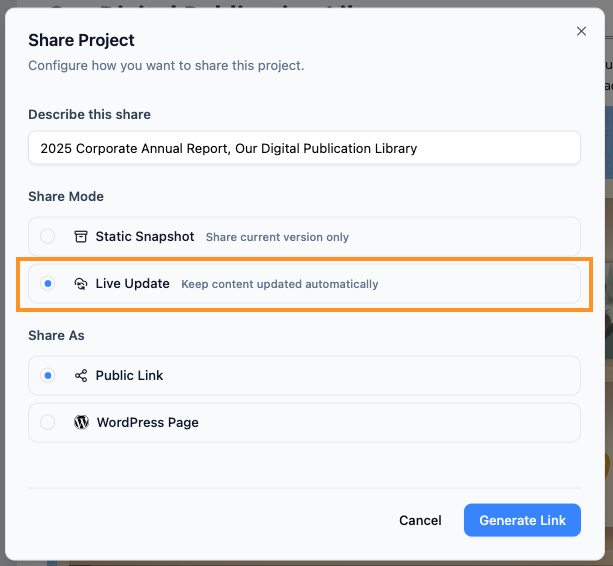
The dynamic workspace is cleanly published out as a secure, read-only link for deployment stakeholders to examine. Stakeholders can interact with the diagrams, explore the model details, and access up-to-date information without needing specialized tools or training.
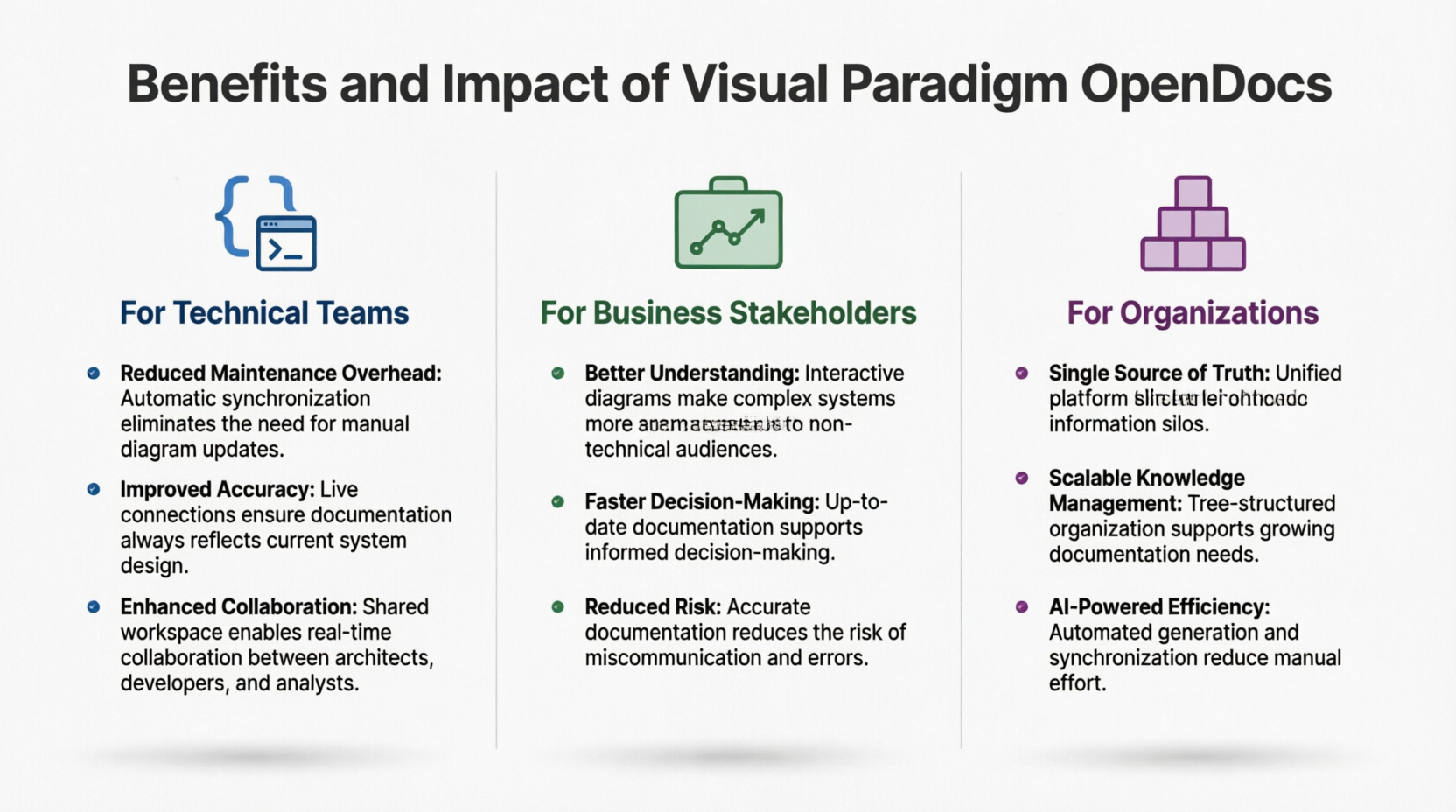
Benefits and Impact
For Technical Teams
-
Reduced Maintenance Overhead: Automatic synchronization eliminates the need for manual diagram updates
-
Improved Accuracy: Live connections ensure documentation always reflects current system design
-
Enhanced Collaboration: Shared workspace enables real-time collaboration between architects, developers, and analysts
For Business Stakeholders
-
Better Understanding: Interactive diagrams make complex systems more accessible to non-technical audiences
-
Faster Decision-Making: Up-to-date documentation supports informed decision-making
-
Reduced Risk: Accurate documentation reduces the risk of miscommunication and errors
For Organizations
-
Single Source of Truth: Unified platform eliminates information silos
-
Scalable Knowledge Management: Tree-structured organization supports growing documentation needs
-
AI-Powered Efficiency: Automated generation and synchronization reduce manual effort
Conclusion
Visual Paradigm OpenDocs represents a significant evolution in how organizations manage technical knowledge. By bridging the gap between visual modeling and textual documentation, it addresses one of the most persistent challenges in software development and enterprise architecture: keeping documentation aligned with evolving systems.
The platform’s unique approach—treating diagrams as live, interactive elements rather than static images—transforms documentation from a maintenance burden into a dynamic asset. The integration with the broader Visual Paradigm ecosystem, powered by the Pipeline infrastructure, ensures seamless synchronization while maintaining version control and change management.
For teams engaged in complex projects involving multiple stakeholders, evolving requirements, and intricate system architectures, OpenDocs offers a compelling solution. The combination of AI-powered generation, automated synchronization, and interactive visualization creates a knowledge management environment that scales with organizational needs while reducing the overhead traditionally associated with maintaining accurate documentation.
As enterprises continue to grapple with increasing system complexity and the need for agile response to changing requirements, platforms like OpenDocs that unify modeling and documentation will become increasingly essential. The future of technical knowledge management lies not in separate tools for different purposes, but in integrated environments where visual and textual information coexist as complementary aspects of a single, living knowledge base.
References
- Visual Paradigm OpenDocs Features: Official overview of OpenDocs capabilities including diagram-aware text, tree-structured spaces, and AI-powered features.
- Mastering Visual Paradigm OpenDocs: The Ultimate Guide: Comprehensive guide covering AI-powered knowledge management and the Pipeline ecosystem integration.
- Visual Paradigm OpenDocs: The Complete Guide to AI-Powered Knowledge Management: Detailed exploration of AI-powered knowledge management and diagram generation capabilities.
- Visual Paradigm’s Pipeline: Hands-On Review: Practical review of the integration between Visual Paradigm Desktop and OpenDocs through the Pipeline.
- From Concept to Knowledge Base: A Third-Party Review: Independent review of the OpenDocs workflow from initial concept to final knowledge base publication.
- Visual Paradigm OpenDocs Video Tutorial: Video demonstration of OpenDocs features and workflow.
- From Concept to Knowledge Base: Workflow Review: Detailed analysis of the complete OpenDocs workflow and integration points.
- From Model to Manual: A Software Engineer’s Guide: Technical guide for software engineers on syncing desktop diagrams with OpenDocs.
- Case Study: Streamlining Knowledge Management: Real-world case study demonstrating knowledge management improvements with OpenDocs Pipeline.
- OpenDocs AI Tool: Official AI tool interface for OpenDocs diagram generation and assistance.
- Comprehensive Case Study: Use Cases in UML Modeling: Detailed case study focusing on use case modeling and documentation in UML.
- Case Study: Streamlining Knowledge Management with Pipeline: In-depth case study on knowledge management optimization using the OpenDocs Pipeline.
- OpenDocs Features Overview: Complete feature list and capabilities of Visual Paradigm OpenDocs platform.
- Sync AI Diagram to OpenDocs Pipeline Guide: Official guide for synchronizing AI-generated diagrams to the OpenDocs Pipeline.
- OpenDocs Tutorial Video: Additional video tutorial covering OpenDocs features and best practices.
- Mastering the Visual Paradigm AI Ecosystem: Comprehensive guide to the entire Visual Paradigm AI ecosystem including OpenDocs.
- Complete Developer’s Guide to AI-Powered Technical Documentation: Developer-focused guide to implementing AI-powered technical documentation with OpenDocs.
- OpenDocs Professional Mind Map Integration: Release notes and guide for mind map integration features in OpenDocs Professional.
This post is also available in Deutsche, Español, فارسی, Français, English, Bahasa Indonesia, 日本語, Polski, Portuguese, Ру́сский, Việt Nam, 简体中文 and 繁體中文.
