




From Text to Visuals: Mastering Diagram-as-Code with VPasCode
Introduction
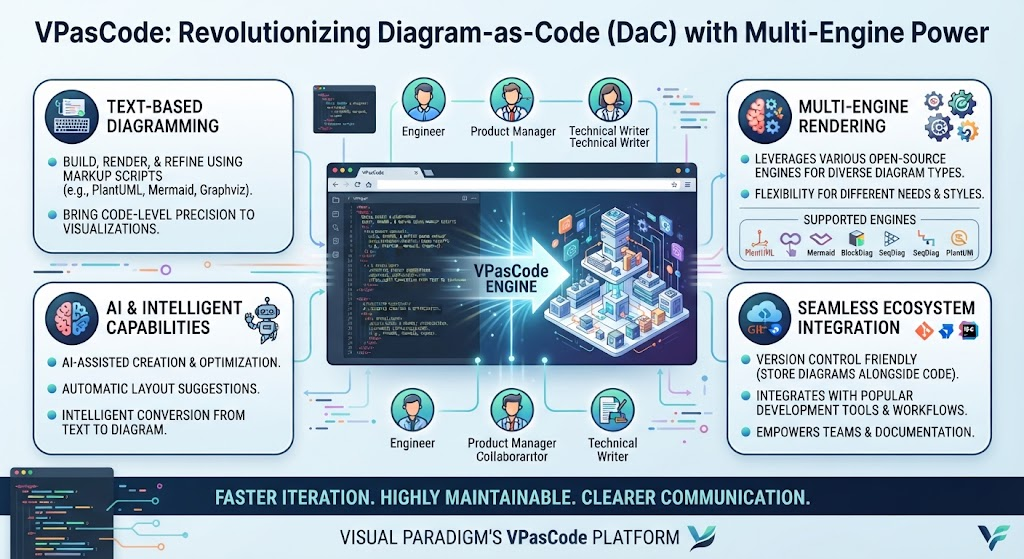
In the fast-paced world of software development and product management, clarity is currency. Traditional diagramming tools often rely on manual drag-and-drop interfaces that can become cumbersome when iterating on complex architectures or maintaining documentation alongside code. Enter VPasCode, Visual Paradigm’s browser-based, multi-engine Diagram-as-Code (DaC) platform.
VPasCode represents a paradigm shift in how we create visual representations of systems. By allowing users to build, render, and refine diagrams using text markup scripts rather than graphical manipulation, it bridges the gap between conceptual brainstorming and code-level precision. This guide explores how VPasCode leverages multiple rendering engines, AI capabilities, and seamless ecosystem integration to empower engineers, product managers, and technical writers to create dynamic, version-controlled, and highly maintainable diagrams.
Key Concepts
1. Diagram-as-Code (DaC)
Diagram-as-Code is an approach where diagrams are defined using textual description languages. Instead of manually positioning shapes and connectors, you write code that describes the structure and relationships. This approach offers several advantages:
-
Version Control: Diagrams can be stored in Git, allowing for change tracking, branching, and merging just like source code.
-
Reproducibility: Anyone with the script can regenerate the exact same diagram, eliminating inconsistencies caused by manual adjustments.
-
Efficiency: Making structural changes is often faster via text edits than dragging elements around a canvas.
2. Multi-Engine Support
VPasCode is not limited to a single syntax. It natively compiles and renders several popular standards:
-
PlantUML: Ideal for strict UML specifications (class, sequence, deployment diagrams).
-
Mermaid: Great for flowcharts, sequence diagrams, and state diagrams, widely supported in markdown editors.
-
Graphviz (DOT): Powerful for creating complex node-link diagrams and hierarchical structures.
-
D2: A modern declarative diagramming language focused on simplicity and readability.
-
ECharts: For rendering data charts and visualizations directly from code.
3. AI-Enhanced Workflow
VPasCode integrates artificial intelligence to reduce the learning curve and accelerate diagram creation:
-
Natural-Language Generation: Convert plain English prompts into valid diagram code.
-
Error Fixing: Automatically diagnose and correct syntax errors with explanations.
-
Conversational Modification: Update existing diagrams using natural language commands.
-
Translation: Translate embedded text within diagrams for global teams.
4. Ecosystem Integration
VPasCode does not exist in isolation. It connects seamlessly with:
-
Visual Paradigm AI Chatbot: Conceptualize systems in chat, then push scripts to VPasCode for refinement.
-
Visual Paradigm Online Editor: Export code-generated diagrams to the traditional GUI for manual tweaks.
-
OpenDocs Knowledge Bases: Embed living diagrams directly into project wikis and documentation.
Getting Started with VPasCode
The Workspace
VPasCode features a real-time dual-pane workspace:
-
Left Pane: An IDE-grade code editor with syntax highlighting and auto-completion.
-
Right Pane: A live, vector-rendered preview canvas that updates instantly as you type.
Automatic Syntax Detection
One of the most user-friendly features is automatic syntax detection. When you paste a code snippet, VPasCode recognizes whether it’s PlantUML, Mermaid, DOT, or D2, and instantly formats and renders it. This eliminates the need to manually select the engine before pasting.
Examples
Example 1: Creating a Sequence Diagram with PlantUML
Use Case: Documenting a user login process for engineering teams.
Code:
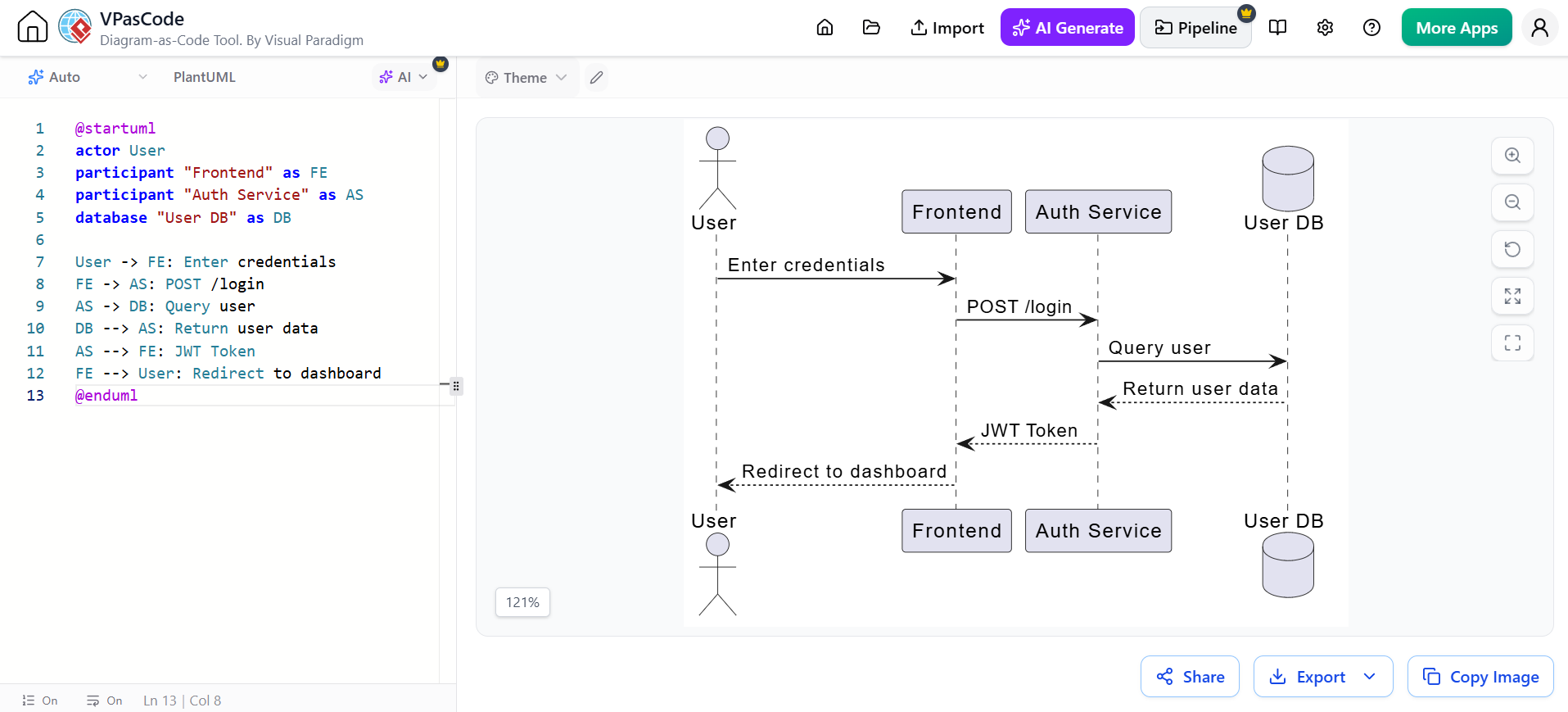
@startuml
actor User
participant "Frontend" as FE
participant "Auth Service" as AS
database "User DB" as DB

User -> FE: Enter credentials
FE -> AS: POST /login
AS -> DB: Query user
DB --> AS: Return user data
AS --> FE: JWT Token
FE --> User: Redirect to dashboard
@enduml
AI Enhancement: If you forget a closing bracket or misplace an arrow, click “Fix by AI” to automatically correct the syntax and see a side-by-side explanation of the error.
Example 2: Mapping a Product Workflow with Mermaid
Use Case: Agile product managers mapping out sprint workflows during backlog refinement.
Code:
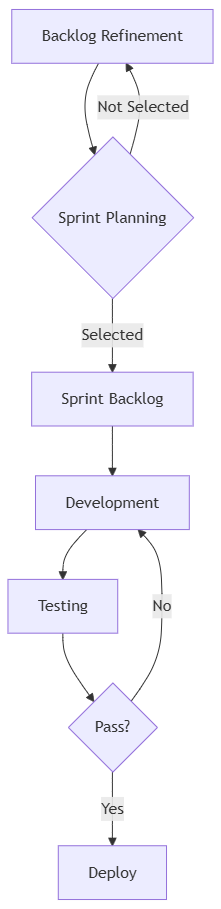
graph TD
    A[Backlog Refinement] --> B{Sprint Planning}
    B -->|Selected| C[Sprint Backlog]
    B -->|Not Selected| A
    C --> D[Development]
    D --> E[Testing]
    E --> F{Pass?}
    F -->|Yes| G[Deploy]
    F -->|No| D
AI Enhancement: Use conversational modification: “Add a code review step between Development and Testing.” VPasCode will update the Mermaid code accordingly.
Example 3: Architectural Overview with D2
Use Case: High-level system architecture for documentation.
Code:
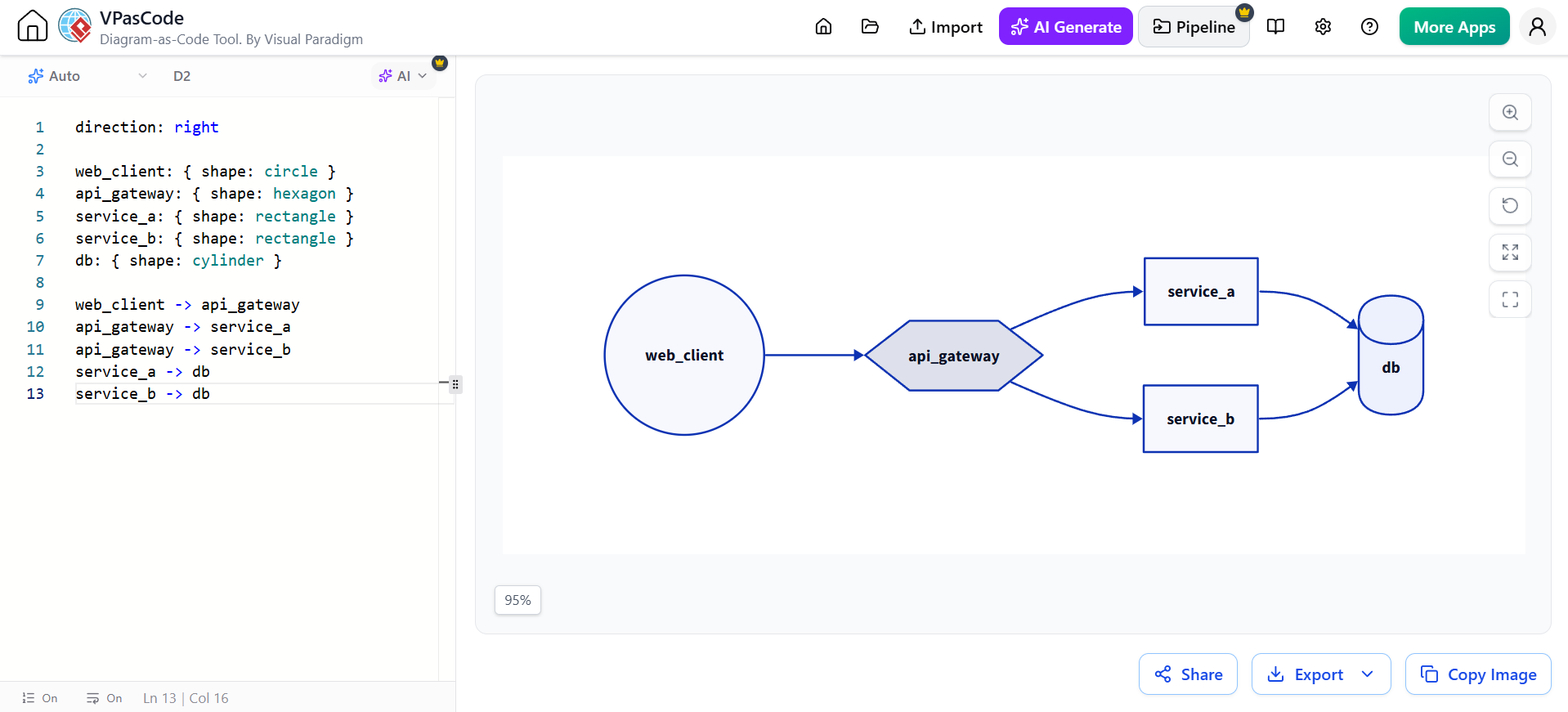
direction: right

web_client: { shape: circle }
api_gateway: { shape: hexagon }
service_a: { shape: rectangle }
service_b: { shape: rectangle }
db: { shape: cylinder }

web_client -> api_gateway
api_gateway -> service_a
api_gateway -> service_b
service_a -> db
service_b -> db
Advanced Features
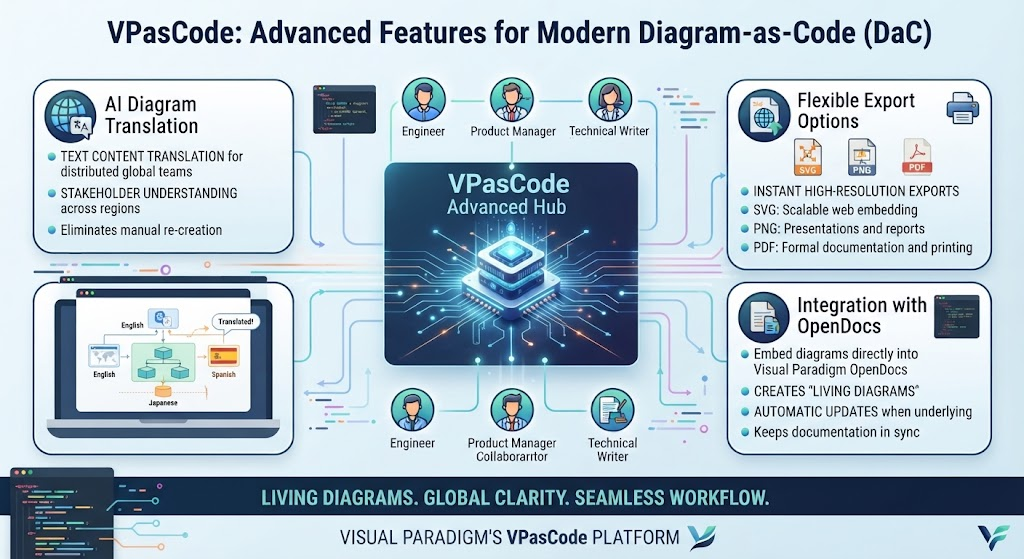
AI Diagram Translation
For distributed global teams, VPasCode can translate text content embedded within complex architectures. This ensures that stakeholders in different regions can understand workflow charts without manual re-creation.
Flexible Export Options
Once your diagram is refined, export it instantly to high-resolution formats:
-
SVG: For scalable web embedding.
-
PNG: For presentations and reports.
-
PDF: For formal documentation and printing.
Integration with OpenDocs
Technical writers can embed VPasCode diagrams directly into Visual Paradigm OpenDocs. This creates “living diagrams” that update automatically when the underlying code changes, ensuring documentation never falls out of sync with the actual system design.
Conclusion
VPasCode transforms diagramming from a static, manual task into a dynamic, code-driven process. By supporting multiple engines like PlantUML, Mermaid, and D2, and enhancing the workflow with powerful AI capabilities, it caters to both software architects needing strict UML compliance and product managers requiring rapid workflow visualization. Its seamless integration with Visual Paradigm’s broader ecosystem ensures that diagrams remain living artifacts within your documentation and development lifecycle. Whether you’re drafting an ADR, mapping a user journey, or documenting a microservices architecture, VPasCode provides the precision of code with the clarity of visuals.
This post is also available in Deutsche, Español, فارسی, Français, English, Bahasa Indonesia, 日本語, Polski, Portuguese, Ру́сский, Việt Nam, 简体中文 and 繁體中文.
