




Mastering XML Visualization in VPasCode: A Comprehensive Guide to Transforming Complex Data into Clear Diagram
Introduction
XML (Extensible Markup Language) remains a cornerstone format for data exchange, configuration files, RSS feeds, and web services. However, reading raw, deeply nested XML files can often be tedious, visually overwhelming, and error-prone. With the latest update to VPasCode, developers, architects, and technical writers can now effortlessly visualize hierarchical XML structures alongside a feature-rich, free XML editor. This guide explores how to transform complex, nested data into clear, interactive diagrams to streamline debugging and documentation.
How XML Visualization Works in VPasCode
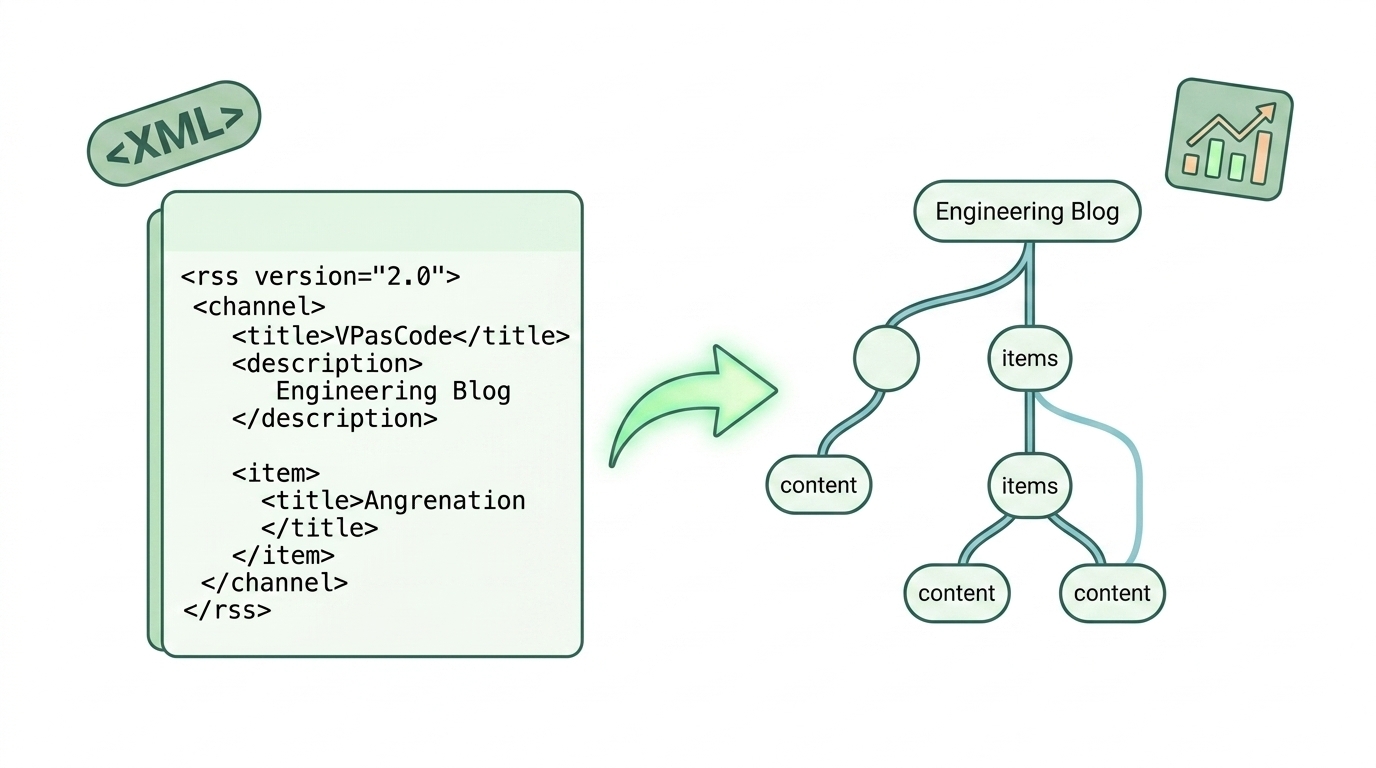
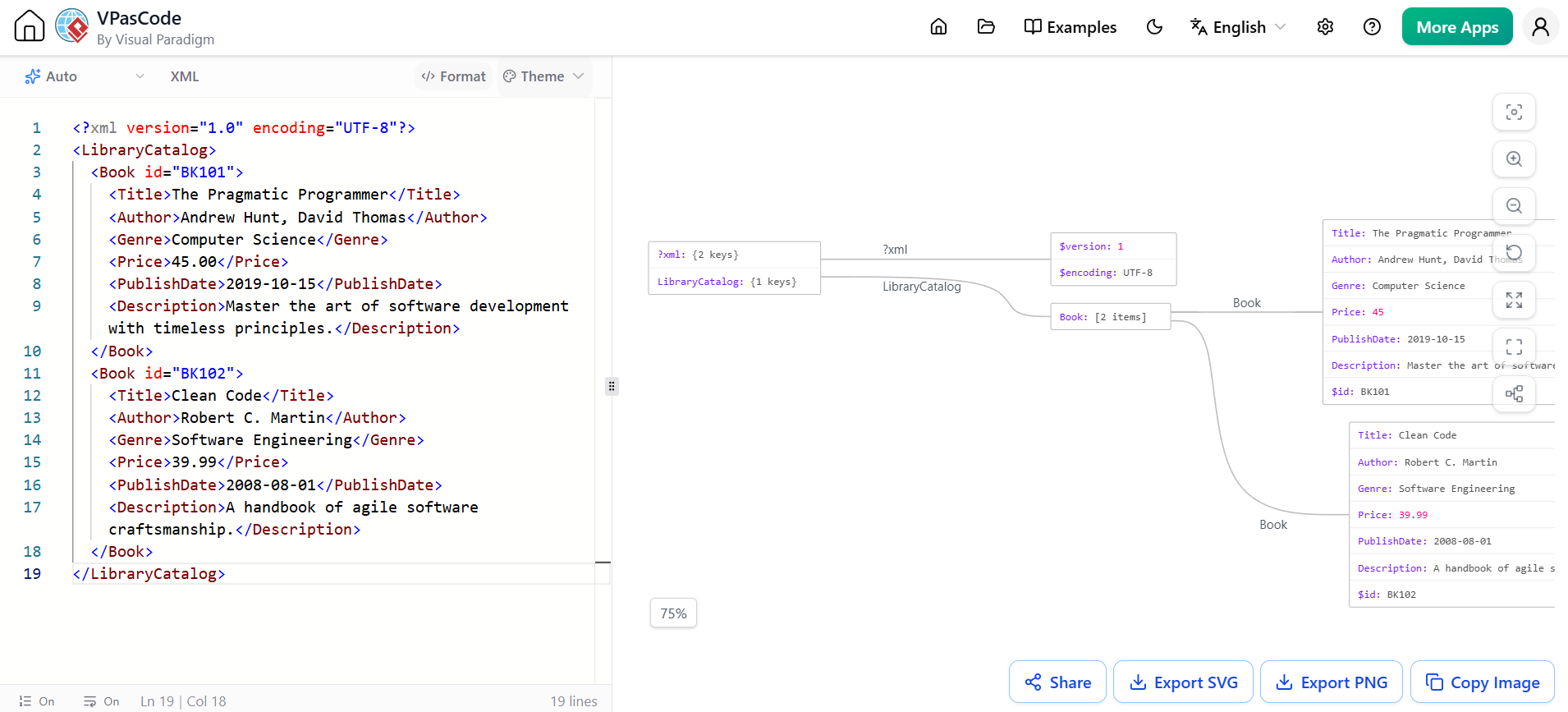
Using the XML visualizer is as straightforward as any other format supported on the platform. The interface features an intuitive split-pane layout: on the left side, you paste or edit your raw XML code; on the right side, VPasCode automatically renders your data into an organized, high-quality visual diagram in real time.
Experience real-time split-screen editing and interactive XML structure rendering directly in your browser.
Key Features & Capabilities
-
Interactive Code-to-Diagram Jump: Simply click on any shape or node in the diagram pane, and the editor will automatically highlight the corresponding XML lines, allowing you to debug or inspect data structures instantaneously.
-
One-Click Pretty-Format: Messy or minified XML files can be reformatted and neatly indented with a single click inside the powerful online XML diagram tool.
-
Multiple Diagram Themes: Customize the visual style of your generated diagrams with clean themes suited for executive presentations, technical documentation, or code reviews.
-
Export to SVG & PNG: High-resolution vector exports (SVG) and raster images (PNG) make it seamless to insert your generated diagrams into reports, wikis, or slide decks.
-
Copy to Clipboard: Quickly copy the rendered image to your clipboard for instant sharing across team chat channels like Slack or Microsoft Teams.
-
Instant URL Sharing (No Login Required): Share live, interactive diagrams with colleagues or stakeholders via lightweight hyperlinks without forcing anyone to register or log in.
See It in Action: Library Catalog Example
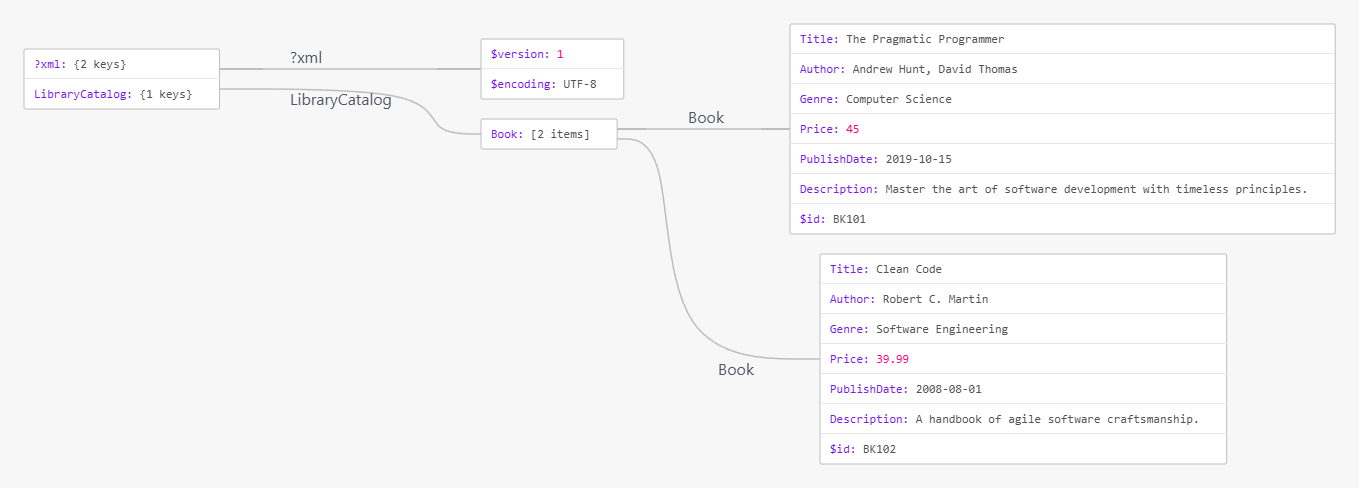
To demonstrate how simple it is to turn raw markup into visual clarity, consider a standard, deeply nested XML structure such as a library book catalog payload:
<?xml version="1.0" encoding="UTF-8"?>
<LibraryCatalog>
  <Book id="BK101">
    <Title>The Pragmatic Programmer</Title>
    <Author>Andrew Hunt, David Thomas</Author>
    <Genre>Computer Science</Genre>
    <Price>45.00</Price>
    <PublishDate>2019-10-15</PublishDate>
    <Description>Master the art of software development with timeless principles.</Description>
  </Book>
  <Book id="BK102">
    <Title>Clean Code</Title>
    <Author>Robert C. Martin</Author>
    <Genre>Software Engineering</Genre>
    <Price>39.99</Price>
    <PublishDate>2008-08-01</PublishDate>
    <Description>A handbook of agile software craftsmanship.</Description>
  </Book>
</LibraryCatalog>
Instead of manually parsing elements and attributes line-by-line, you can view this exact layout rendered visually as a clear, hierarchical tree directly in your browser. This makes validating nested structures like <Book> or <Author> significantly faster and less error-prone.
New to VPasCode? What You Need to Know
If you are encountering VPasCode for the first time, welcome! VPasCode is Visual Paradigm’s all-in-one diagram-as-code solution designed to eliminate the frustration of switching between dozens of single-purpose visualizers. It offers a browser-based, robust environment packed into a flexible, free XML editor and diagram suite.
Unmatched Format Coverage
VPasCode supports an extensive range of domain-specific languages, structured formats, databases, and programming languages, including:
-
Diagram & Visualization DSLs: PlantUML, Mermaid, Graphviz, Markmap, ECharts
-
Structured Data Formats: XML, JSON, YAML, CSV, TOML
-
Database Queries: SQL
-
Programming Languages: Java, TypeScript, Go, Rust, C#, Python, C, C++, PHP, Ruby, Scala, Zig, Kotlin, Swift, Elixir
With full support for major standards like PlantUML and Mermaid, you can build Sequence Diagrams, Class Diagrams, Flowcharts, State Diagrams, Architecture Diagrams (C4 / ArchiMate), Gantt Charts, Mind Maps, ERDs, User Journey Maps, and much more.
Industry-Unique AI Innovations
To enhance developer productivity, VPasCode introduces advanced AI-powered tools designed to save time and streamline workflows:
-
Automatic Code Format Detection: Paste raw snippet text directly into the editor. VPasCode automatically detects whether it is XML, Mermaid, JSON, or C# and instantly renders the visual output—no manual language configuration needed.
-
AI Code Error Fixing: Caught a syntax error? Hit ‘Fix by AI’ to resolve syntax issues instantly. VPasCode provides a side-by-side diff showing exactly what changed, serving as an educational tool to help you learn syntax rules.
-
AI Diagram Translation: Translate text labels across complex diagrams into target languages natively without breaking structural formatting.
-
Visual Paradigm OpenDocs Integration: Seamlessly push generated diagrams into Visual Paradigm OpenDocs to simplify comprehensive technical documentation workflows.
Conclusion
Core diagram editing, real-time live previewing, XML visualization, and image exports (PNG/SVG) are completely free to use. Premium AI capabilities, such as AI Error Fixing and AI Diagram Translation, are included with Visual Paradigm Online Combo Edition or Desktop Professional Edition (with active maintenance). By transforming raw, nested data into actionable visual insights, VPasCode empowers teams to communicate complex structures with unprecedented clarity.
Ready to convert raw XML into actionable insights? Launch the VPasCode Free Online XML Diagram Tool today and streamline your development workflow.
Reference List
-
Introducing VPasCode: The Ultimate Unified Text-to-Diagram Platform: Announces the launch of Visual Paradigm’s unified diagram-as-code platform with advanced AI translation features.
-
VPasCode Adds Support for TOML Visualization: Highlights the expansion of VPasCode to fully support TOML file visualization alongside JSON, YAML, and XML.
-
Seamlessly Connect Diagramming to Documentation: VPasCode Integrates with OpenDocs: Explains the new capability to push generated diagrams directly into Visual Paradigm OpenDocs for streamlined workflows.
-
Free JSON Schema Editor in VPasCode: Details how VPasCode turns intricate JSON Schema code definitions into clean, navigable diagrams instantly.
This post is also available in Deutsche, Español, فارسی, Français, English, Bahasa Indonesia, 日本語, Polski, Portuguese, Ру́сский, Việt Nam, 简体中文 and 繁體中文.
