Kotter’s 8 Step Change Model – A Comprehensive Guide
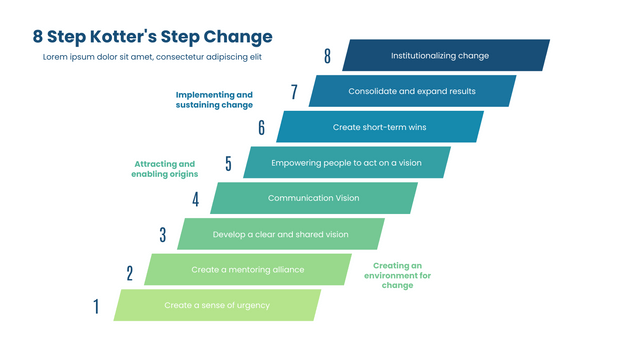
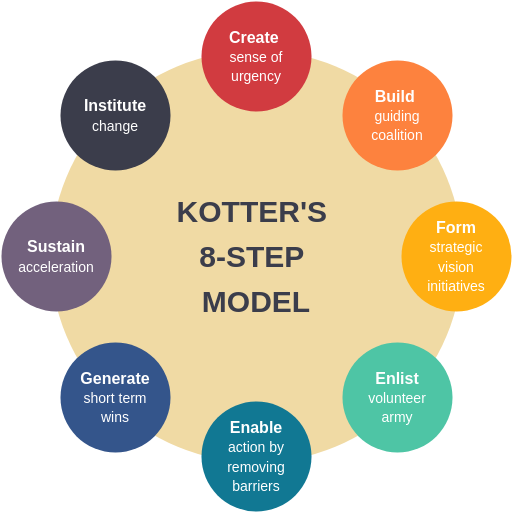
The 8 steps in the process of change include: creating a sense of urgency, forming powerful guiding coalitions, developing a vision and a strategy, communicating the vision, removing obstacles and empowering employees for action, creating short-term wins, consolidating gains and strengthening change by anchoring change in the culture. Kotter’s 8 step model can be explained with the help of the illustration given below: