Export My Work As A PDF Document

Export My Work As A PDF Document for Free

After we have finished a design, we may want to export it and save as other format for different uses. In the design tool, JPG and PNG are provided for the exportation. However, for the design with more than one page, such as flipbook, it is inconvenient to save them one by one as images. In this case, saving the work as an PDF document is one of the good methods. https://www.youtube.com/watch?v=D8cmlD4C_Qo&width=854&height=480 How To Export My Work As A PDF Document After finishing your design, click the "Export" on the top right corner…continue reading →
What is PDF/A and Why PDF/A

What is PDF/A and Why PDF/A

PDF/A is a file format that is particularly important for the preservation of electronic documents. In this article, I will explain what PDF/A is and why it is important.
Benefits of Using PDFs

Benefits of Using PDFs

PDF (Portable Document Format) is one of the most widely used file formats for sharing and exchanging documents. The format was created by Adobe Systems in 1993 and has since become the standard for exchanging digital documents. PDFs offer a number of benefits over other file formats, making them an essential tool for both personal and professional use. Universal Compatibility One of the biggest benefits of PDFs is their universal compatibility. PDFs can be viewed on any device with a PDF reader installed, making it easy to share and exchange documents with others,…continue reading →
5 Major Benefits of Using PDFs for Printing

5 Major Benefits of Using PDFs for Printing

One of the best things about Visual Paradigm Online Free PDF Editor is its accessibility. You can access our platform from anywhere, at any time, and on any device with an internet connection. Whether you're at your desk, on the go, or working remotely, you can create, edit, and share your PDFs with ease.
How to Recover Textual Content form a Corrupted PDF

How to Recover Textual Content from a Corrupted PDF

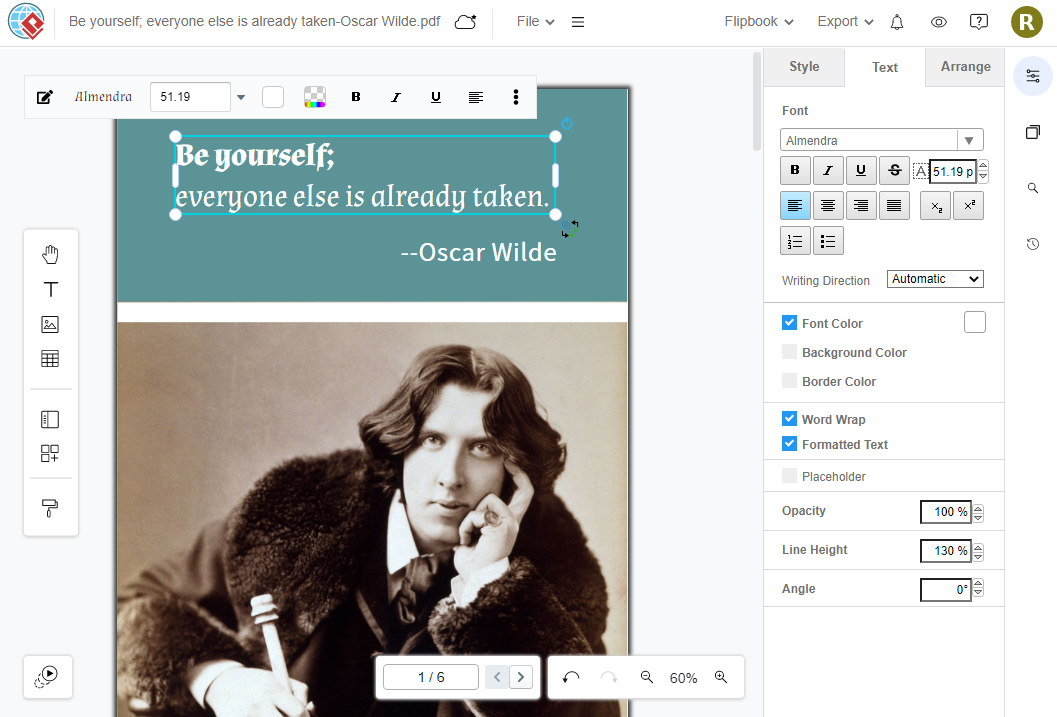
With Visual Paradigm Online, you can now edit PDF files online. It is simple to use for individuals and businesses of all sizes. With the online drag-and-drop Free PDF editor, you can quickly and easily change the text and graphics in any PDF file. The font choices, as well as additional content like videos, photos, and animation effects, can all be changed in a PDF document. Furthermore, you can recover textual content from a corrupted PDF file by using Visual Paradigm Online. This is a quick tutorial for you to learn how to…continue reading →
How to split a PDF into multiple files

How to split a PDF into multiple files

Split Large PDF Files with Ease Using VP Online Free PDF Tools!!! PDF is an convenient format to store data. Sometimes, we may want to split a PDF into multiple files for better focusing. VP Online PDF tools can help you to do it in a few steps. See how to do it in this article and try it now! What does split PDF mean? Split PDF is a feature that allows you to divide a single PDF document into multiple smaller PDF files. This feature is useful in a variety of situations…continue reading →
How to convert PDF to MS Word Document

How to convert PDF to MS Word Document

Convert PDF to Word Effortlessly with VP Online Free PDF Editor! Although PDF is a very commonly used file format, we still need to use different format in various situations. With VP Online's PDF to Word Converter, we can complete the conversion in a few steps! Why would we convert PDF to MS Word? And what are their difference? PDF (Portable Document Format) and MS Word (Microsoft Word) are two of the most widely used document formats. While PDF is popular for its ability to preserve formatting, MS Word is the standard for…continue reading →
How to edit PDF on iPhone

How to edit PDF on iPhone

PDF is a common file format we use nowadays. In order to raise the using experience, there are more tools for us to edit PDF . However, incase you do not have a computer with you, you can still edit in your iPhone by VP Online Free PDF editor. In this article, you can learn how to do it. How to edit PDF on iPhone https://www.youtube.com/watch?v=5OYQjU_T2vY&&width=854&height=480 Upload PDF to VP Online After login our workspace, click the triple bar button at top left. Click PDF under Apps.        Click Import button,…continue reading →
How to insert hyperlink to PDF

How to insert hyperlink to PDF

When we want to list a reference in our PDF or point to further reading, we can insert a hyperlink to it. Then, readers can visit the website by clicking on these keywords. With VP Online Free PDF Editor, we can insert the linked content in a few steps. Learn more in this article! How to insert hyperlink to PDF https://www.youtube.com/watch?v=nJVsxxODb9M&width=854&height=480 After login our workspace, click  Apps-PDF to see our PDF tools. Then,  click Import to upload our PDF. Upload PDF to the pages. We can also drag and drop the document to…continue reading →