How to Delete Pages from PDF using PDF Tools

How to Delete Pages from PDF using PDF Tools

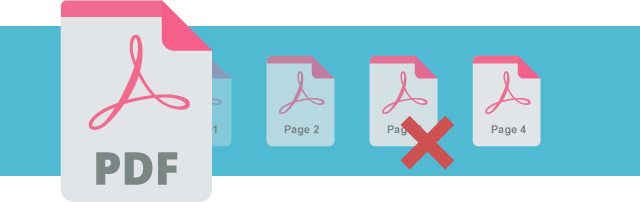
Effortlessly customize your PDF with VP Online Free PDF Tools! As a professional tool, it offers a variety of online PDF editing options such as rearranging pages, combining PDFs, and splitting them into multiple files. In this guide, we will walk you through the simple process of removing pages from your PDF using the VP Online Free PDF Tools. Read more: Delete pages from PDF in the editor What is PDF? PDF (Portable Document Format) is a widely used file format for electronic documents. It is designed to preserve the formatting of the…continue reading →
How to re-arrange pages in a PDF

How to re-arrange pages in a PDF

PDFs are widely used in various devices and applications. If you encounter errors in the page order, a helpful tool to fix it is the Visual Paradigm Online Free PDF Editor. This editor makes it easy for you to rearrange the pages and get your PDF back in order. What is PDF PDF stands for Portable Document Format and is a widely-used file format for electronic documents. It is designed to maintain the formatting and layout of a document regardless of the device or software used to view it. The Importance of rearranging…continue reading →
How to convert PDF to MS PowerPoint

How to convert PDF to MS PowerPoint

MS PowerPoint is file format that we usually use in a presentation. Sometimes we may sand the share our document as PDF, but we still prefer convert it to PDF for preparing a great presentation. VP Online Free PDF Converter can help you to finish the conversion in a few steps! What is MS Powerpoint? A presentation program included in the Microsoft Office family of productivity tools is Microsoft PowerPoint. It enables users to make slide shows with text, photographs, graphs, charts, and other features. Business meetings, presentations, and educational courses frequently employ…continue reading →
How to reorder page in PDF

How to reorder page in PDF

PDF is a very commonly used file format for us. VP Free Online PDF supporting PDF online editing, such as merging, splitting, etc. Instead of editing the PDF through content editor, we can also reorder it directly through the PDF tools. Let's see how to do it in this article. How to reorder page in PDF https://www.youtube.com/watch?v=NMIuHtTuor0&width=854&height=480 Upload PDF to workspace After login our workspace, we can go to Apps-PDF, then click Reorder PDF Pages under Tools. Upload PDF to the tool, we can also directly drag and drop the PDF to it.…continue reading →
Export My Work As A PDF Document

Export My Work As A PDF Document for Free

After we have finished a design, we may want to export it and save as other format for different uses. In the design tool, JPG and PNG are provided for the exportation. However, for the design with more than one page, such as flipbook, it is inconvenient to save them one by one as images. In this case, saving the work as an PDF document is one of the good methods. https://www.youtube.com/watch?v=D8cmlD4C_Qo&width=854&height=480 How To Export My Work As A PDF Document After finishing your design, click the "Export" on the top right corner…continue reading →
What is PDF/A and Why PDF/A

What is PDF/A and Why PDF/A

PDF/A is a file format that is particularly important for the preservation of electronic documents. In this article, I will explain what PDF/A is and why it is important.
Benefits of Using PDFs

Benefits of Using PDFs

PDF (Portable Document Format) is one of the most widely used file formats for sharing and exchanging documents. The format was created by Adobe Systems in 1993 and has since become the standard for exchanging digital documents. PDFs offer a number of benefits over other file formats, making them an essential tool for both personal and professional use. Universal Compatibility One of the biggest benefits of PDFs is their universal compatibility. PDFs can be viewed on any device with a PDF reader installed, making it easy to share and exchange documents with others,…continue reading →
5 Major Benefits of Using PDFs for Printing

5 Major Benefits of Using PDFs for Printing

One of the best things about Visual Paradigm Online Free PDF Editor is its accessibility. You can access our platform from anywhere, at any time, and on any device with an internet connection. Whether you're at your desk, on the go, or working remotely, you can create, edit, and share your PDFs with ease.
How to Recover Textual Content form a Corrupted PDF

How to Recover Textual Content from a Corrupted PDF

With Visual Paradigm Online, you can now edit PDF files online. It is simple to use for individuals and businesses of all sizes. With the online drag-and-drop Free PDF editor, you can quickly and easily change the text and graphics in any PDF file. The font choices, as well as additional content like videos, photos, and animation effects, can all be changed in a PDF document. Furthermore, you can recover textual content from a corrupted PDF file by using Visual Paradigm Online. This is a quick tutorial for you to learn how to…continue reading →