How to Flip a Shape in Your Design?

How to Flip a Shape in Your Design?

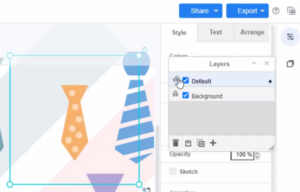
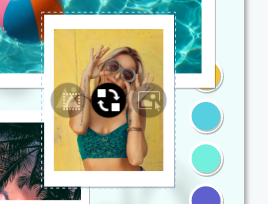
In Visual Paradigm Online, you can edit your design with texts, artworks, shapes, images etc. For editing your design, sometimes you may want to edit the design elements by rotating, flipping or reversing a shape or an artwork.  With the tool in Visual Paradigm, you can freely flip the design elements with one click only. This is a tutorial for guiding user how to flip a shape easily in two ways. You can watch the guide from the attached video or read the guide below. https://www.youtube.com/watch?v=WSwRI9UxlKA&width=854&height=480 There are two ways to flip your…continue reading →
Change Display Option Of ArchiMate Element

Change Display Option Of ArchiMate Element

ArchiMate offers a visual language to model enterprise architecture. ArchiMate allows you to visualize relationships within and between different domains. These domains primarily include products/services, processes, organization, data applications, and technical infrastructure. ArchiMate comes with a rich collection of diagram symbols to support different kinds of modeling needs. Some of these symbols have multiple presentations - a regular box-like shape and a symbolic presentation (e.g. a computer shape that represents a device)In this article, you will learn how to switch between different representations by changing the display option of an ArchiMate element In…continue reading →
How to Print a Diagram?

How to Print a Diagram?

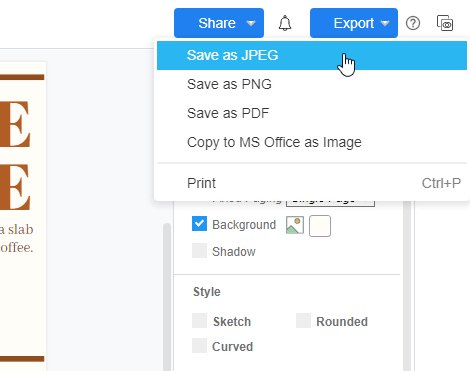
In Visual Paradigm Online, you can create your own graphics and save them as JPEG, PDF, PNG, etc. formats. You can also print out your design works with your printer. Here is the tutorial for guiding you to print out your designs and set the printing options or details easily with a few clicks. You can watch the attached video or read the guide below for learning how to print out your graphics work. https://www.youtube.com/watch?v=neXYu8Nrqyc&width=854&height=480 Click on the "Export" button After finishing your design on Visual Paradigm Online, you can print out your…continue reading →
Adding Line Breaks in Labels

Adding Line Breaks in Labels

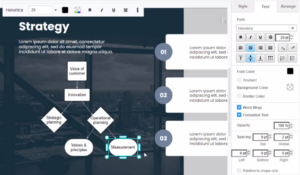
In Visual Paradigm Online, you can design your graphics by editing texts freely. Sometimes, you may need to design graphics with long texts in paragraphs. If the text for the design is too long, it may affect the design layout. In this case, you may need to add line breaks for the long texts for design. With the online design tool in Visual Paradigm Online, you can add line breaks easily for design. This is a tutorial in guiding you to add line breaks for long texts. You can watch the attached video…continue reading →
Create Regions In State

Create Regions In State

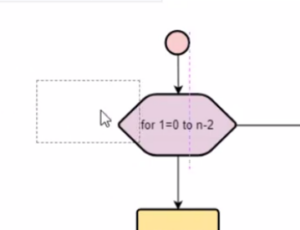
In a UML state machine diagram (aka state diagram), a region is a container inside a state that can hold pseudo states, states, and transitions. Typically, region is used to define nested states and transitions. By using regions, you can include more details about the internal transitions of a particular state. In this article, you will learn how to add states in a region. https://www.youtube.com/watch?v=S0JYoM5QW-8&width=854&height=480 How To Create Regions In State Add A New Region When creating state machine diagram, click on the state and right-click. You will then find 2 buttons: Add…continue reading →
How to Enable Autosave?

How to Enable Autosave?

From time to time, accidents happen during our work such as browser crashes or even your laptop run out of battery and that is why InfoART has "AUTOSAVE" function. By enabling the "AUTOSAVE" function your work will be save automatically in no time, without having to worry anything about losing any progress even accident happens! This guide will show you the steps to enable such function that will make your workflow smooth. The steps is as follow: Click on the menu bar of the top of the canva Hover over File and click…continue reading →
Divide shapes

Divide shapes

Boolean operations can make two or more shapes interact to produce different shapes. Compound shapes are the result of so-called Boolean operations. Results are fully editable at all times. All shapes will retain their special properties, such as rounded corners or sides. Compound shapes are also known as Boolean groups. Visual Paradigm Online graphic editor provides powerful features that let you reshape objects. We support combine, substract, intersect, exclude and divide shapes. You can customize the shape that you want. This video will show you how to divide shapes.   https://www.youtube.com/watch?v=NlEOZ76EZV0&width=854&height=480 Divide shapes…continue reading →
Intersect Shapes

Intersect Shapes

Boolean operations can make two or more shapes interact to produce different shapes. Compound shapes are the result of so-called Boolean operations. Results are fully editable at all times. All shapes will retain their special properties, such as rounded corners or sides. Compound shapes are also known as Boolean groups. Visual Paradigm Online graphic editor provides powerful features that let you reshape objects. We support combine, substract, intersect, exclude and divide shapes. You can customize the shape that you want. This video will show you how to intersect shapes. https://www.youtube.com/watch?v=V5Sz05IVj7M&width=854&height=480 Intersect Shapes When…continue reading →
Substract Shapes

Substract Shapes

Boolean operations can make two or more shapes interact to produce different shapes. Compound shapes are the result of so-called Boolean operations. Results are fully editable at all times. All shapes will retain their special properties, such as rounded corners or sides. Compound shapes are also known as Boolean groups. Visual Paradigm Online graphic editor provides powerful features that let you reshape objects. We support combine, substract, intersect, exclude and divide shapes. You can customize the shape that you want. This video will show you how to substract shapes.   https://www.youtube.com/watch?v=0n1BUi-Fbf8&width=854&height=480 Substract Shapes…continue reading →
How to Create a Grouped Column Chart?

How to Create a Grouped Column Chart?

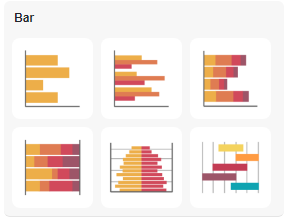
The grouped bar chart is an extension of the bar chart, plotting values for levels of two categorical variables instead of just one. Create charts easily with Visual Paradigm Online. In this video, you can see how to create a grouped column chart in VP Online.